


Shift left testing catches bugs early in development, while shift right testing learns from real users in production. Learn what each approach involves, their benefits and tools, and why the strongest teams use both.
The wider adoption of Agile and DevOps practices in recent years has led to a significant shift in the way software is developed and tested. Two emerging concepts are shift left testing (moving testing to the left on the project timeline) and shift right testing (performing testing in production). Both have their own advantages. In this article, we'll focus mainly on shift right testing and then explore the differences between shift left and shift right.
What Is Shift Right Testing?
Shift right testing, also known as testing in production, focuses on conducting testing activities after the development process. It involves gathering insights from real user feedback and interactions after the software has been deployed. Developers then use those insights to improve software quality and come up with new feature ideas.
Shift Right Testing Activity
Shift right testing aims to bring testing closer to the end users, hence the term “shift right”. There are 3 major criteria for any shift right testing activity:
- Stability
- Performance
- Usability
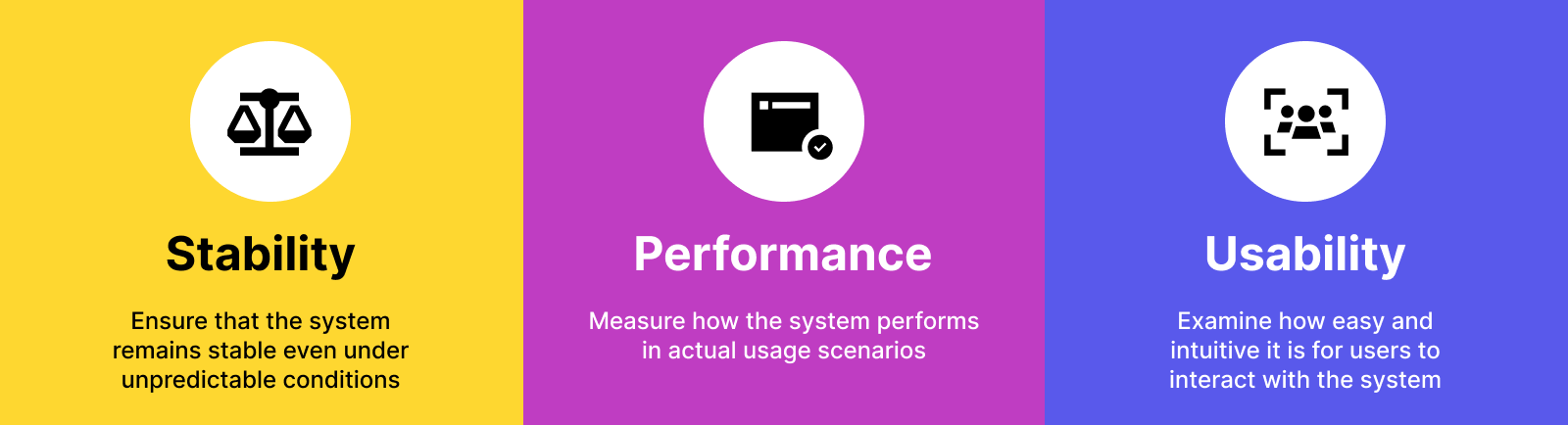
Shift right testing is also where experiments happen, with QA teams trying out new features or improvements (usually with a carefully selected set of users). The only catch is that the software, application, or website needs to receive a considerable number of user visits in the first place for the experiment results to be statistically significant.
The table below lists out several notable activities you can try during your shift right testing sessions:
Activity | What To Do |
|---|---|
Production Monitoring | Continuously monitor the software's performance in the live production environment, for example with synthetic transaction monitoring. Key items to measure include performance metrics, response times, error rates, user interactions (activities, clicks, navigation paths, usage patterns), and server health. |
Log Analysis | Analyze logs generated by the production system to detect abnormal patterns and troubleshoot issues early on. |
User Feedback Collection | Actively engage with real users to gather feedback on their experience. For example, build an in-app survey that appears when a certain event is triggered (such as installing the app or registering on the website). |
A/B Testing | Create two versions of your application or webpage and split incoming visits between them. Run them long enough to collect data on the metrics you're measuring. |
Feature Toggling | Use feature toggles to enable or disable specific features or configurations in the live environment, allowing controlled rollouts and quick adjustments based on user feedback. |
Continuous Improvement | Use insights from monitoring, feedback, testing, and analysis to drive continuous enhancements, prioritize feature refinements, optimize performance, and address usability issues. |
Benefits Of Shift Right Testing
- Real-time Feedback: the main purpose of shift right testing is to test with real data for real results instead of simulated data. This brings back authentic feedback and even helps to uncover valuable insights on user preferences.
- Improved User Experience: the insights from shift right testing sessions are translated into technical improvements for the software and boosts its business value. Going beyond just fixing “bugs”, now the dev team can also optimize certain features to bring users a better experience.
- Continuous Improvement: the shift right approach encourages continuous testing and learning about the software, knowing that there is always room for optimization for the software as more and more features are added. Over time, these insights can even be “consolidated” into principles about the software and the business itself, serving as reference for strategy development.
Tools For Shift Right Testing
- Application performance monitoring (APM) tools: to monitor the performance and behavior of live applications in real-time to identify performance issues. Examples: New Relic, Dynatrace, AppDynamics
- Log analysis tools: to extract meaningful data from logs to pinpoint the root cause of any system error. Examples: ELK Stack (Elasticsearch, Logstash, Kibana), Splunk, Graylog
- User analytics tools: to help you collect user behavior data and gain insights into their preferences, guiding UX optimization activities. Examples: Google Analytics, Mixpanel, Amplitude
- Feedback collection tools: to gather feedback from end-users to understand their experiences and make necessary improvements. Examples: UserVoice, Zendesk, Intercom
What Is Shift Left Testing?

Shift Left testing is an approach that focuses on conducting testing activities earlier in the development process. The idea is to shift testing to earlier stages rather than waiting until the final stages. This proactive approach aims to identify and resolve defects early, preventing them from spreading throughout the entire application, reducing the cost and effort required for fixing issues.
Many QA teams in the past often delayed testing until the final stage, believing that testing should be separate from development and performed only when the product is fully built. However, this also means that there is not enough time for testing, causing delays before the app can be released.
With shift left testing, testing and development happen almost at the same time, with the testing giving continuous feedback to the development team as they build the software.
Read More: What is Shift Left Testing?
Benefits Of Shift Left Testing
- Early Bug Detection: at earlier stages of development, bugs are less expensive and easier to fix since there is less code and fewer dependencies between components. By minimizing the number of interactions and connections between software features, bugs are less entrenched in the software design. Testers can troubleshoot without making drastic changes to the existing code.
- More Flexibility For Both Teams: with shift left testing, the development team can build the app and quickly get feedback from testing. Similarly, the QA team can test smaller chunks of code one by one instead of a full build with a complex network of bugs. Both teams benefit from this approach.
- Improved collaboration: shift left testing draws on the expertise of both dev and testing teams to increase project efficiency. It fosters innovation through the diversity of skills and perspectives involved. However, they must have a shared understanding of expectations, so using a testing tool with collaboration capabilities is a recommended starting point.
Tools For Shift Left Testing
- Static code analysis tools: scan code and identify coding errors early in the development process, so developers can quickly review their code. Popular tools: SonarQube, Checkstyle, ESLint, and CodeNarc for Groovy test scripts in Katalon Studio
- Unit testing frameworks: automate unit testing, so developers can run tests themselves before committing code. Example frameworks: JUnit, NUnit, pytest
- Test automation tools: automate test creation and execution, helping QA teams quickly catch bugs and find root causes. Examples: Katalon, Selenium
- Continuous integration tools: automate the build and testing processes, so code changes integrate smoothly and issues are found promptly. Examples: Jenkins, Travis CI, CircleCI
Shift Left vs. Shift Right Testing
So what is the difference between Shift Left and Shift Right Testing? The answer is that they're two sides of the same coin. They don’t cancel each other, but rather complement each other, and using both approaches can actually bring a more comprehensive testing experience to the team.
In this table, we compare shift left vs shift right testing based on 7 criteria:
Shift Left Testing | Shift Right Testing | |
|---|---|---|
When It Happens | Early stages of the software development life cycle | After release, in the live environment |
Objective | Early bug detection and prevention | Real-time monitoring and user feedback for improvements |
Activities | Static code analysis, unit testing, code reviews | Monitoring, canary releases, A/B testing, feedback analysis |
Emphasis | Prevention-oriented | Improvement-oriented |
Test Environments | Development and testing environments | |
Collaboration | Developers, testers, QA teams | Developers, testers, operations, customer support |
Iterative Approach | Yes | Yes |
Level Up Your Testing With Katalon
Katalon is a modern, AI-augmented test automation solution and quality management platform for web, mobile, API, and desktop applications. It provides a unified platform for teams to plan, design, execute, and manage automated testing efforts. It gives you the tools to move much of your testing earlier in the development cycle.
- Early automated testing with Katalon Studio: Katalon has an extensive library of Built-in Keywords, prebuilt code snippets for interactions such as Open Browser, Click, Set Text, and many more. Add them in order and you'll have a test script ready to run across a wide variety of environments, operating systems, browsers, and devices.
- CI/CD integrations: Katalon integrates with popular CI/CD tools as well as collaboration tools such as Slack, Microsoft Teams, and Git, improving transparency and communication between team members.
- Test management capabilities: Testers can store application elements in the Object Repository and organize test cases, data files, and suites in a shared project, so team members can reuse them across tests and projects.
Frequently asked questions
Shift-right (testing in production) validates software after deployment by observing real user behavior and system signals (stability, performance, usability) to drive improvements.
Production monitoring (APM metrics, error rates), log analysis, in-app user feedback collection, A/B testing, feature toggling/gradual rollouts, and continuous improvement based on live insights.
It delivers real-time feedback from actual usage, surfaces UX insights, and establishes a culture of continuous optimization beyond pre-release checks.
Shift-left: early-stage prevention (static analysis, unit/automation in CI, code reviews) in dev/test environments. Shift-right: post-release learning (monitoring, experiments, feedback) in production.They’re complementary: prevent defects early, then refine in the wild.
Shift-right: APM (New Relic, Dynatrace, AppDynamics), log analytics (ELK, Splunk), user analytics (GA, Mixpanel, Amplitude), feedback tools (Intercom, Zendesk, UserVoice). Shift-left: static analysis (SonarQube, ESLint, Checkstyle), unit frameworks (JUnit, NUnit, pytest), automation (Katalon, Selenium), CI (Jenkins, Travis CI, CircleCI).





Test everything. Ship with confidence.
From generating test cases to spotting failures, Katalon's AI works across your entire pipeline, automatically.
