


July’s release brings significant advancements in mobile testing capabilities, integrations, and user experience enhancements, furthering Katalon's commitment to helping QA teams work smarter and more efficiently.
Here is what we delivered in July:
Desktop testing revamp
Desktop testing capabilities have been reintroduced to Katalon Studio 10.3, featuring enhanced technology that eliminates the need for WinAppDriver.
- Simplified setup with no ‘Developer Mode’ required.
- Broad technology compatibility using the FlaUI WebDriver.
- Enhanced performance and reliability for desktop app testing.
Self-healing for mobile apps
Mobile testing resilience is greatly enhanced with self-healing capabilities for mobile app tests, significantly reducing maintenance when UI changes occur.
- Automatically detects and recovers from broken locators
- Customizable locator priority settings for iOS and Android
- Comprehensive logging and dedicated healing reports for improved troubleshooting
StudioAssist now supports Gemini
StudioAssist now integrates Gemini, so users can get AI-powered suggestions directly within their testing workflows.
- Easy setup with personal keys.
- Option to toggle automatic follow-up question suggestions in chat.
- Enhanced personalization of the StudioAssist experience.
Save response bodies as files
Studio now offers an intuitive option to send API responses and save response bodies as files directly from the Response tab. The improved interface provides clearer visibility and ease of use.
- Option to automatically download responses after sending requests.
- "Save Response body as file" link is placed conveniently under the Response body tab.
- Automatic suggestion of file formats based on Content-Type header.
Azure DevOps automated status updates
Enhancing integration with Azure DevOps, Studio now automatically updates the automation status of test cases directly in Azure DevOps. This provides accurate, real-time insights into automated test execution.
- Updates "Automated" status and populates executed test names.
- Prevents unintended overrides with clear messaging in event logs.
New email report templates
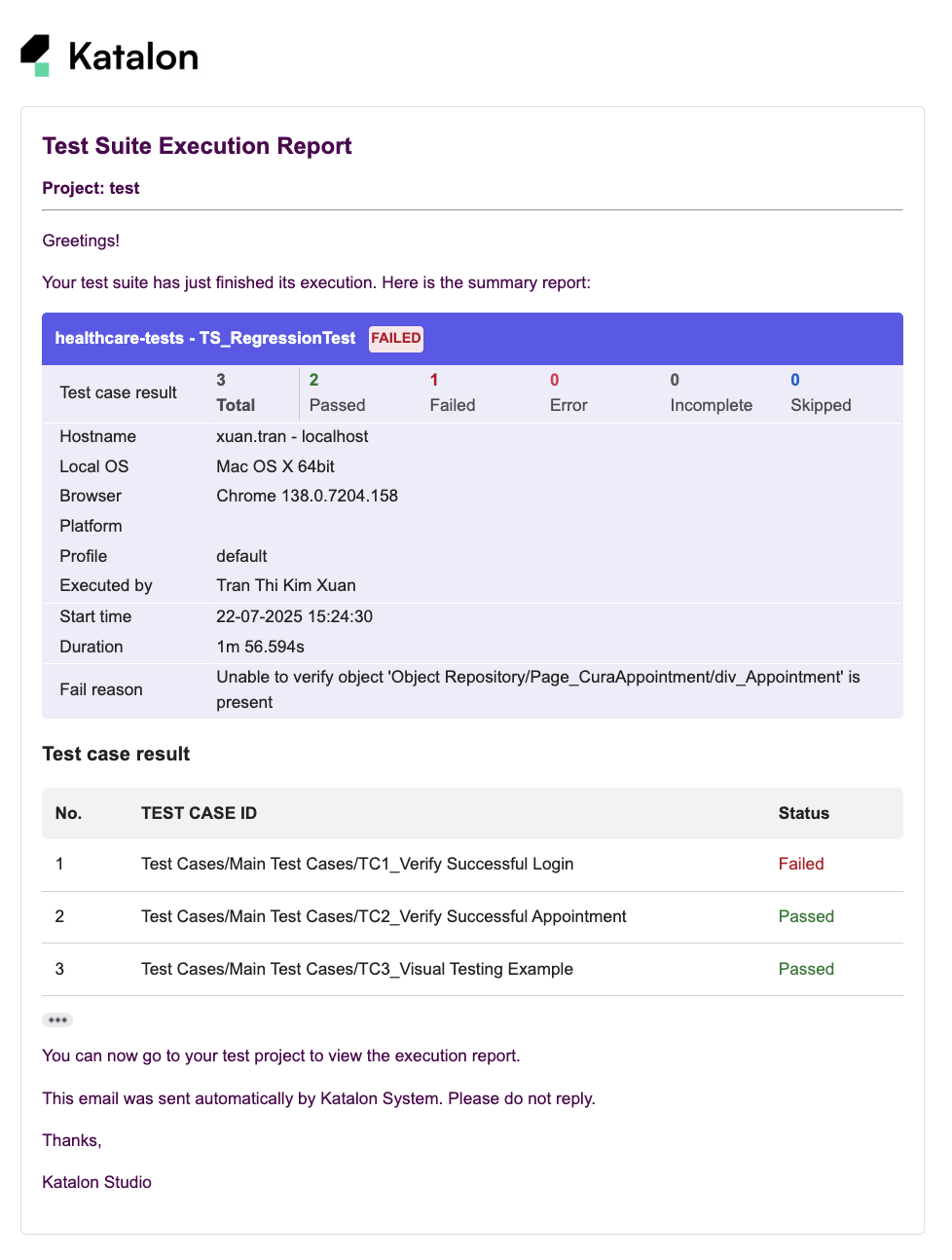
Katalon Studio introduces redesigned email report templates, enhancing readability and visual appeal to match the new HTML report designs.
- Modernized, easy-to-read report structure.
- Option for users to customize reports with advanced external templates.
- Supports project-specific customization to match user requirements.
Filter and personalize testing with custom session attributes
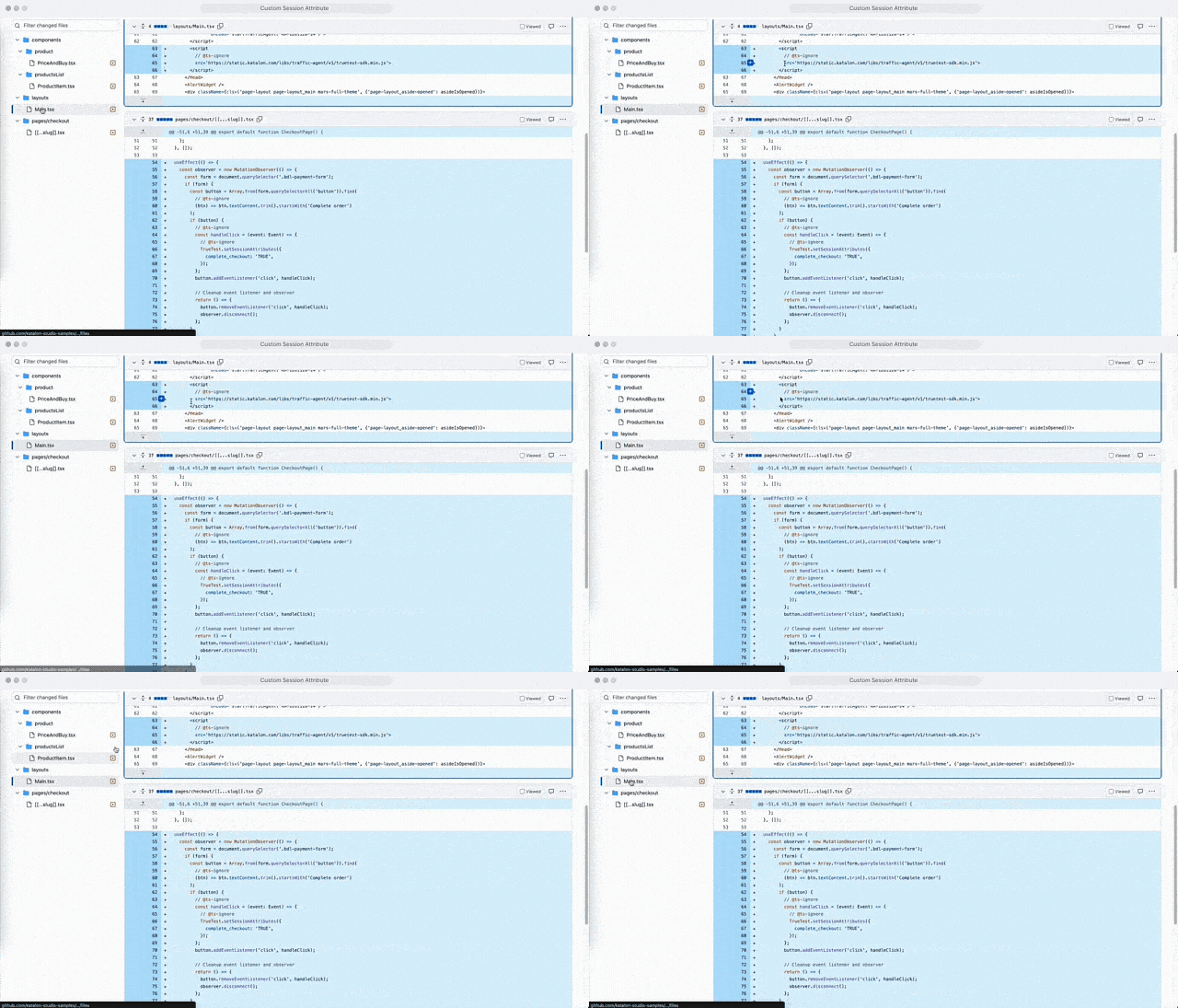
TrueTest now enables teams to capture and use custom session attributes for richer, more targeted testing workflows. Developers can inject key-value metadata into a user session at runtime via the TrueTest SDK, giving testers more context when analyzing sessions or generating test cases.
- Attach multiple key-value attributes to a single session.
- Automatically retain the most recent value if the same key is set multiple times.
- Simple SDK integration with an updated agent code snippet.
Session filtering for User Journey Maps
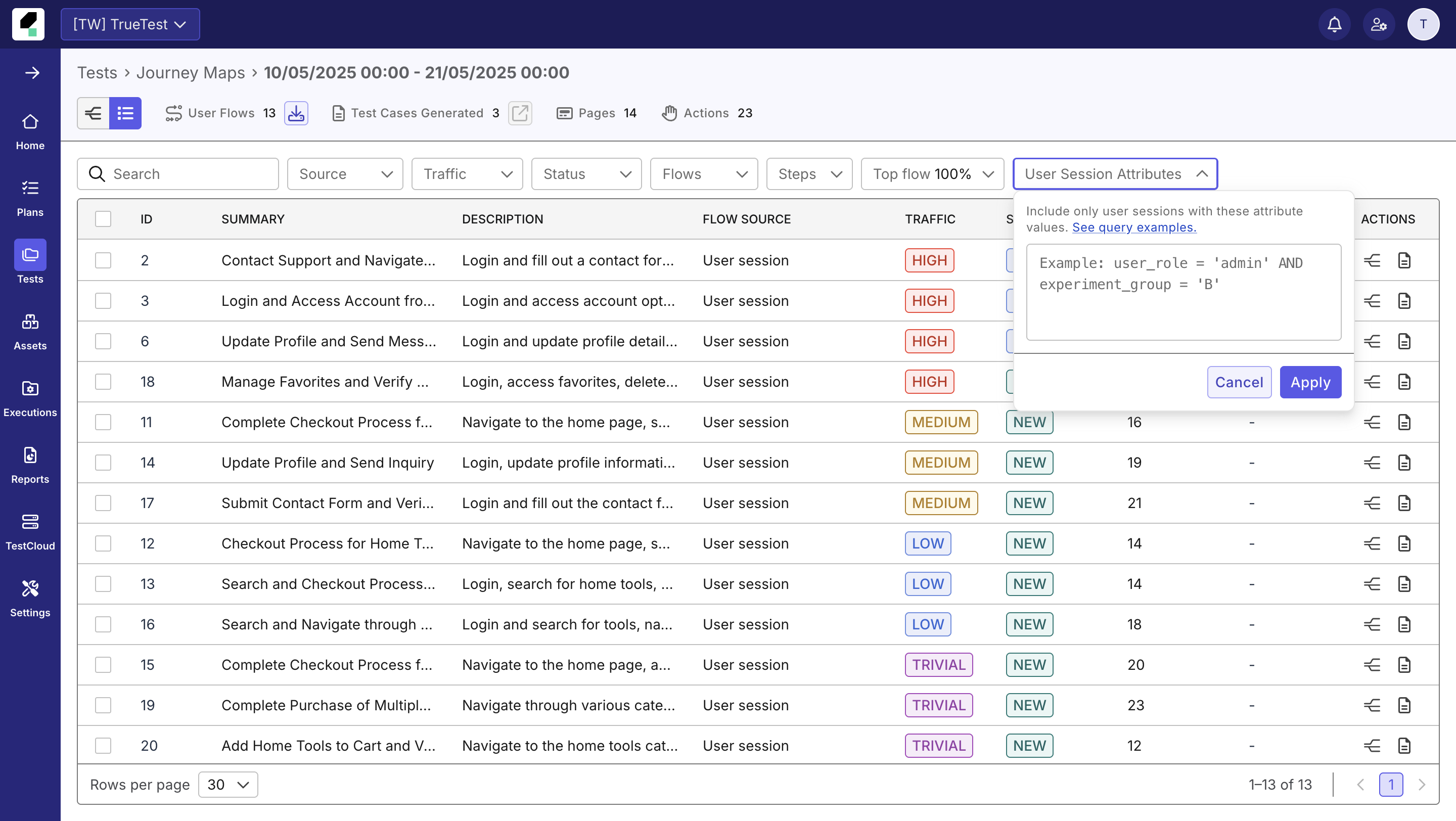
When creating a new User Journey Map, testers can now filter sessions using precise attribute-based queries. This makes it easier to zero in on relevant user behaviors before generating flows.
- Support for exact key-value matches (e.g., userRole = "admin").
- Combine multiple conditions with AND / OR logic (e.g., userRole = "admin" AND experiment_group = "B").
- Built-in validation warns users of invalid query syntax.
Flow selection using custom attributes
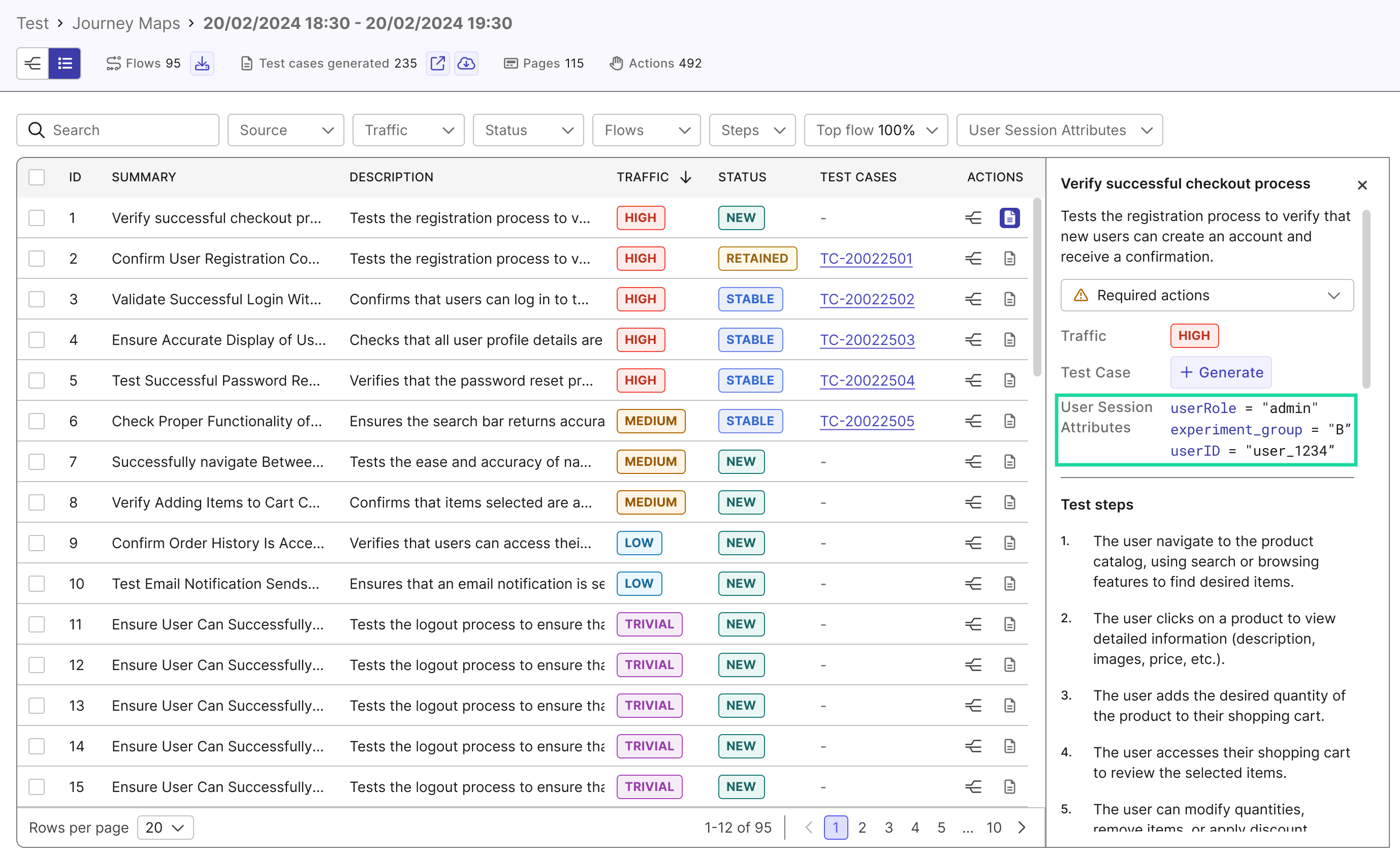
Testers can now filter and select user flows based on predefined session attributes, ensuring only the most relevant flows are converted into automated test cases.
- Apply attribute-based filters when choosing flows.
- View available custom attributes directly in the flow details panel for added clarity.
Private database testing in TestCloud
TestCloud now supports private database configurations, enabling users to execute data-driven testing securely with local databases like MySQL.
- Configurable database integration for verification tasks.
- Runs data-driven actions and verifies them against your private database.
Learn more about private database testing: Private database testing | Katalon Docs
Configure TestCloud time zones
TestCloud users can now configure specific time zones to validate application behavior accurately across different time zones.
- Easily configurable via desired capabilities settings.
- Supported on all TestCloud real devices and desktops.
- Facilitates precise testing scenarios in different time zones.
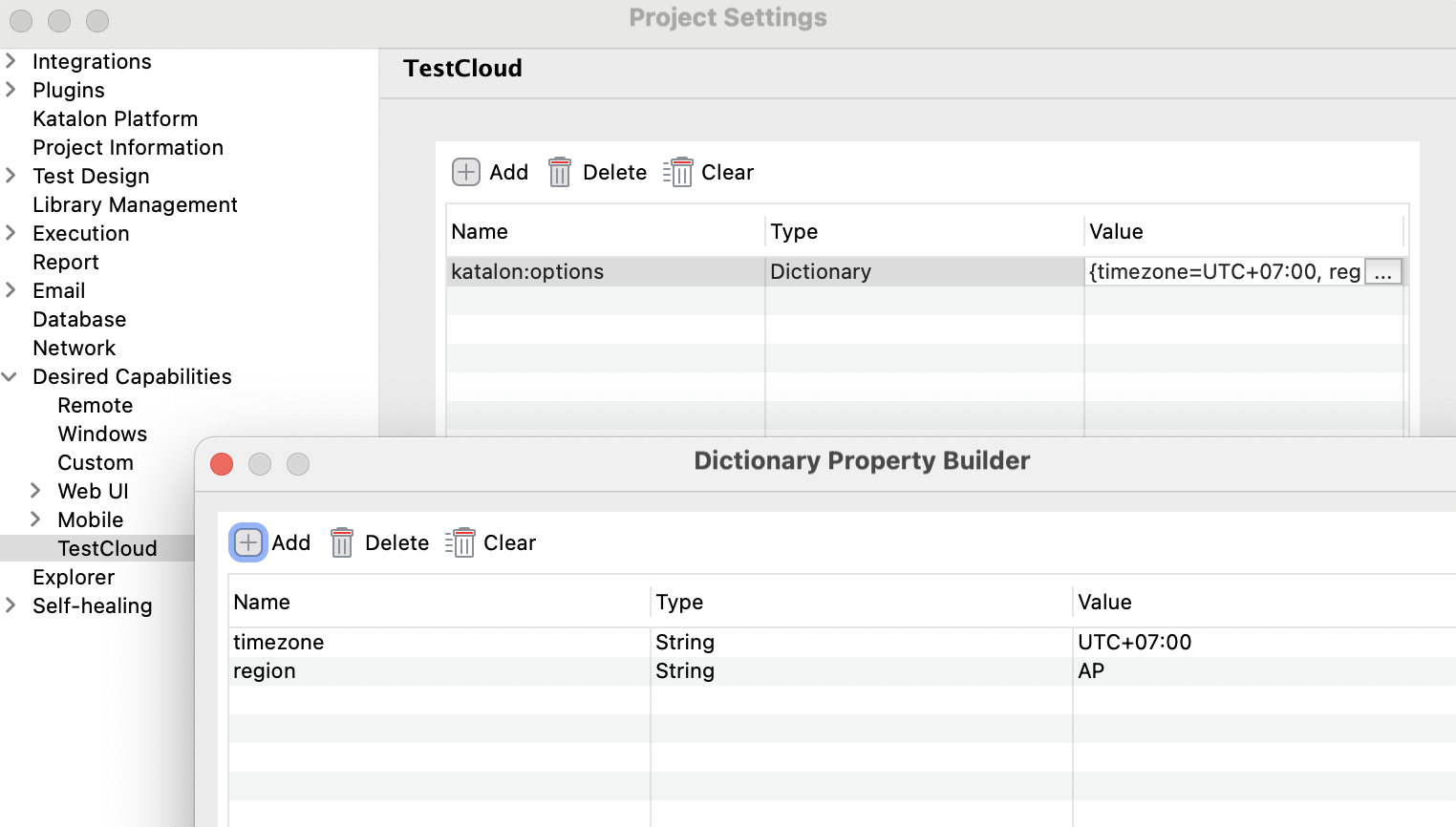
Set up your preferred time zones: Configure time zones | Katalon Docs
In case you missed it
Catch up on these recent highlights:
Explore detailed release notes
For the full details, explore our release notes:
Wrapping up
July’s updates exemplify our continuous commitment to helping QA professionals. We're dedicated to delivering smarter, more effective testing solutions together. Thanks for growing with us.
We’re building the future of quality together: faster, smarter, and more scalable than ever.
Frequently asked questions
Katalon Studio 10.3 reintroduces desktop testing without WinAppDriver, adds mobile self-healing, Gemini support in StudioAssist, saved API response bodies, Azure DevOps status updates, and redesigned email reports.
They are key-value metadata that developers attach to a user session through the TrueTest SDK. Testers can then filter sessions and flows by these attributes, such as userRole = "admin", before generating tests.
Yes. TestCloud supports private database configurations, so you can run data-driven tests securely against local databases such as MySQL.
Set the time zone in your desired capabilities. It works on all TestCloud real devices and desktops.




Test everything. Ship with confidence.
From generating test cases to spotting failures, Katalon's AI works across your entire pipeline, automatically.
