


TrueTest watches how real users move through your production app, maps their journeys, and generates data-driven regression tests for the flows that matter most. Here's how setup, journey maps, and test generation work.
AI can generate UI test cases fairly mechanically; it's mostly a matter of analyzing structure and identifying XPaths. End-to-end flows are a different problem entirely: they're not just a series of clicks, but how users interact with your product to accomplish real goals, grounded in business logic and shaped by intent. Without understanding how your product actually works, AI-driven testing misses what users do and which flows matter most to your business.
In testing, it's essential to understand how users actually interact with your product. TrueTest uses AI to build a clear map based on real user activity, then automatically generates the regression tests needed to cover it.
This approach to regression testing gives you better coverage of the flows that matter and saves teams significant time by automating test creation and maintenance.
How TrueTest works
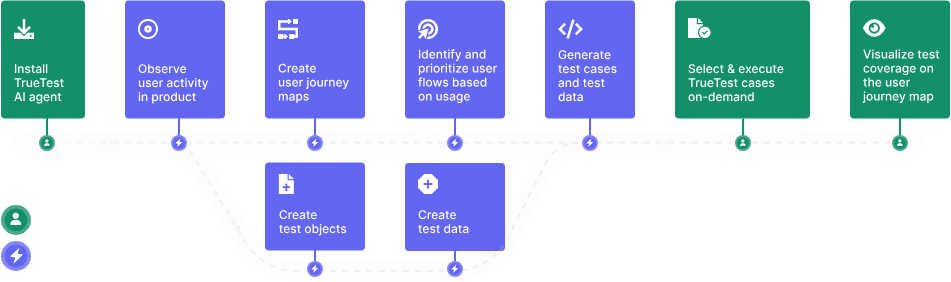
TrueTest general workflow
Understanding user behavior through AI
TrueTest is easy to set up with only two steps:
- The process starts with configuring the application in the production environment in TrueTest.
- A code snippet is added to the HTML code of the application in production, which enables TrueTest to monitor real user behavior to identify the user journeys in the application.
This is a common practice for marketing and front-end development teams, who already use similar products to capture user behavior and make business decisions.
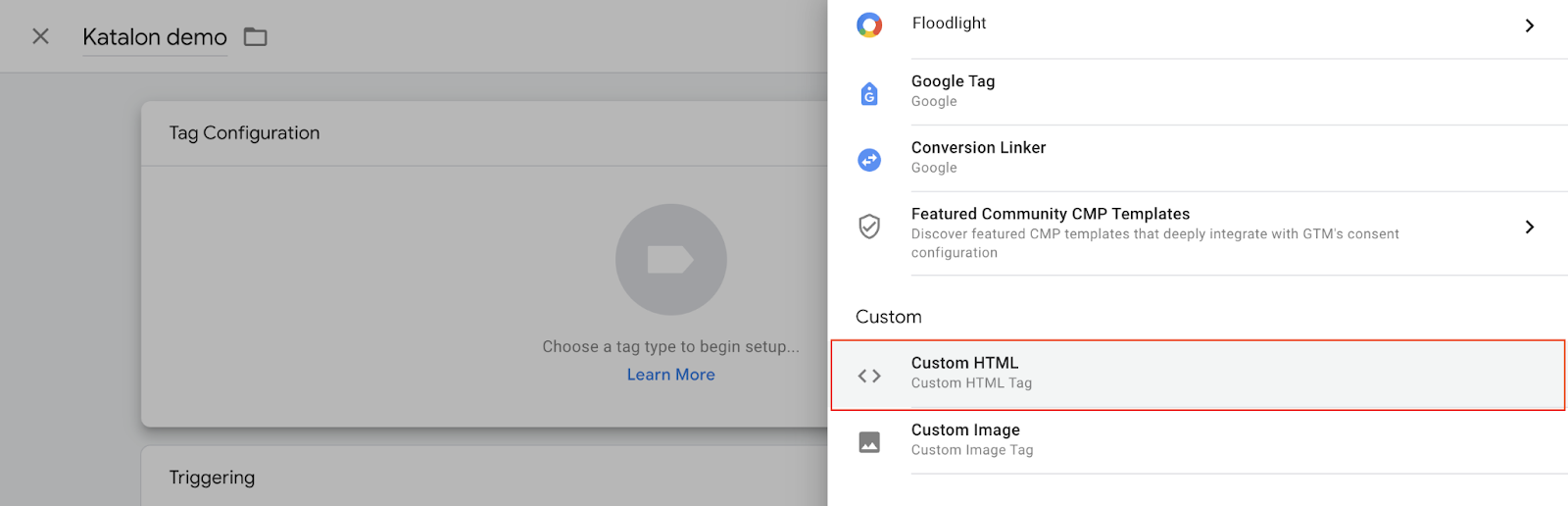
Setting up a custom HTML tag in the application under test
Data privacy is top of mind for TrueTest. It comes out of the box with a list of data types that will never leave the real user's browser in production; therefore TrueTest will never see it.
In addition, the Katalon TrueTest user can further exclude additional data types and entire portions of the application UI that are sensitive and, therefore, TrueTest should never be able to see.
Here's how to set up the Katalon AI agent for TrueTest.
User journey maps
Since TrueTest understands how real users navigate the application in production, it can generate User Journey Maps (see image below).
These maps visually display the unique end-to-end flows through pages (in blue) and actions (in gray) and the overall usage of those flows by users of your application.
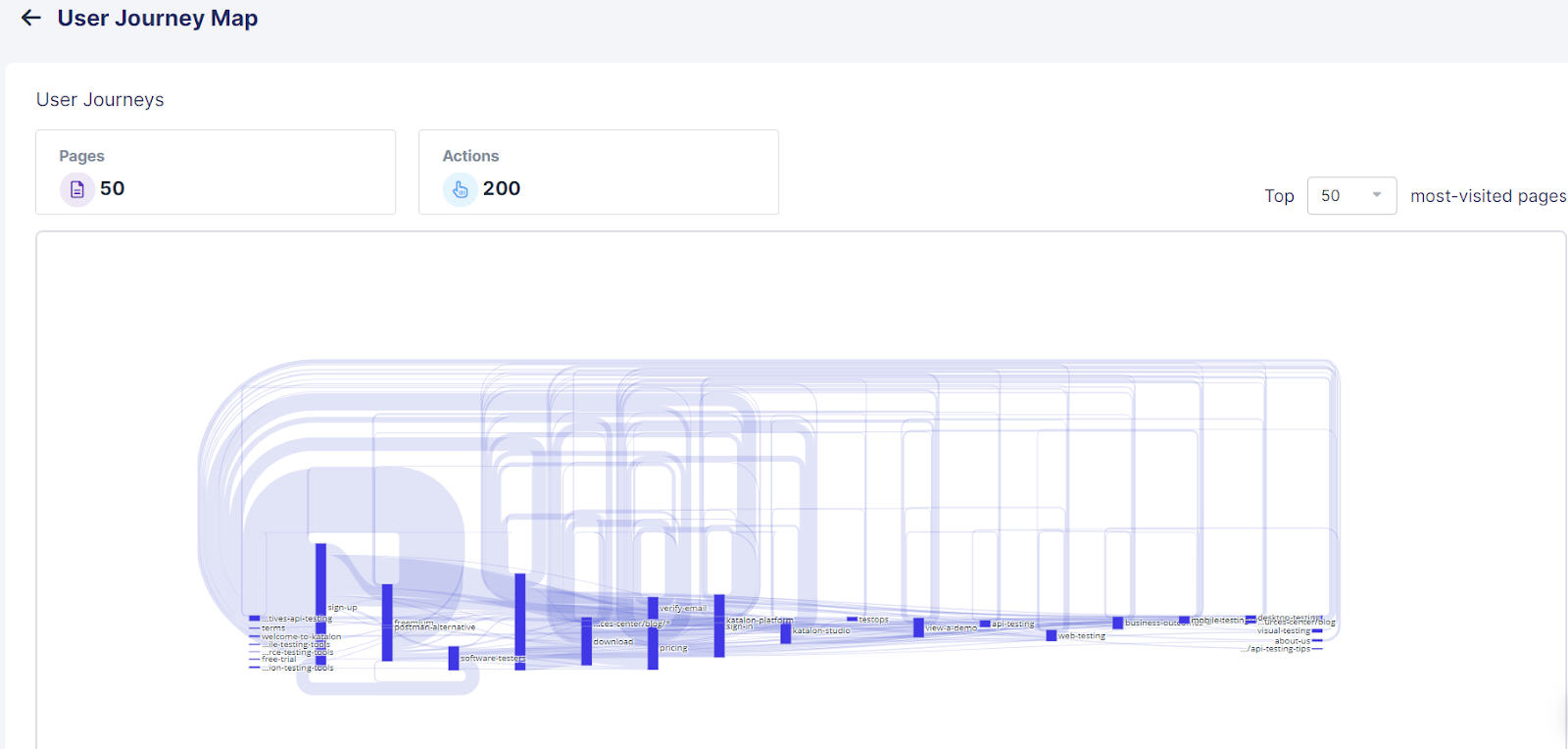
From this view, testers, application owners, and developers can see how users are traversing the application, getting a clear view of the most business-critical areas based on the actual usage of the application.
Learn more about user journeys generated by TrueTest™.
Test generation ready to run with test data
TrueTest automatically generates data-driven test cases in Katalon Studio format for those business-critical flows based on real user traffic volume.
However, you can quickly dive into the list of all identified real user flows and select additional ones to generate test cases for.
This allows testers and teams to apply their business knowledge of the application to include testing of features that might not be used much in production today but that are of high business value and must always work.
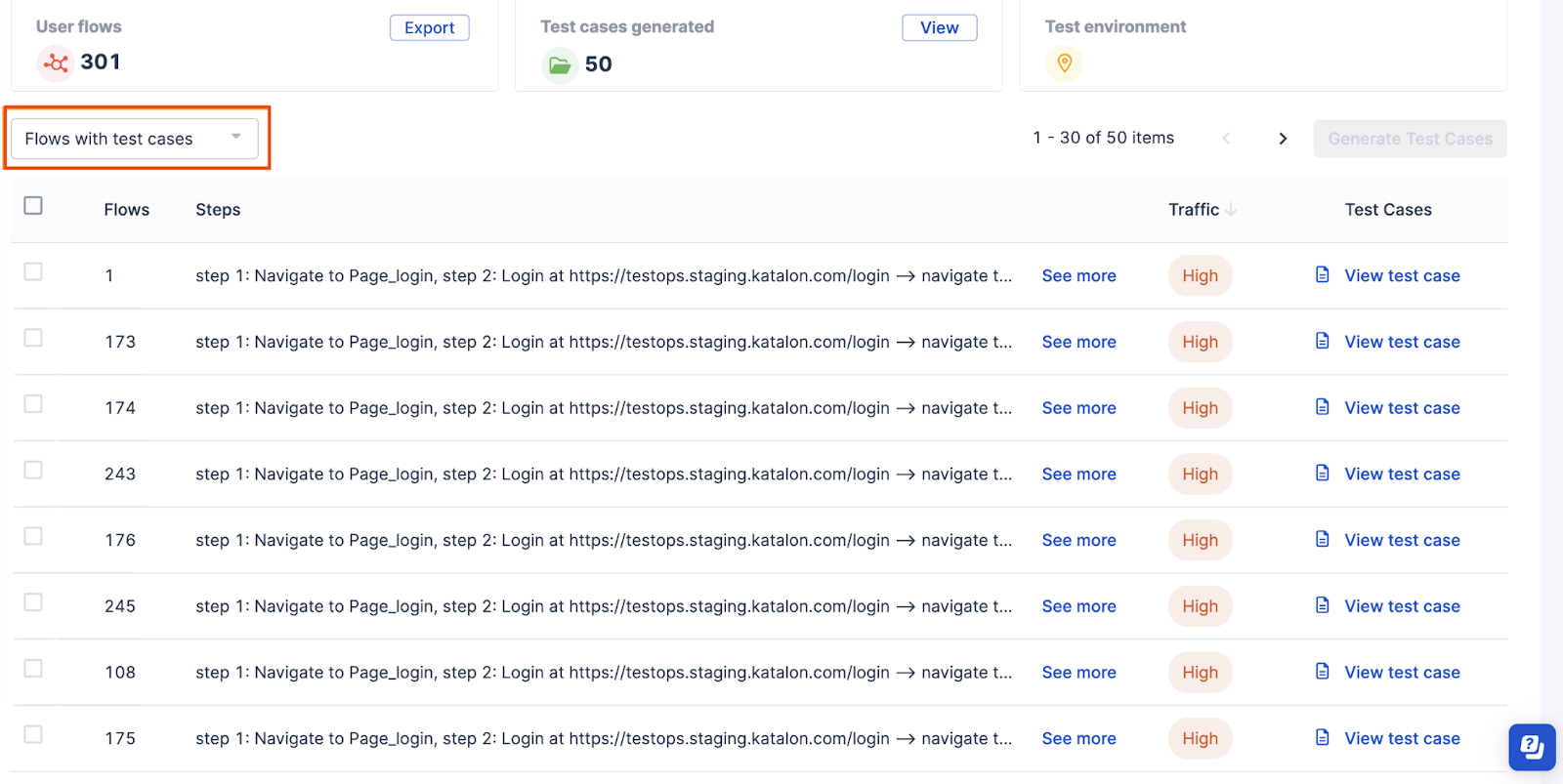
User flows with test cases generated by TrueTest
The best part is when TrueTest identifies changes in how real users navigate the application in production, it enables the Katalon TrueTest user to, with the click of a button, re-generate new tests that will reflect that new real user behavior. This takes much of the regression test maintenance work off testers' plates.
Further, TrueTest users can take advantage of all the available features on the Katalon Platform to plan, organize, execute, and analyze test results from test cases generated by TrueTest.
Wrapping up
TrueTest eases ongoing maintenance by updating both the journey map and the test library to reflect application changes and evolving user behavior. With TrueTest, testers can generate user journey maps and regression tests grounded in real user behavior. That makes testing more efficient and gives teams useful insight into how users interact with the product, helping them deliver better user experiences.
For more information:
- Learn more about Katalon AI capabilities.
- Join the TrueTest discussion in our community → [New Release] TrueTest™ - AI-powered regression testing
- Learn more about TrueTest in our documentation center → Autonomous test generation with Katalon TrueTest
- See how TrueTest tackles regression testing specifically: coverage, release speed, and automation ROI.
Frequently asked questions
TrueTest is Katalon’s AI-powered regression testing solution that learns real user behavior in production, maps user journeys, and auto-generates (and maintains) data-driven regression tests—improving coverage while cutting creation and upkeep time.
You configure the app in TrueTest and add a small HTML snippet to the production site. This lets TrueTest observe real interactions (a common RUM-style practice) and infer end-to-end flows through pages and actions.
Certain data types never leave the user’s browser by default. Teams can further exclude additional data types or entire UI sections so TrueTest cannot capture them.
They’re visual maps of unique flows (pages in blue, actions in gray) with usage levels. They reveal which paths are truly business-critical based on real traffic, guiding where TrueTest prioritizes test generation.
TrueTest automatically creates Katalon Studio–ready, data-driven test cases for high-value flows; teams can include additional flows as needed. When user behavior changes, you can regenerate tests with one click—keeping the test library aligned without manual maintenance.





Test everything. Ship with confidence.
From generating test cases to spotting failures, Katalon's AI works across your entire pipeline, automatically.
