


New to test automation? Learn what can be automated by type of testing, type of test, and testing phase, the most common automation frameworks, popular tools like Selenium and Katalon, and whether to build or buy.

What Can Be Automated?
Quite a lot, actually. Automation testing is typically divided by type of testing, type of tests, and phase of testing. (Some of these overlap, and the classification often depends on workflow and preferences.)
1. Type of Testing
There are 2 main types, functional and non-functional:
- Functional: Tests the real-world business functions of a software solution. For example, a ride-sharing app must, at a minimum, connect riders to drivers when all conditions are met.
- Non-functional: Tests the remaining requirements of the software, such as performance, security, and data storage. In the ride-sharing example, this type of testing ensures the app is fast and efficient when connecting riders to drivers.
Read More: Top Automated Functional Testing Tools for Your QA Team
2. Types of Tests
Beyond the types of testing, smoke tests, integration tests, regression tests, security tests, performance tests, and acceptance tests are also common in test automation.
- Smoke tests: Smoke tests are functional tests that cover only the most important features of a software solution to make sure it can be tested further without “catching fire,” hence the name. Smoke testing is similar to sanity testing, but it has a smaller scope and is generally easier to automate. Here’s a comparison of the key differences between smoke testing and sanity testing.
- Integration tests: Integration tests check that the individual pieces and functionalities of a software solution work smoothly together. Check out the top integration testing tools.
- Regression tests: Regression tests run a combination of functional and non-functional tests to check whether the software has “regressed” after a change.
- Security tests: Security tests cover functional and non-functional checks that screen the software for vulnerabilities and potential exploits. A common type is penetration testing, where testers launch an authorized simulated attack on the system to test its defenses.
- Performance tests: Performance tests are non-functional tests that evaluate responsiveness and stability as the software handles load and stress. Read More: A Comparison Between Performance Testing and Load Testing
- Acceptance tests: Acceptance tests are functional tests that determine whether the software is acceptable to end users. This is the final test a solution must pass before release.
3. Phase of Testing
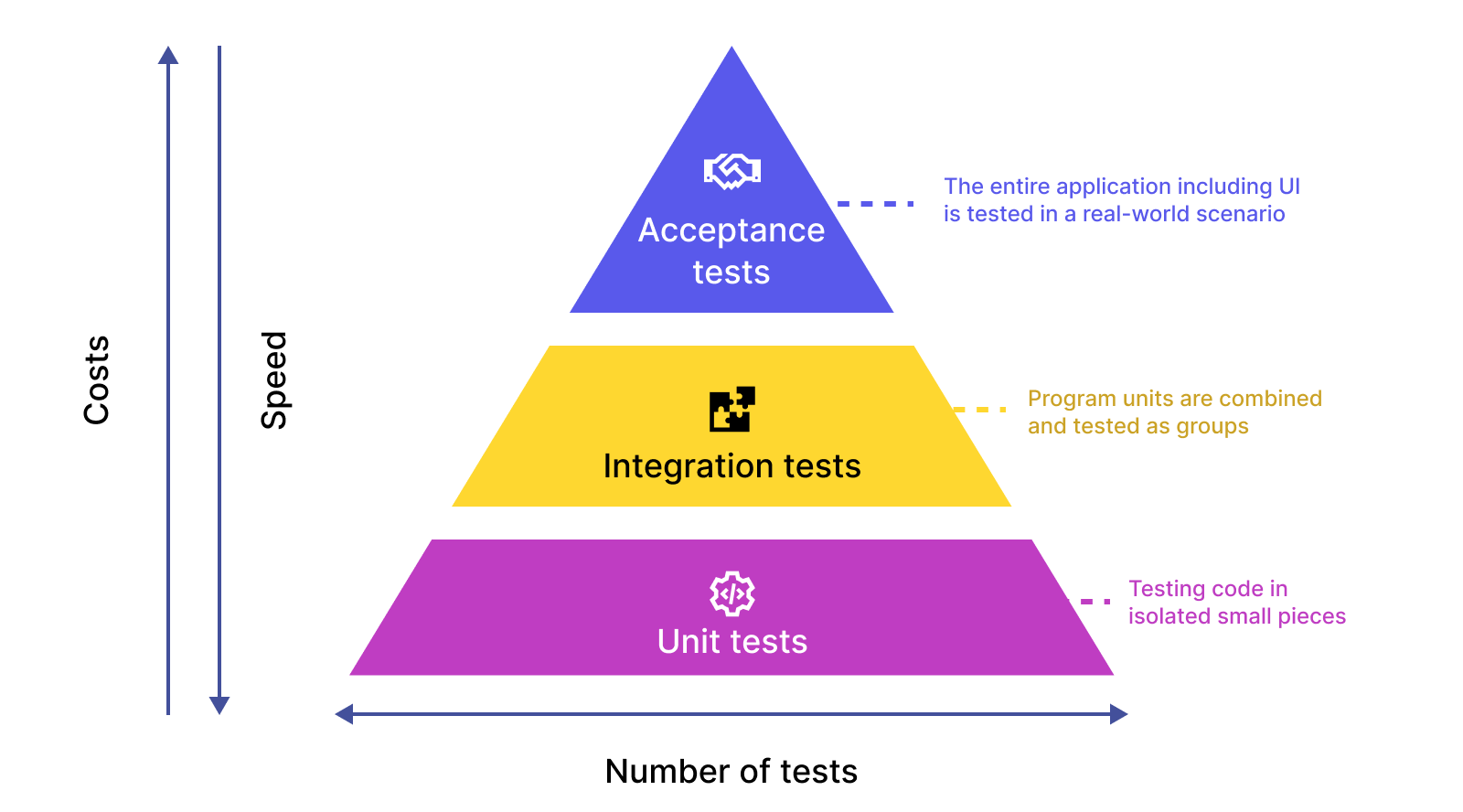
- Unit: As the name implies, this phase tests the individual components, or units, of software. Unit testing is the first phase of testing. Developers usually write unit tests and run them automatically, often in the CI pipeline, before handing the software to testers.
- API: An Application Programming Interface (API) acts as the “middleman” between the systems your software uses, so APIs are tested to ensure smooth integration between systems. This phase is fairly flexible: it can run before or after the UI phase and be handled by either the development or the testing team.
- UI: Last but not least, the user interface (UI) is what end users see and interact with, so it is usually tested at the end of the process. Testers run this phase once the UI is in place to replicate the real user experience as closely as possible. This is where the business logic of the software is examined, which also falls under functional testing. Read More: A Guide To UI Testing
Automation Test Frameworks
Once the types of automated testing used in a project have been determined, an automation test framework is then chosen to help testers organize and standardize the process.
The benefits of standardization are clear in many ways. Having an overarching structure and guidelines makes projects more accessible to newcomers which helps teams scale, especially bigger teams where there are potentially tens to hundreds of individual approaches to automated testing.
If all of them were implemented haphazardly without any form of control, it would be disastrous for the quality of the product and the success of the team as a whole.
Types of Framework
There are many frameworks to choose from, but here are some of the most common ones.
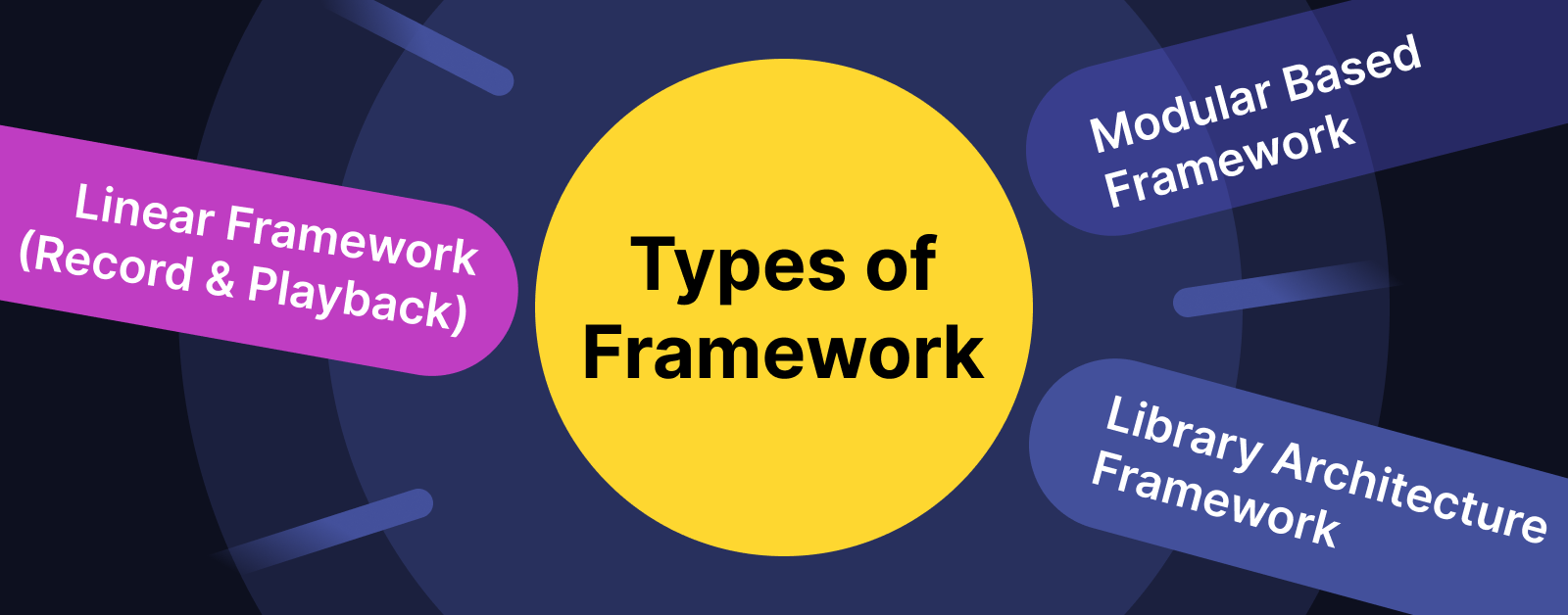
- Linear Framework (AKA Record and Playback):
This is the most basic kind of framework. Testers write and run a test script for each individual test case, like recording and playing back a clip on a screen, hence the name “record and playback.” Because of its simplicity, it is most suited for small teams and test automation beginners. - Modular Based Framework:
As the name implies, this framework organizes each test case into smaller parts called modules, and these modules are independent of each other. Modules of any given scenario are then handled uniformly by a “master script,” saving testers a lot of time and optimizing their workflow. However, prior planning and test automation knowledge are required to successfully implement this framework. - Library Architecture Framework:
Building on top of the Modular Framework, the Library Architecture Framework boasts several advantages over the former. Instead of breaking up the test case, this framework groups similar tasks within the test script into functions and then stores them in a library. Since these functions consist of tasks with common objectives, they can be called upon by the test script whenever a functionality is needed. This kind of structure allows for even greater reusability and flexibility in testing but at the cost of more time writing the script and test automation experience required.
Tools to Use for Your Automated Tests

After choosing the right test automation framework to follow, an automation tool is needed to conduct your tests. Based on specific testing demands, only one or a handful of these popular automation tools may fit your requirements.
1. Selenium

Selenium is one of the most popular test automation tools available. It is great for testing web applications and offers a lot of flexibility. It has official bindings for Java, Python, C#, Ruby, and JavaScript, plus community bindings for other languages, and runs on Windows, macOS, and Linux.
Website: Selenium
GitHub: SeleniumHQ
2. Katalon Studio

If comprehensive testing is what you’re looking for, look no further than Katalon Studio. Built on top of Selenium and Appium, it keeps their best qualities while letting testers do more. Katalon Studio supports web testing as well as API, mobile, and desktop application testing, making it an all-in-one automation solution.
Interested? Learn More About Katalon Here
Here’s how Katalon makes automation testing a breeze:
- No-code, low-code, and full-code modes: Katalon provides testers with 3 test creation modes.
- No-code: With the Record-and-Playback feature, testers can record their on-screen manual actions and turn them into an automated test script they can rerun as many times as they want.
- Low-code: Katalon also provides a library of built-in keywords, which are pre-written code snippets with customizable parameters designed to perform specific actions. For example, a keyword like “Click” handles the logic to locate an element (e.g., a button) and click it. The tester only needs to specify the element, without worrying about the underlying code.
- Full-code: Testers can switch to Scripting mode and write the test script themselves, then switch back to no-code or low-code mode whenever they want. You get the best of both worlds: the convenience of point-and-click test creation and the flexibility of full scripting. Instead of worrying about how to write tests, testers can focus on what to test.
- All testing phases in a single workspace: From planning and writing tests to organizing them into test suites, executing across environments, and generating detailed test reports, Katalon streamlines the whole process.
Here's a sneak peek of how Katalon works:
Start a Katalon free trial and see it in action
3. Ranorex

For your UI testing needs, Ranorex might be the answer. Ranorex Studio is a comprehensive automation tool designed to streamline testing for desktop, web, and mobile applications. Known for its user-friendly interface, it caters to both beginners and advanced users, making it a versatile choice for diverse testing teams.
Ranorex supports a wide range of technologies and platforms, including .NET, Java, and HTML5, which makes it suitable for testing diverse application environments. The tool integrates with various development environments and CI/CD pipelines, supporting continuous testing and rapid feedback cycles. Its object recognition helps tests stay stable as applications evolve. Ranorex Studio also supports data-driven testing, so testers can run the same test with different data sets for broader coverage.
Website: Ranorex
4. Apache JMeter

For performance testing, Apache JMeter is a strong option. Supporting web services and applications, JMeter can simulate heavy loads on a server, a group of servers, or a network to evaluate its strength and how well it handles different load types.
Apache JMeter supports a wide range of protocols, including HTTP, HTTPS, FTP, LDAP, SOAP, and JDBC, making it suitable for testing various types of web services and applications. Its extensive plugin ecosystem further enhances its functionality, allowing users to extend its capabilities to meet specific testing needs. For example, plugins are available for integrating with other tools, generating custom reports, and simulating more complex user behaviors.
The tool also provides detailed and customizable reporting features. After running a test, JMeter offers a variety of reports and graphs that help testers analyze performance metrics such as response time, throughput, error rates, and server resource utilization.
Website: JMeter
Learn More: Top Performance Testing Tools You Need To Know
How to Do Automation Testing Better
There are usually 2 main approaches when it comes to automation testing:
- Build approach: Use a test automation framework to build your own automation solution
- Buy approach: Use a test automation tool built by a third-party vendor
Building your own solution allows you to customize it in whatever ways you want to fit your specific needs. This full control over the development, implementation, and maintenance process is ideal when you want to have your own ecosystem for testing, and you can also easily scale the solution along the way. However, this approach requires a lot of technical expertise, as well as the need to continuously maintain the test scripts, which proves to be a huge challenge as you grow.
On the other hand, commercial tools typically offer a range of features ready for use, saving time on development. It eliminates extensive in-house development, and your team can start testing right away. Commercial tools often come with support, documentation, and training, reducing the need for specialized expertise within the team.
If you’re not sure which tools to choose, have a look at our updated lists of top testing tools widely recommended in the industry:
Conclusion
While not exhaustive, we hope that this brief overview of the different types of automation testing and the variety of test automation frameworks have given you a better understanding of test automation. And perhaps you might even try your hands at some of the tools that we have highlighted here. Should you choose to do so, we wish you the best in your testing journey and that you may help others start their own by sharing this article.
Want To Do Automation Testing Faster & Better? It Starts From Here
Frequently asked questions
Automation can cover many areas. The guide groups automation testing into three overlapping lenses: type of testing, type of tests, and phase of testing, depending on workflow and preferences.
Two main types are described: Functional testing: validates real-world business functions of the application. Non-functional testing: validates requirements like performance, security, data storage, and other quality attributes.
Examples listed include Smoke, Integration, Regression, Security, Performance, and Acceptance tests: Smoke tests check the most crucial features to confirm the solution can be further tested. Integration tests verify components work smoothly together. Regression tests run combinations of functional and non-functional checks after changes. Security tests look for vulnerabilities (including penetration testing as a common type). Performance tests evaluate responsiveness and stability under load and stress. Acceptance tests determine if the software is acceptable to end users before release.
Three phases are described: Unit: tests individual components/units (often the first phase; can be manual or automated). API: tests the “middleman” layer between systems to ensure smooth integration (flexible timing; can be done by dev or test teams). UI: validates what end users see and interact with, usually near the end for authentic user-experience replication and business logic validation.
An automation test framework provides structure to organize and standardize automation once testing types are chosen. Standardization supports scalability and clarity, making projects more accessible to newcomers and preventing fragmented, haphazard approaches that can harm quality and team success.
The guide lists three common frameworks: Linear (Record and Playback): simplest; one script per test case; suited for small teams and beginners. Modular Based: breaks scenarios into independent modules controlled by a master script; requires planning and automation knowledge. Library Architecture: groups tasks into reusable functions stored in a library; increases reusability and flexibility but requires more effort and experience.
Examples of tools include: Selenium: popular for web testing; flexible; supports multiple languages and common operating systems. Katalon Studio: built on Selenium and positioned as an all-in-one solution supporting web, API, mobile, and desktop testing, with no-code (record/playback), low-code (built-in keywords), and full-code (scripting mode) options, plus a single workspace for planning, authoring, organizing suites, executing across environments, and generating test reports. Additional examples mentioned: Ranorex (UI testing) and Apache JMeter (performance testing).





Test everything. Ship with confidence.
From generating test cases to spotting failures, Katalon's AI works across your entire pipeline, automatically.
