


SAP is hard to test. Compare the top 8 SAP testing tools, from Katalon Studio to Tricentis Tosca, and learn what to look for in one.
SAP is a German software company founded in 1972. It's best known for ERP software, which runs finance, supply chain, HR, and other core processes for large enterprises.
SAP is so widely used that there's a whole market of tools built just to test it. This guide covers 8 of the top SAP testing tools, starting with what makes SAP hard to test.
SAP software product portfolio to test
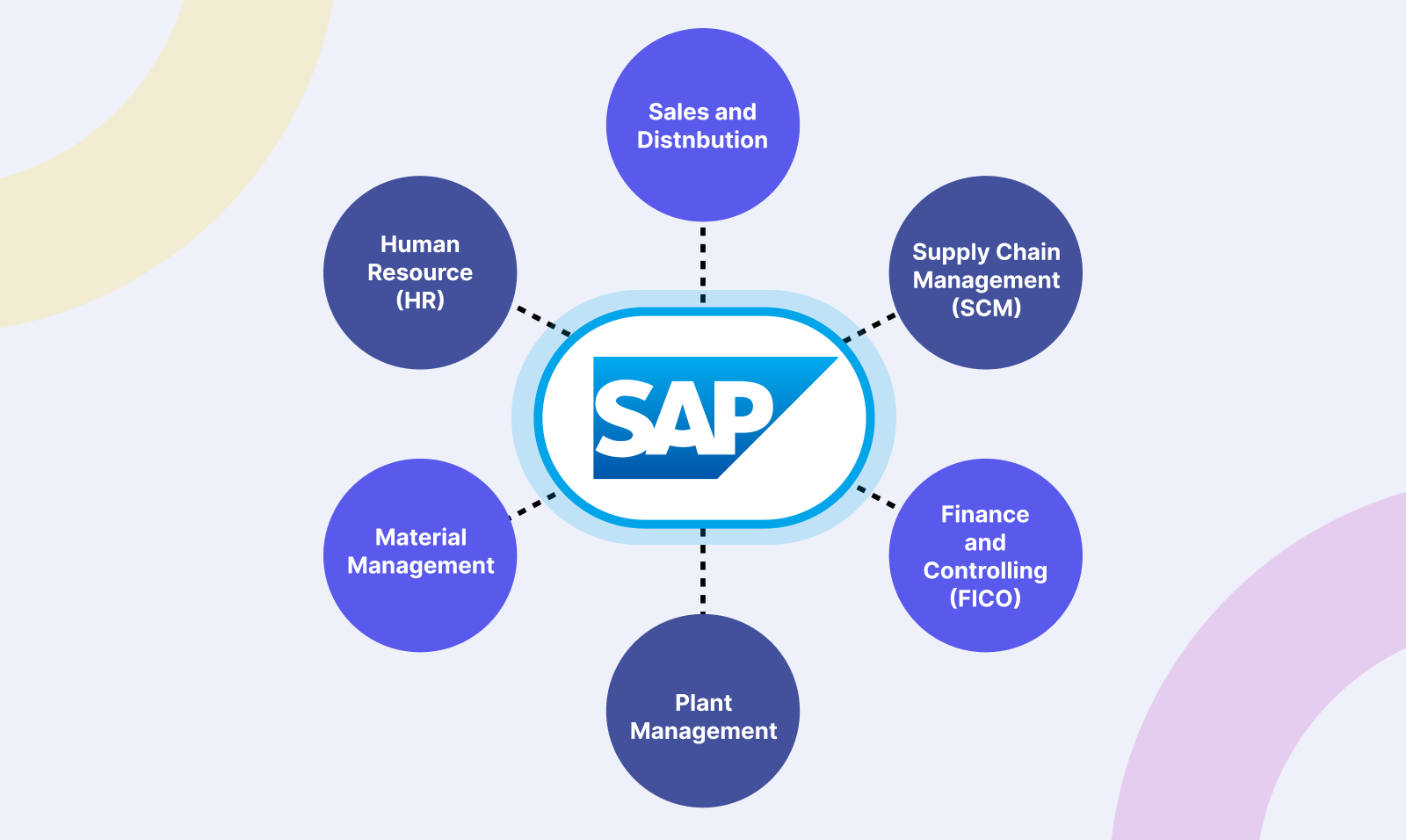
SAP's products cover almost every part of enterprise operations. You can see the full product list on SAP's website, but these are the major ones:
- SAP S/4HANA: the core ERP suite, covering finance, supply chain, manufacturing, sales, and more.
- SAP ECC: the legacy ERP suite, with finance, HR, and procurement modules.
- SAP Business Suite: ERP, CRM, SRM, and PLM applications.
- SAP BW: enterprise data warehousing for analytics.
- SAP BusinessObjects BI: reporting, dashboards, and visualization.
- SAP SuccessFactors: cloud HR and talent management.
- SAP Ariba: cloud procurement.
- SAP Concur: travel and expense management.
- SAP Fieldglass: external workforce management.
- SAP Commerce Cloud (formerly SAP Hybris): customer engagement and commerce.
- SAP Integrated Business Planning (IBP): cloud supply chain planning.
- SAP Analytics Cloud: BI, planning, and predictive analytics.
- SAP Fiori: SAP's modern UX design system.
Challenges of SAP testing
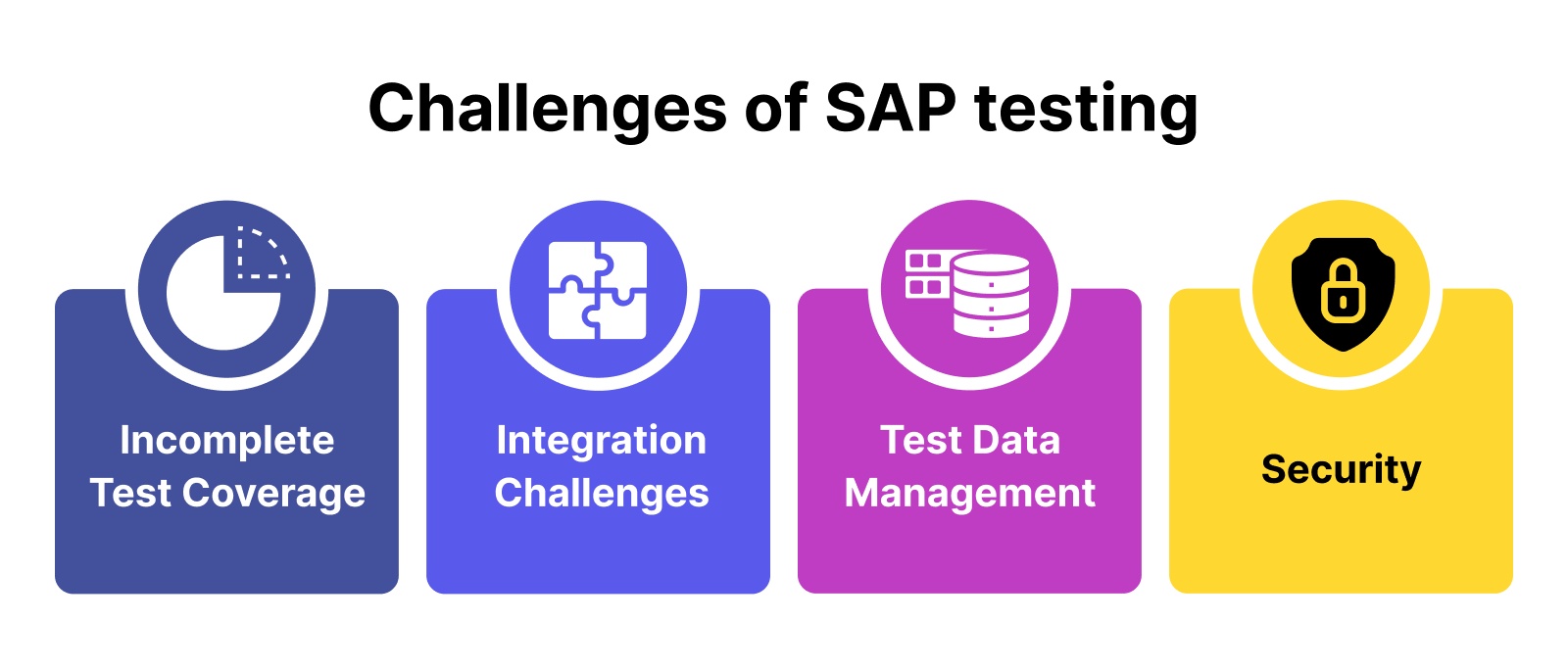
SAP is hard to test for 4 main reasons:
- Incomplete test coverage: SAP runs end-to-end business processes with many dependencies. Testers who don't know those processes miss critical scenarios. Heavy customization makes this harder. S/4HANA migrations are a common example, so start automated testing early in the migration.
- Integration: SAP connects to payment gateways, CRMs, APIs, and other third-party systems. Thorough integration testing catches conflicts between internal and external components.
- Test data management: good test data management makes SAP testing faster. Without it built into your tool, teams manage data separately, which slows testing down.
- Security: SAP testing handles confidential business data, so your tools must follow enterprise security and data-privacy practices throughout.
Look for these 9 things in an SAP testing tool:
- Support for multiple application types (web, mobile, desktop, and more)
- Execution across browsers, operating systems, and devices
- Support for testing activities across the whole SDLC
- Low-code and full-code test creation
- Integration testing support
- Strong security and data-privacy compliance
- Integration with your existing tech stack
- Room to scale as your business grows
- Nice to have: AI and machine learning testing features
SAP testers also need to understand the business processes behind the system to design good test cases and improve coverage.
Use this test case template to manage your SAP test cases.
Here are the top 8 SAP testing tools:
- Katalon Studio (best for all SAP testing purposes)
- Selenium
- Worksoft Certify
- SAP eCATT
- SAP Solution Manager
- SmartBear TestComplete
- IBM Rational Functional Tester
- Tricentis Tosca
1. Katalon Studio (best for all SAP testing purposes)

Katalon Studio supports web, desktop, mobile, and API testing. You can create tests quickly, manage them in one place, run them across environments, and get detailed reports. Everything you need to test SAP is in one tool.
Many automation tools need strong coding skills and a long ramp-up. Katalon Studio lets each tester choose no-code, low-code, or full-code, so teams can start quickly.
For example, with Record-and-Playback you enter a URL and perform the steps by hand. Katalon Studio turns your actions into a test script you can run locally, remotely, or in the cloud, on the browsers and devices you choose. This works well for SAP S/4HANA Cloud, SAP SuccessFactors, SAP Ariba, and other web-based SAP products.
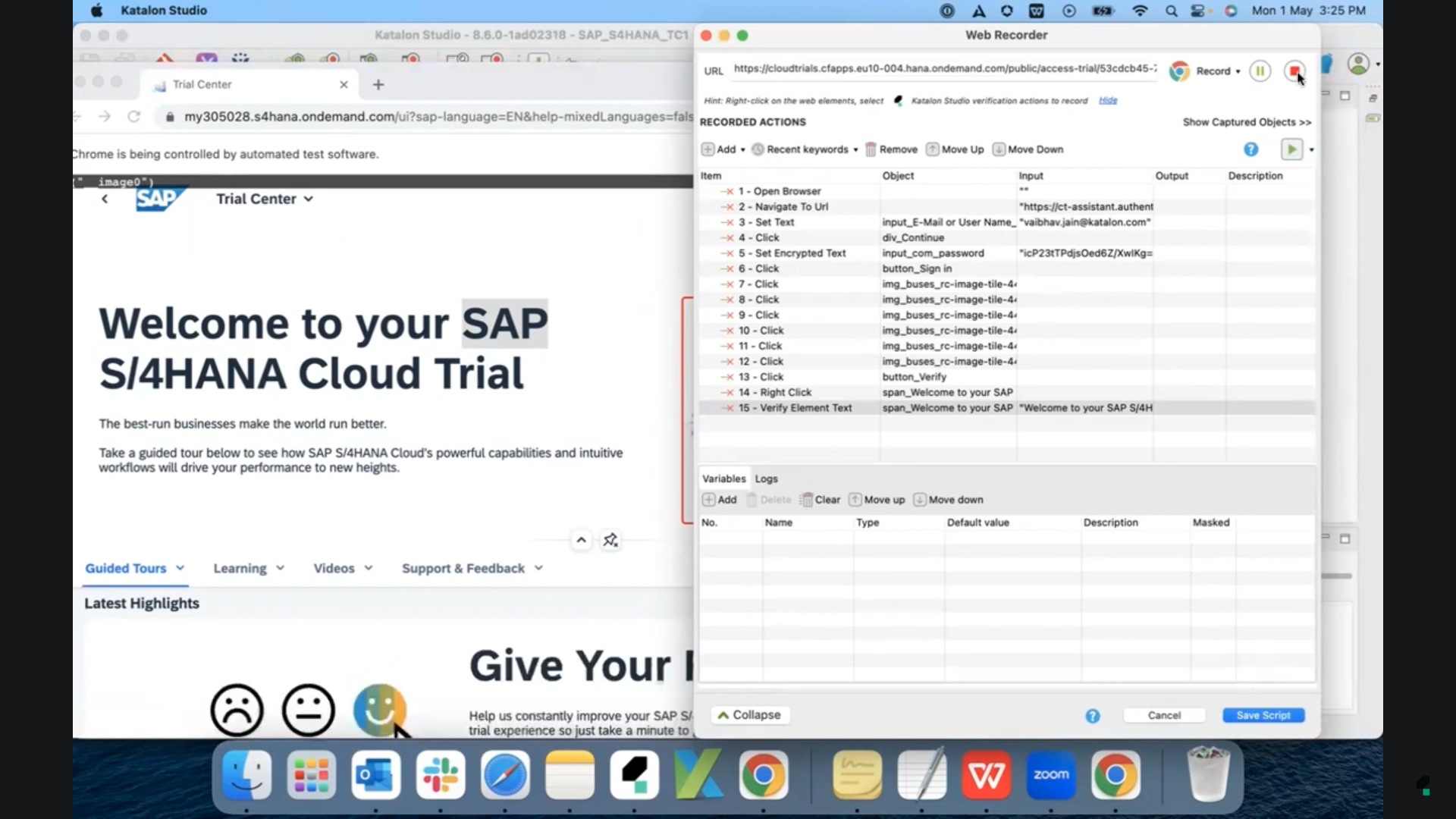
In the example above, Katalon Studio recorded opening the browser, going to the URL, entering credentials, clicking Sign In, completing the CAPTCHA, and checking the "Welcome to your SAP S/4HANA Cloud Trial" message. You can run this test case in any environment.
For more control, switch to scripting mode and edit tests in Groovy. Testers who don't code can still work in the visual modes.
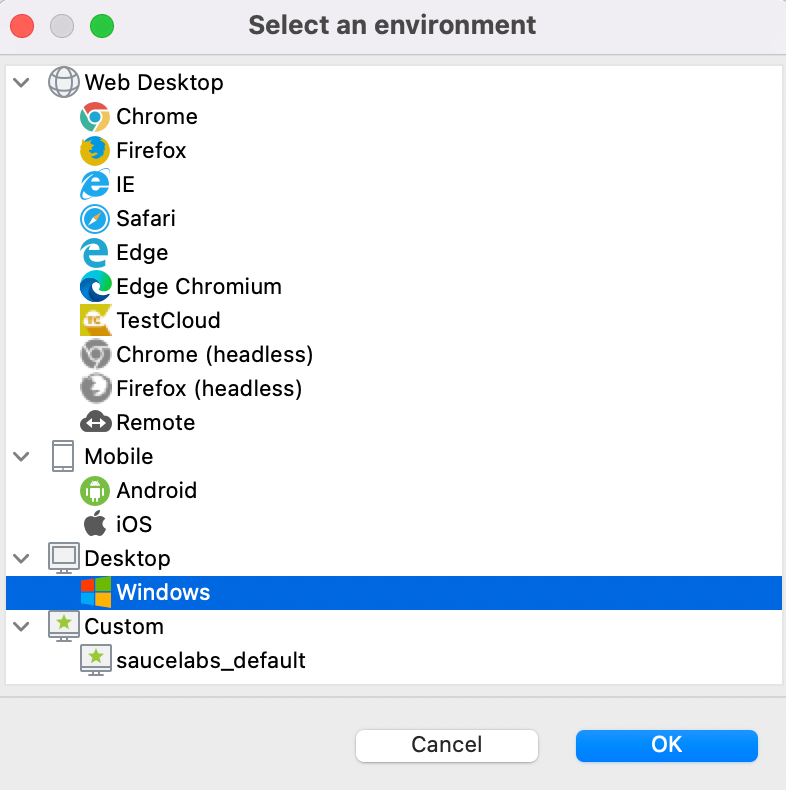
For desktop SAP software, use the Windows Recorder to record and play back tests on Windows-based SAP applications.

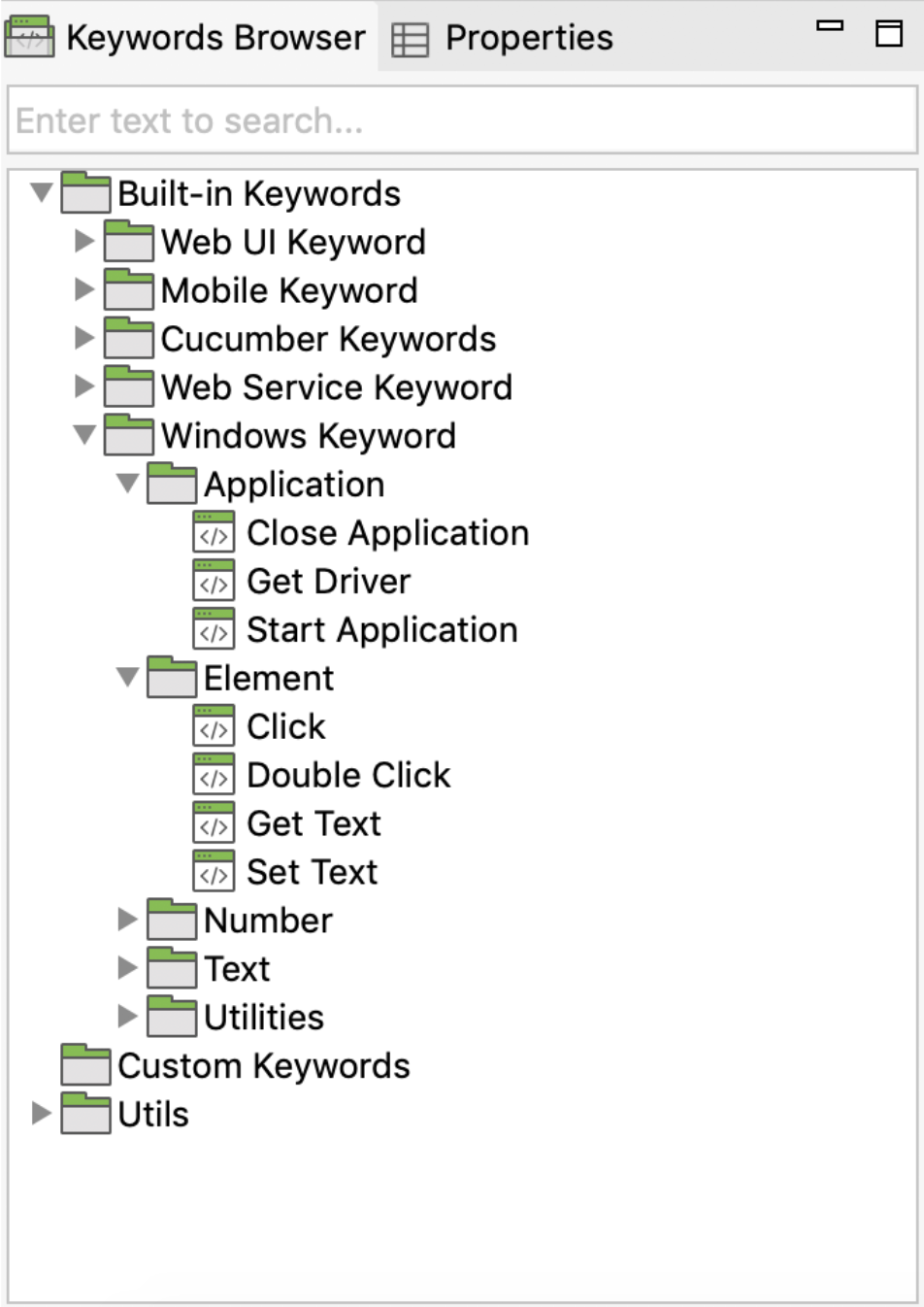
Katalon Studio also includes a library of Windows Keywords for automating SAP desktop tests.
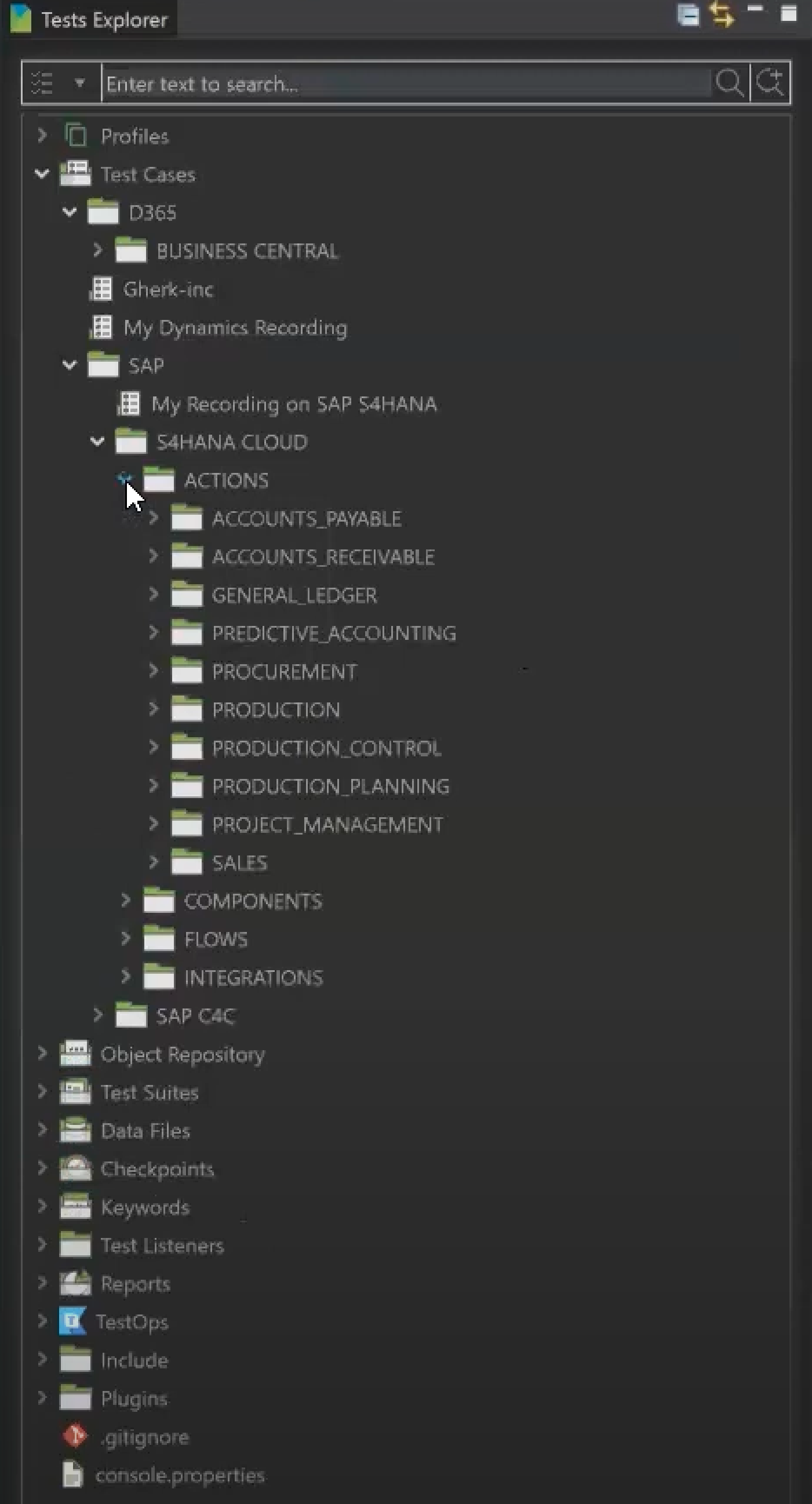
Test Explorer in Katalon Studio groups test cases in folders. For example, you can organize S/4HANA Cloud test cases by module, such as Accounts Payable, Accounts Receivable, and General Ledger. The Object Repository manages test objects, and Data Files support data-driven testing.
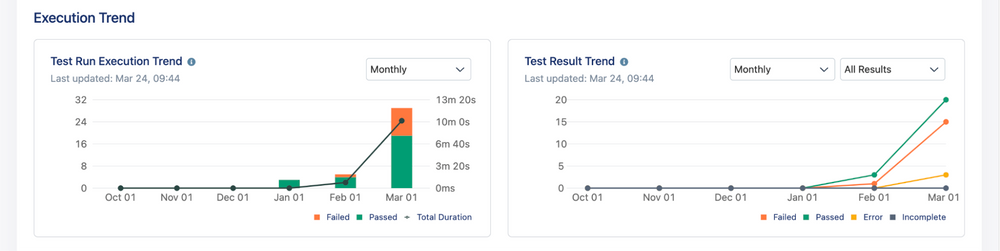
After each run, Katalon Studio produces detailed reports with metrics, so you can track results and make decisions from data.
You also get Katalon AI Assistant (Kai), which can generate and explain tests inside Katalon Studio. See Katalon's other AI testing features.
2. Selenium

Selenium only automates web apps, and much of SAP runs in the desktop SAP GUI. For SAP's web apps, such as Fiori, it works well.
To start, download Selenium WebDriver for your language (Java, Python, C#, and others) and set up your development environment.
Inspect the SAP web app's elements with your browser's developer tools. SAP often generates dynamic IDs, so use stable locators or XPath and CSS selectors that don't rely on dynamic attributes. Some SAP UI components aren't standard HTML, so you may need custom methods to interact with them.
For fuller testing, pair Selenium with a framework like JUnit (Java) or PyTest (Python). These add setup and teardown, test grouping, and more.
3. Worksoft Certify

Worksoft Certify is an enterprise test automation tool for SAP, Oracle, and Salesforce testing. It automates complex business processes without code.
Worksoft focuses on S/4HANA migrations. It documents your existing business processes, then automates tests for them, which lowers migration risk.
Feature highlights:
- Business process discovery, documentation, and end-to-end testing for SAP migrations
- A model-based framework that holds up after migration changes
- Agile support for collaboration between development and QA
- Automation rules that adapt quickly to system updates
Visit Worksoft Certify website | G2 Reviews
Read more: Top 8 cross-browser testing tools for your QA team
4. SAP eCATT

eCATT (extended Computer Aided Test Tool) is SAP's built-in tool for automating functional and regression tests of SAP applications. It was designed for SAP's R/3 system.
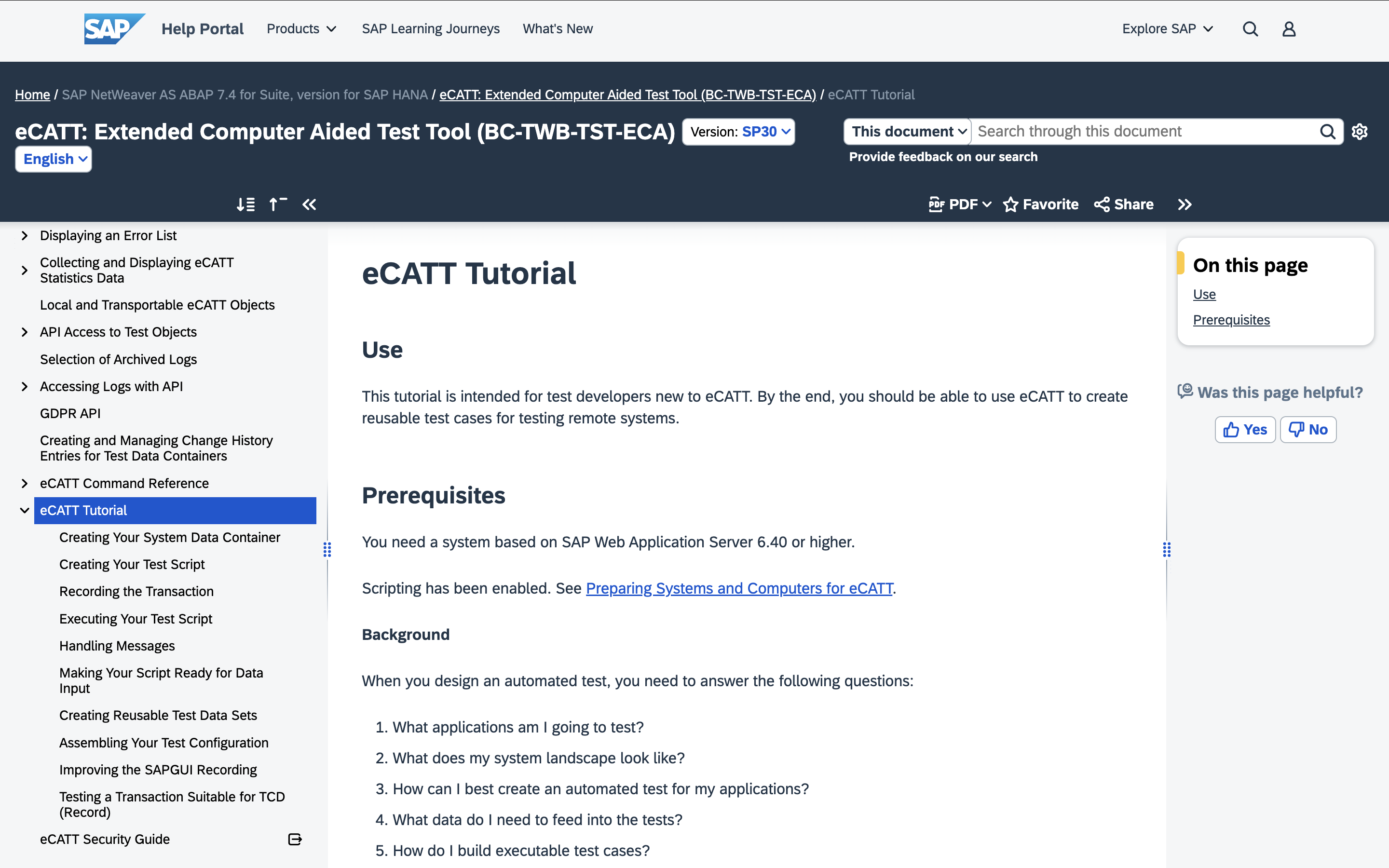
Feature highlights:
- Record SAP transactions and replay them as test scripts
- Data-driven testing
- Reusable script libraries to cut duplicate work
- A built-in test data container for organizing test datasets
- Deep integration with SAP Solution Manager
- Support for both SAP GUI and web-based application testing
5. SAP Solution Manager

SAP Solution Manager (SolMan) is SAP's application lifecycle management (ALM) platform. It's the central hub for managing SAP landscapes across their lifecycle.
SolMan covers test planning, manual testing, automated testing, and test execution.
Feature highlights:
- Plan and document testing, including test strategies, test plans, and test cases
- A Test Automation Framework for manual and automated testing, using eCATT to record steps and add conditions and loops
- Run automated tests on demand, on a schedule, or when triggered by events
- Parallel test execution for faster cycles
- Real-time monitoring during automated runs
- Integration with BPCA (Business Process Change Analyzer) for change impact analysis
6. SmartBear TestComplete

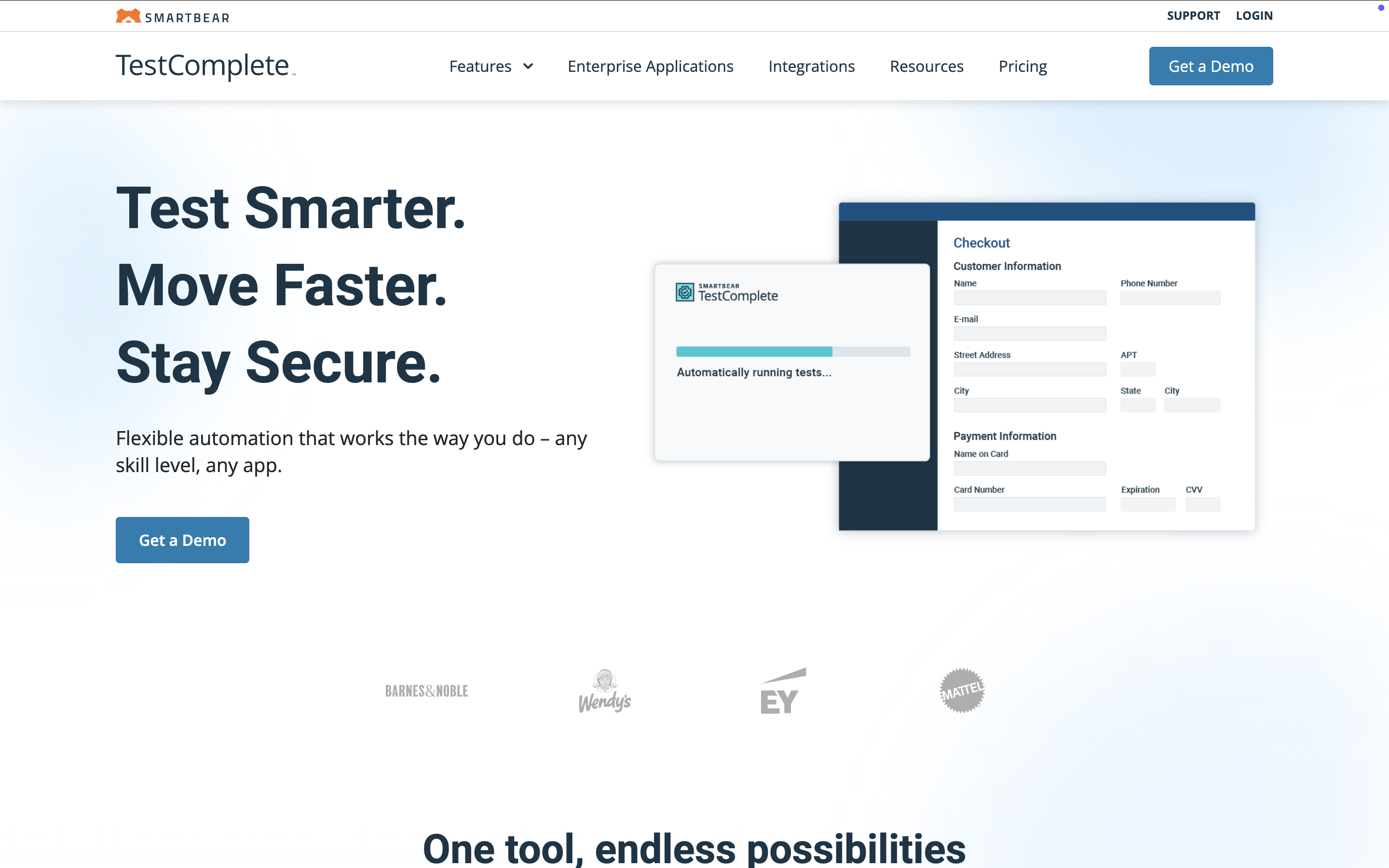
SmartBear TestComplete automates functional and regression tests for web, desktop, and mobile apps, including SAP. It supports both scriptless and scripted tests, so testers and developers can both use it.
Feature highlights:
- SAP GUI testing, using UI Spy to inspect components and generate scripts
- Cross-browser testing across Chrome, Firefox, Edge, and more
- Record-and-playback
- Modular tests built from predefined keywords
- CI/CD integration
7. IBM Rational Functional Tester

IBM Rational Functional Tester (RFT) automates functional tests for web, desktop, and mobile apps, including SAP. Teams script complex business scenarios in Java.
Feature highlights:
- Java scripting for flexible test automation
- ScriptAssure technology for stable object recognition when the UI changes
- SAP GUI testing with dedicated support for SAP controls
- Data-driven testing
- Integration with IBM Quality Manager for test management and reporting
8. Tricentis Tosca

Tricentis Tosca is an enterprise continuous testing platform for end-to-end testing of large, complex, connected systems.
Feature highlights:
- Model-based test automation: testers build visual models of application behavior, and Tosca turns them into test scripts
- Dedicated support for SAP GUI and SAP Fiori
- Risk-based testing to prioritize critical business workflows
- Test data management
- Integration with SAP Solution Manager for end-to-end ALM
- CI/CD integrations
- AI features that cut maintenance and false positives
Wrapping up
SAP modules are tightly connected, so one update can break something in another module. Choose a tool that handles test creation, management, execution, and reporting in one place.
More testing tool guides you may find useful:
Frequently asked questions
SAP is a multinational software corporation founded in 1972 focused on business process management with strong ERP coverage, and SAP environments often require tailored testing tools due to complexity, scale, and speed requirements.
Examples listed include SAP S/4HANA, SAP ECC, SAP Business Suite, SAP BW, SAP BusinessObjects BI, SAP SuccessFactors, SAP Ariba, SAP Concur, SAP Fieldglass, SAP Hybris (SAP CX), SAP IBP, SAP Analytics Cloud, SAP Fiori, SAP Leonardo, and SAP Leonardo IoT.
Challenges called out include: Incomplete test coverage due to complex end-to-end business processes, dependencies, and customization Integration challenges with payment gateways, CRMs, APIs, and third-party systems Test data management friction when TDM is not built-in Security and data-privacy requirements due to confidential business data Migration complexity (example: SAP S/4HANA migration) and the need for early automated testing involvement
Ten essential criteria listed: Support for multiple AUT types (web, mobile, desktop, etc.) Execution across various browsers, OS, and devices Support for interconnected testing activities throughout the SDLC Low-code and high-code test creation modes Integration testing support Robust security and data-privacy compliance Seamless integration with modern tech stacks Scalability for fast-growing businesses Nice-to-have: AI/ML-powered testing capabilitiesAlso stated: strong understanding of business processes is needed to design effective test cases and improve coverage.
Listed tools: Katalon Selenium Worksoft Certify SAP eCATT SAP Solution Manager SmartBear TestComplete IBM Rational Functional Tester Tricentis Tosca
Katalon Platform described as supporting web, desktop, mobile, and API testing with centralized test creation/management, cross-environment execution, and reporting with metrics/insights. No-code, low-code, and high-code workflows described, including Record-and-Playback, scripting mode in Groovy, Windows Recorder, Windows Keywords, Test Explorer organization, Object Repository, Data Files for data-driven testing, and StudioAssist for generating/explaining tests plus AI-powered features.
Selenium stated to support only web-based applications, while SAP includes web and desktop software. Selenium described as effective for SAP web applications. Guidance includes downloading WebDriver for a preferred language, inspecting elements, handling dynamic IDs with stable locators/XPath/CSS selectors, potentially writing custom methods for non-standard components, and integrating with JUnit/PyTest for setup/teardown and grouping.
Worksoft Certify described as enterprise-level automation focused on SAP/Oracle/Salesforce with a codeless approach for automating complex business processes. Mentioned as helping simplify SAP S/4HANA migrations via a connective automation platform, process discovery/documentation/E2E testing, model-based resilience, Agile support, and automation rules that adapt to updates.
eCATT described as SAP’s built-in tool for automating functional and regression testing, designed for automated test scripts for SAP’s R/3 system. Features include record/replay for SAP transactions, data-driven testing, reusable script libraries, built-in test data container, deep integration with SAP Solution Manager, and support for SAP GUI and web-based testing.
SAP Solution Manager described as an ALM platform and central hub for managing SAP landscapes. Mentioned capabilities include test plan management, automation, manual testing, and execution. Includes a Test Automation Framework supporting manual/automated testing, using eCATT for recording plus conditions/loops/logic, on-demand/scheduled/event-triggered execution, parallel execution, real-time monitoring, and BPCA integration for change impact analysis.
TestComplete: functional/regression testing for web/desktop/mobile including SAP; scriptless and script-based testing; SAP GUI testing with UI Spy; cross-browser testing; record/playback; keyword-based modular tests; CI/CD integration. IBM RFT: Java-based scripting for functional testing including SAP; ScriptAssure for stable object recognition; dedicated SAP GUI features; data-driven testing; IBM Quality Manager integration for test management/reporting.
Tricentis Tosca described as an enterprise continuous testing platform for large, complex, interconnected systems. Highlights include model-based automation with visual models/flowcharts converted into executable scripts, specialized support for SAP GUI and SAP Fiori, risk-based testing for prioritization, test data management, integration with SAP Solution Manager, CI/CD integrations, and AI-powered features to reduce maintenance and false positives and provide optimization insights.





Test everything. Ship with confidence.
From generating test cases to spotting failures, Katalon's AI works across your entire pipeline, automatically.
