


Learn how to run OctoPerf load tests from Katalon Studio: set up an OctoPerf workspace, scenario, and template, call the OctoPerf APIs from Katalon test cases, track run progress, and download the performance report automatically.
What Is Performance Testing?
Performance testing is a software testing process used for testing the speed, response time, stability, reliability, scalability, and resource usage of a software application under a particular workload. The main purpose of performance testing is to identify and eliminate the performance bottlenecks in the software application.
Watch the webinar: Streamlining QA with functional and performance testing integration
Key Parameters of Performance Testing
- Speed: determines whether the application responds quickly
- Scalability: determines the maximum user load the software application can handle
- Stability: determines if the application is stable under varying loads
Types of Performance Testing
- Load testing: checks the application’s ability to perform under anticipated user loads. The objective is to identify performance bottlenecks before the software application goes live.
- Stress testing: involves testing an application under extreme workloads to see how it handles high traffic or data processing. The objective is to identify the breaking point of an application.
- Volume testing: a large amount of data is populated in a database, and the overall software system’s behavior is monitored. The objective is to check a software application’s performance under varying database volumes.
What Is OctoPerf?
OctoPerf is a commercial load testing platform available as SaaS or on-premise. It allows simulating thousands of concurrent users on any HTTP-based website or mobile application. On premise means you can install your own OctoPerf platform anywhere you want. It has the following key features: record and design realistic virtual users, monitor your servers, run scenarios from multiple locations (Europe, USA, and more), and analyze bench reports to find performance bottlenecks.
What Is Katalon?
Katalon is a modern, comprehensive quality management platform that helps teams of any size deliver high-quality digital experiences. Katalon Studio is a comprehensive toolset for web, API, mobile, and desktop app automation testing.
Katalon With OctoPerf
In the following section we will walk you through the steps to prepare an OctoPerf workspace with all the necessary performance activity and then call the OctoPerf APIs within Katalon Studio to generate a performance test report. Then, we will visualize the results of the test execution using Katalon TestOps™.
Watch the webinar: Boosting app resilience: Performance testing essentials with Katalon & OctoPerf
Prerequisites
- Katalon Studio
- OctoPerf account
Account Setup in OctoPerf
- Log in to the OctoPerf account.
- Create a workspace and copy the Workspace Id from the URL.
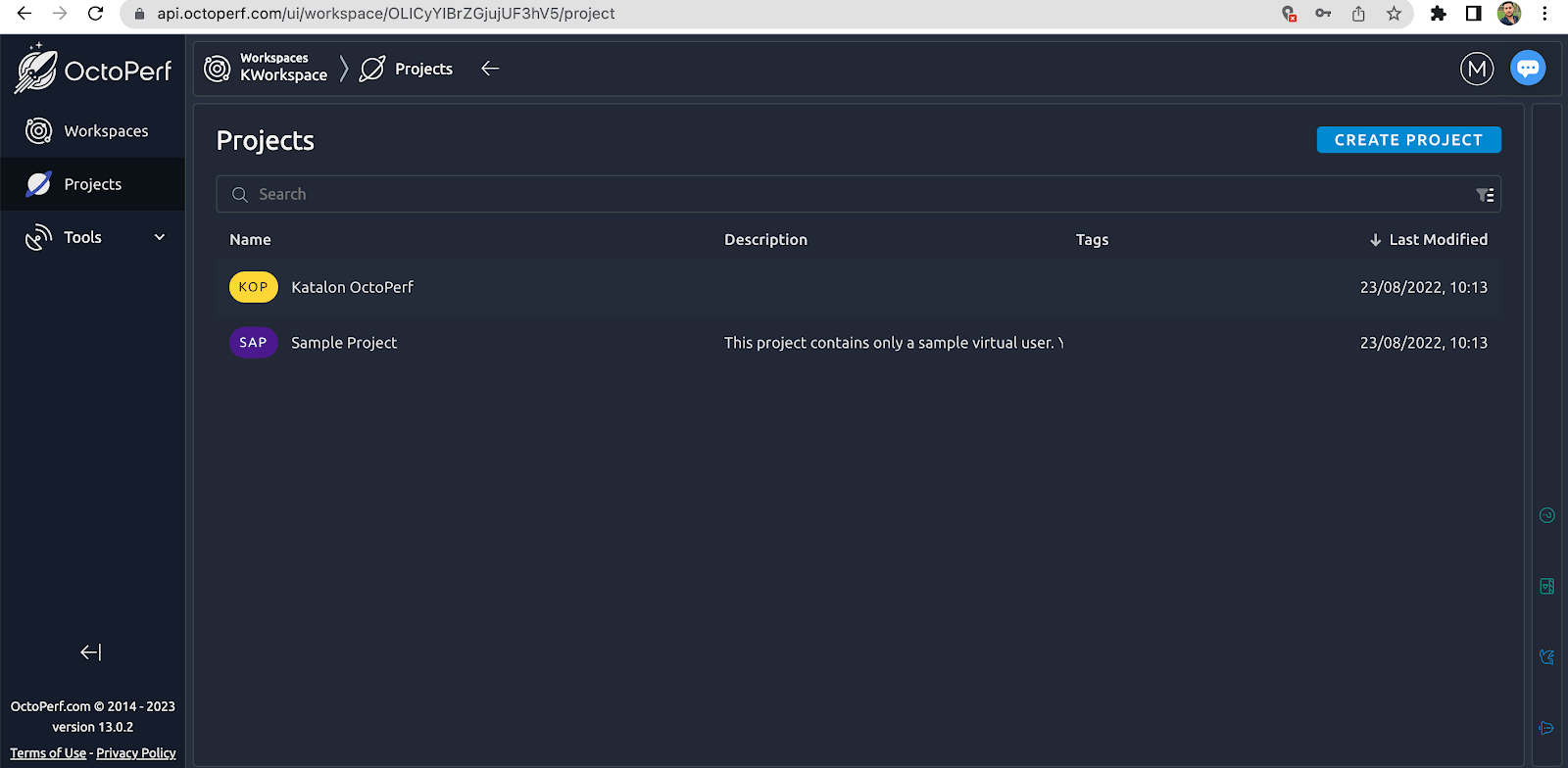
- Create a project and copy the Project Id from the URL.
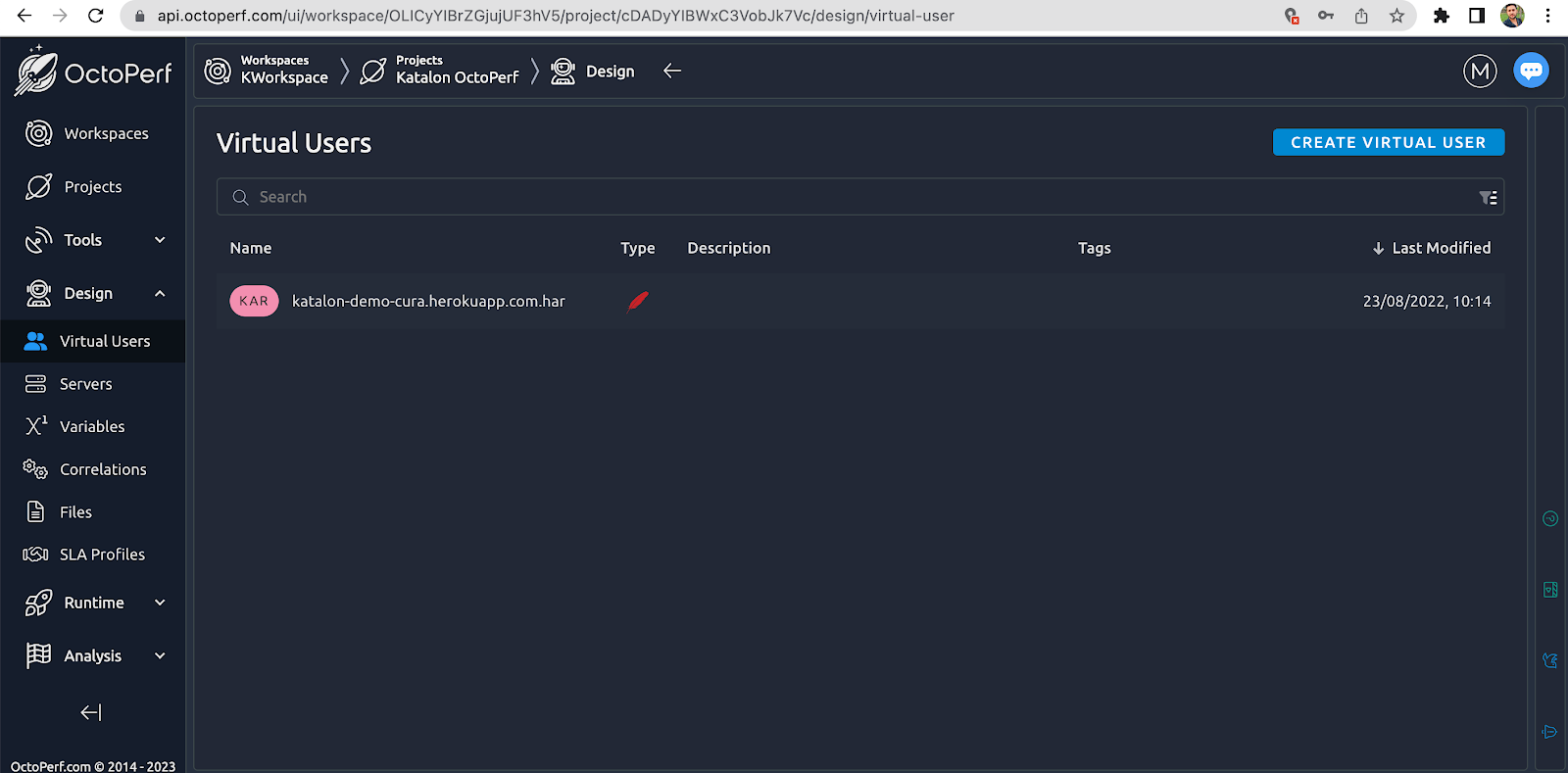
- Create Virtual User. A Virtual User represents a user journey through your application. It lets you simulate real user behavior. You are then prompted with several options:
- Website or REST API
- Browser record (HAR)
- JMeter project
- Postman collection
- Fragments
This tutorial uses Browser Record (HAR) for the Virtual User so you can generate a .har file on a browser (Chrome/Firefox) by recording all the action for test application.
- Go with the Virtual User Validation check.
- Click on Execute Load.
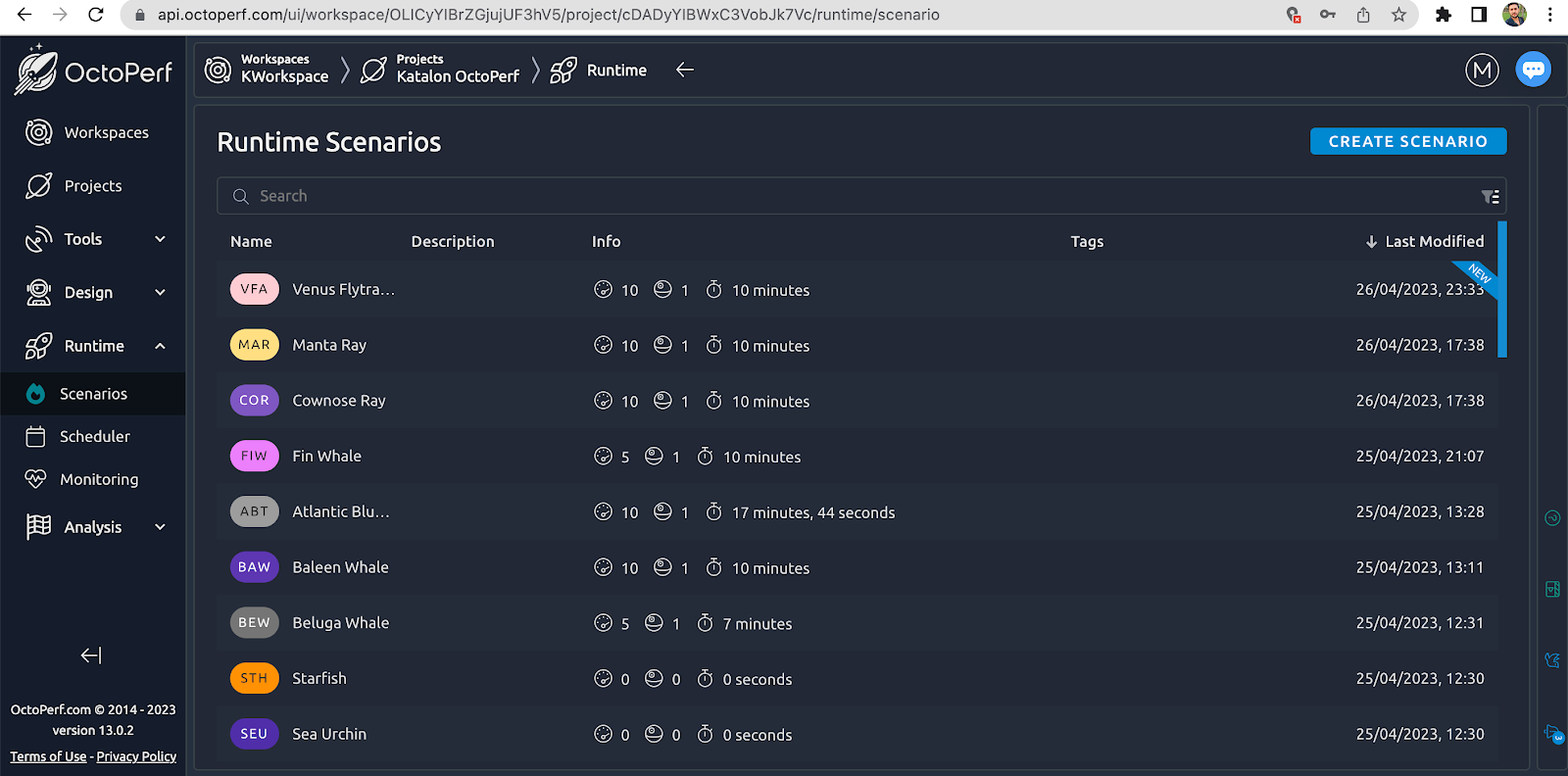
- Click on Create Scenario and copy the Scenario Id from the URL.
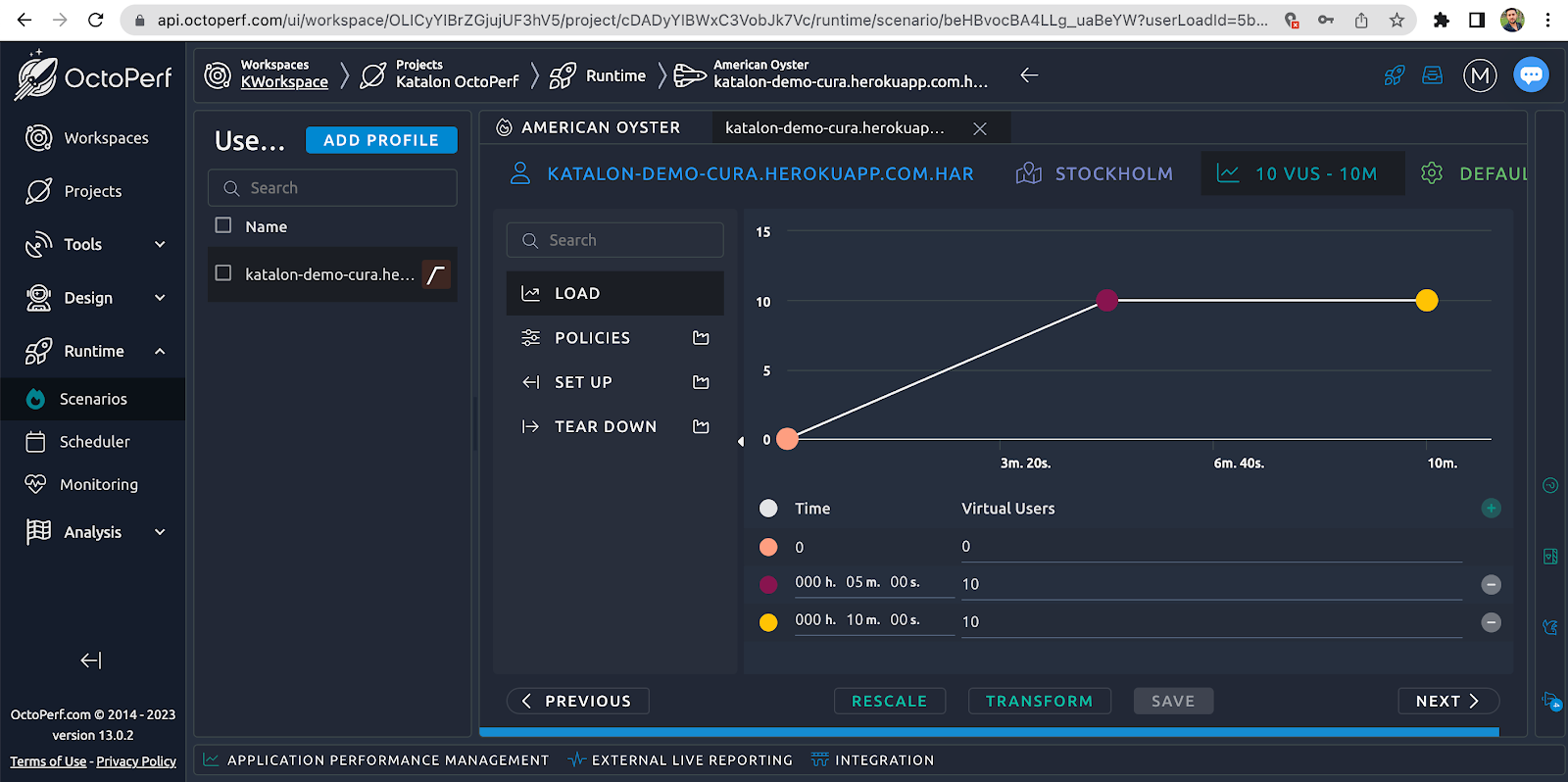
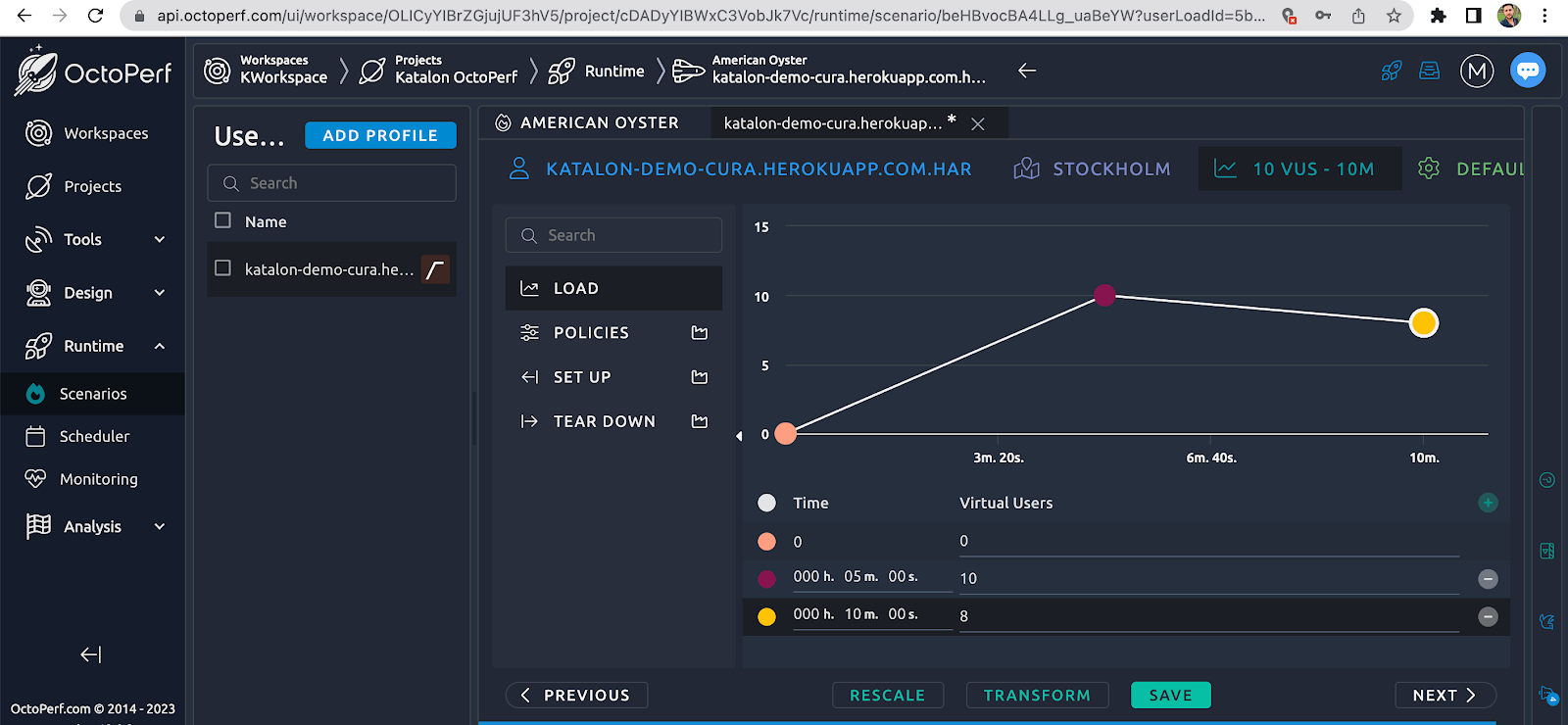
- Enter the Time of occurrence and number of concurrent users.
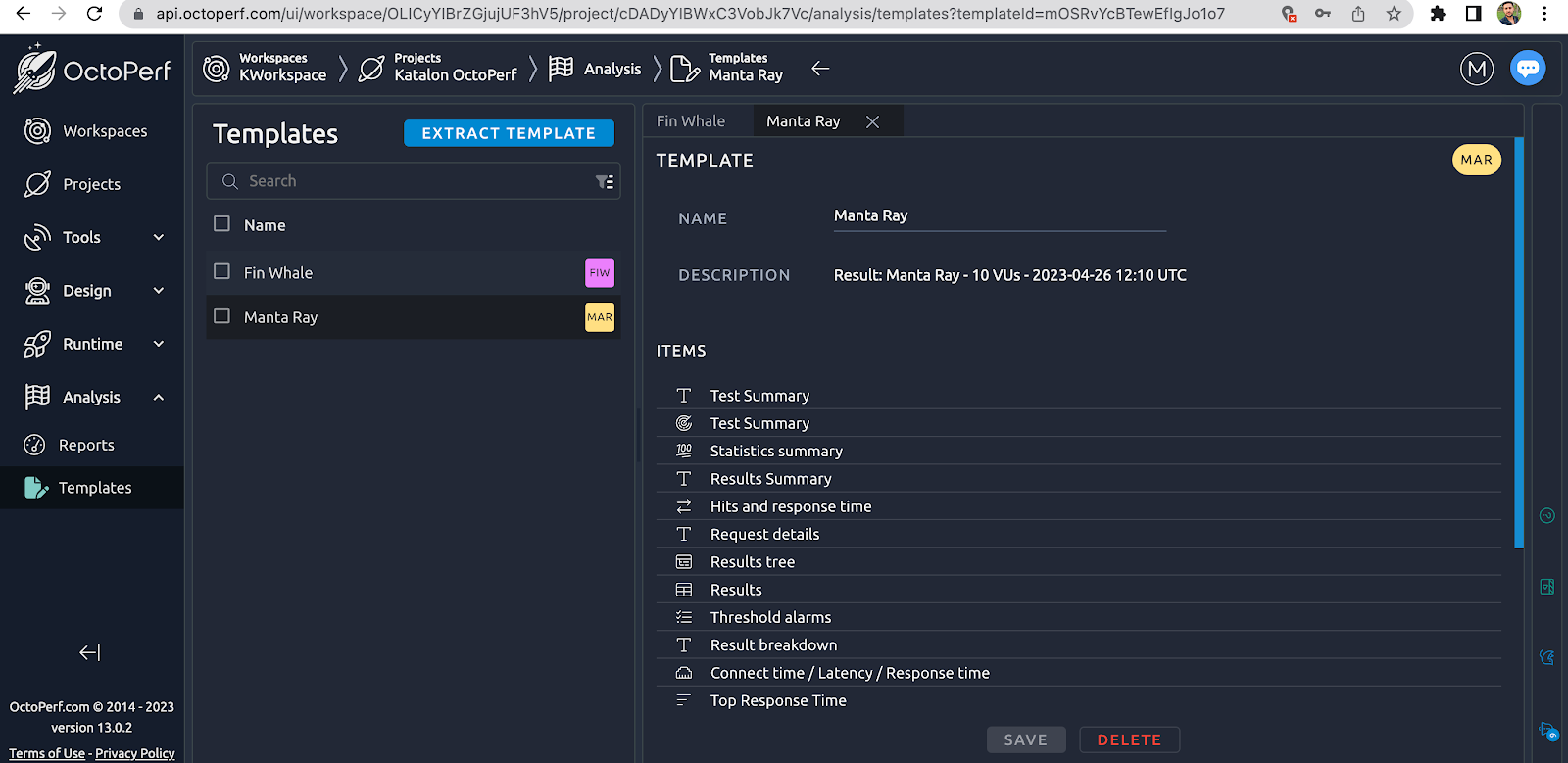
- Click on Templates, then Extract Template, and copy Template Id from the URL.
Project Setup in Katalon
- Create a project.
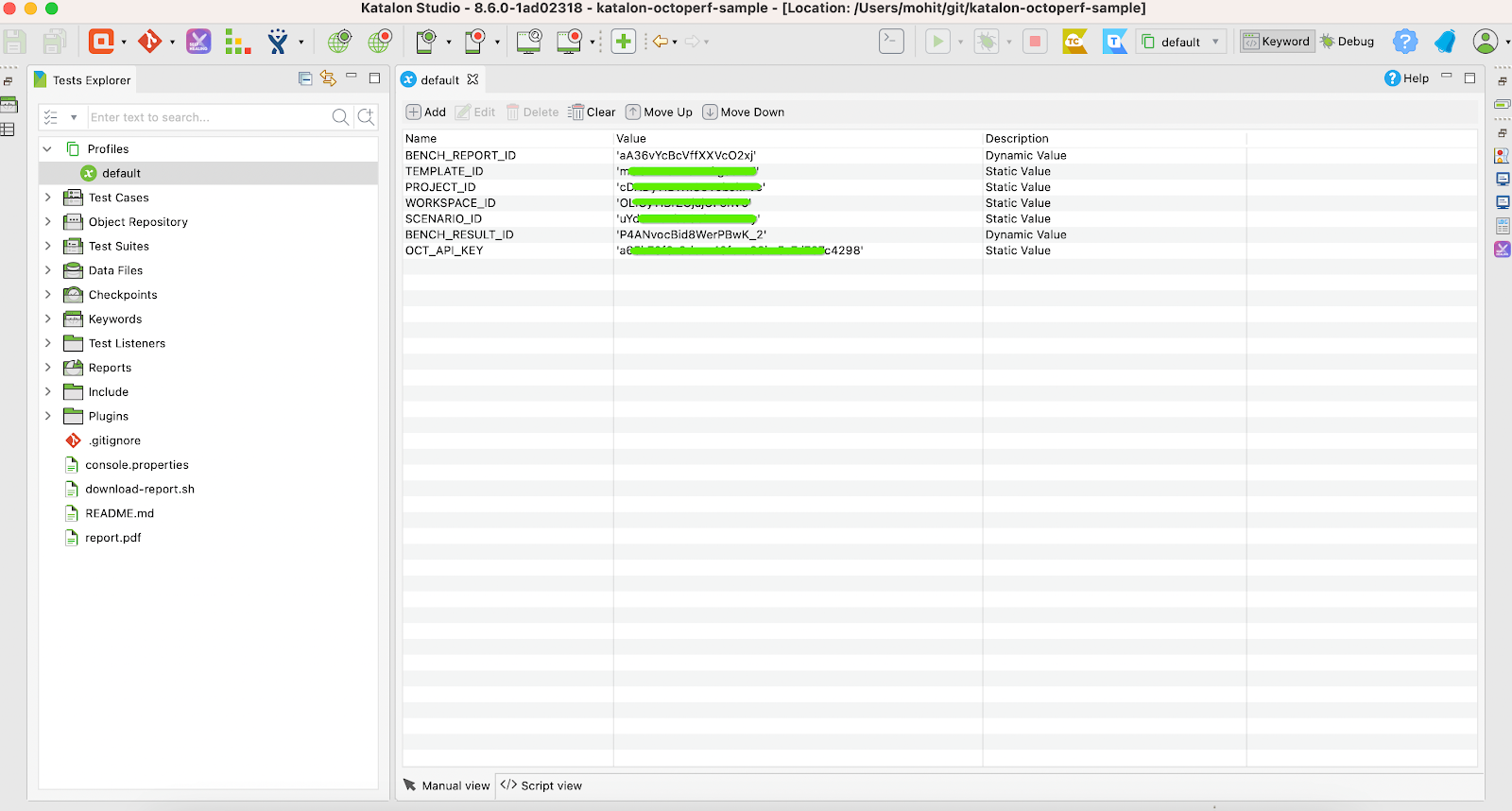
- Add all the stored values for OctoPerf into the Katalon execution profile:
- Template Id
- Scenario Id
- Workspace Id
- Project Id
- OctoPerf API Key
- Add download-report.sh at the project root directory.
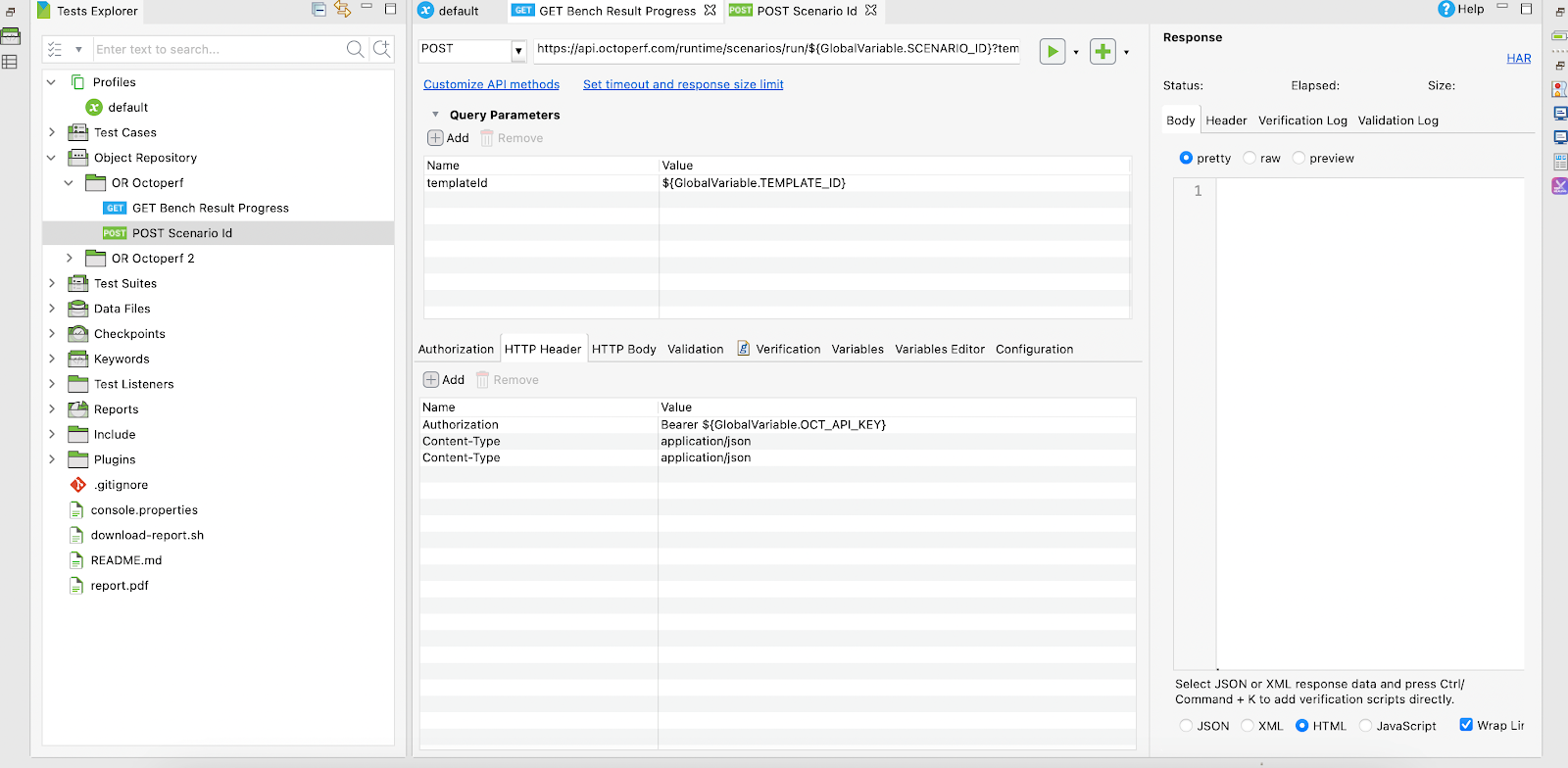
- Create APIs within the Object Repository.
- API endpoint: POST https://api.octoperf.com/runtime/scenarios/run/<scenarioId>?templateId=<templateId>
- HTTP header: Authorization: Bearer ${apikey}
- API endpoint: GET https://api.octoperf.com/runtime/bench-results/progress/${benchResultId}
- HTTP header: Authorization: Bearer ${apikey}
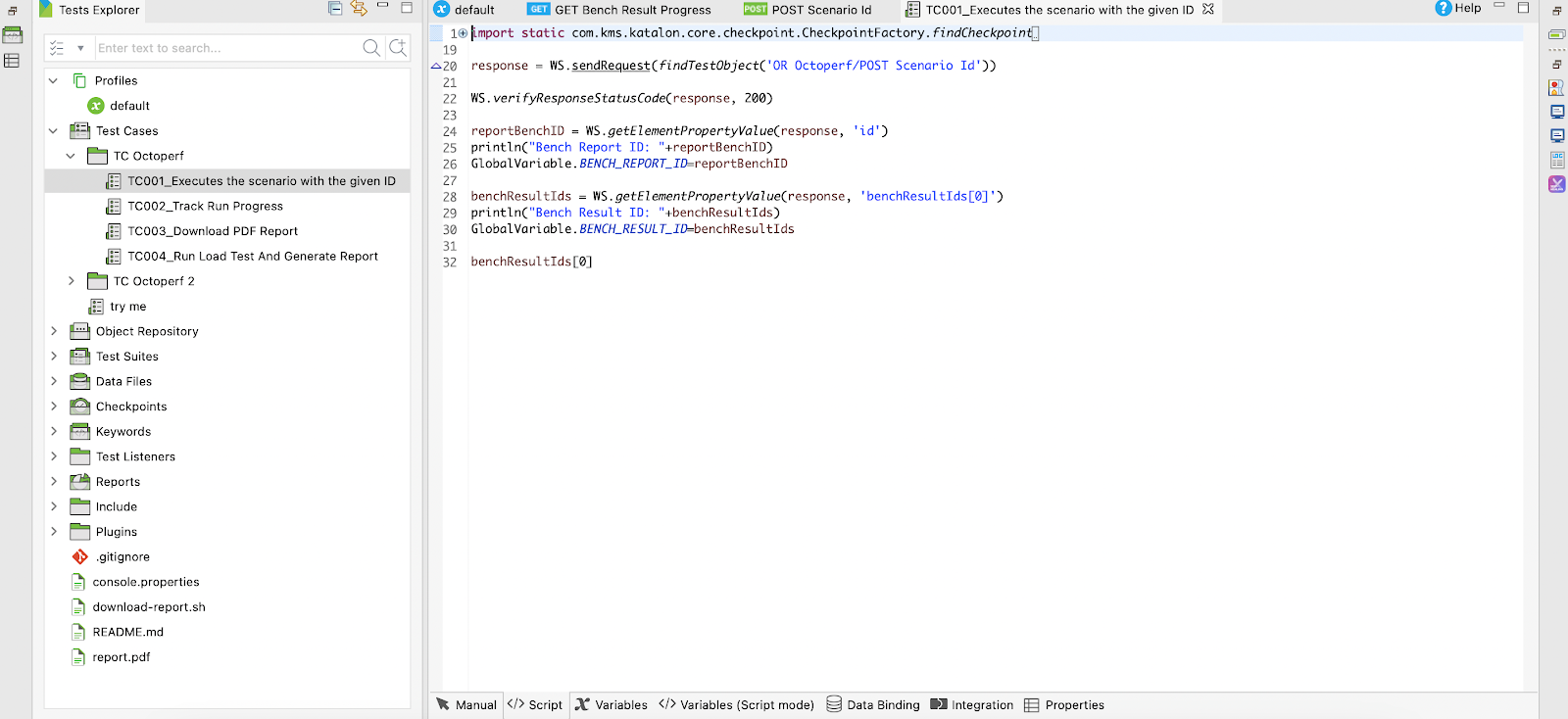
- Create test cases and extract the values from the APIs.
- Test Case No. 1: TC001_Executes the scenario with the given ID.
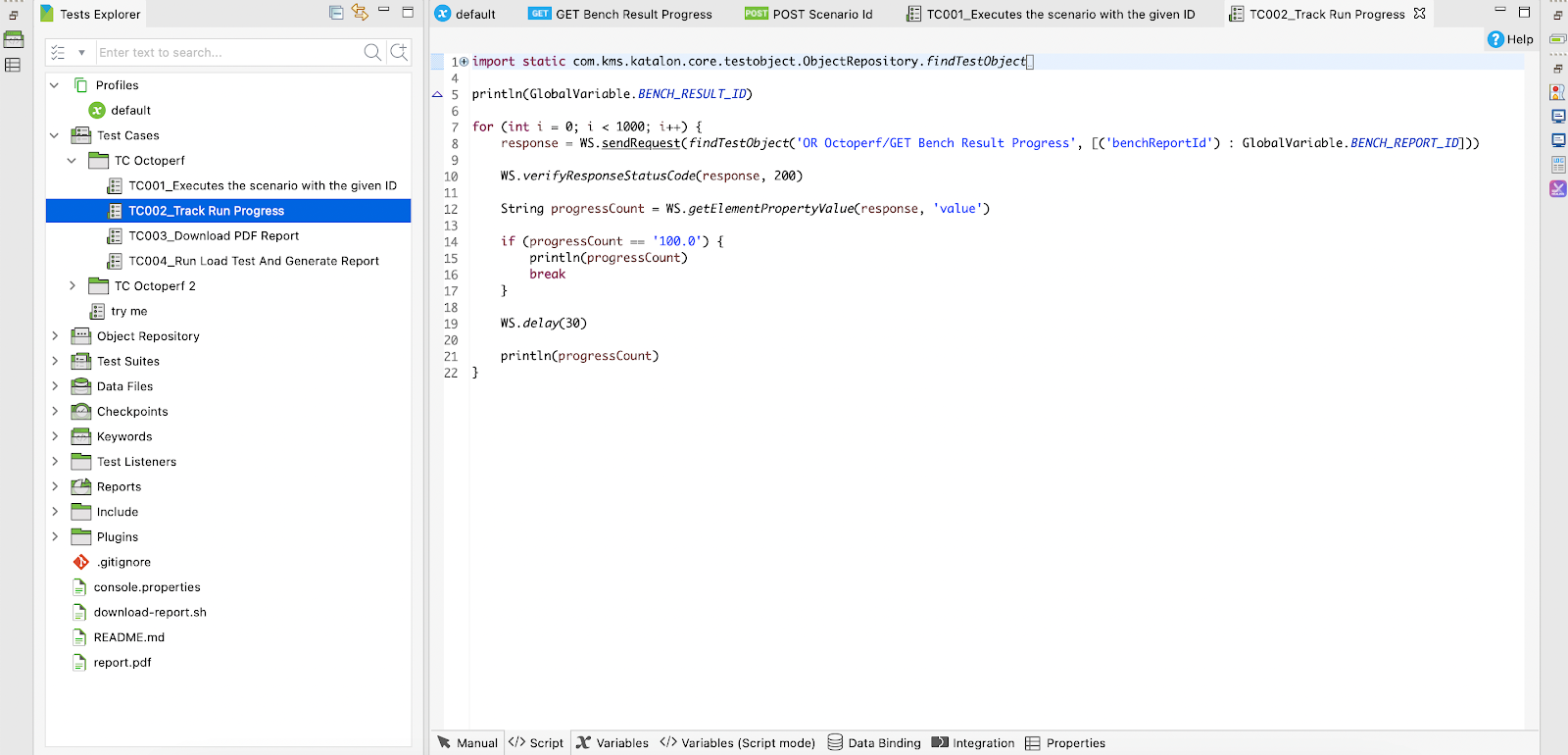
- Test Case No. 2: TC002_Track Run Progress.
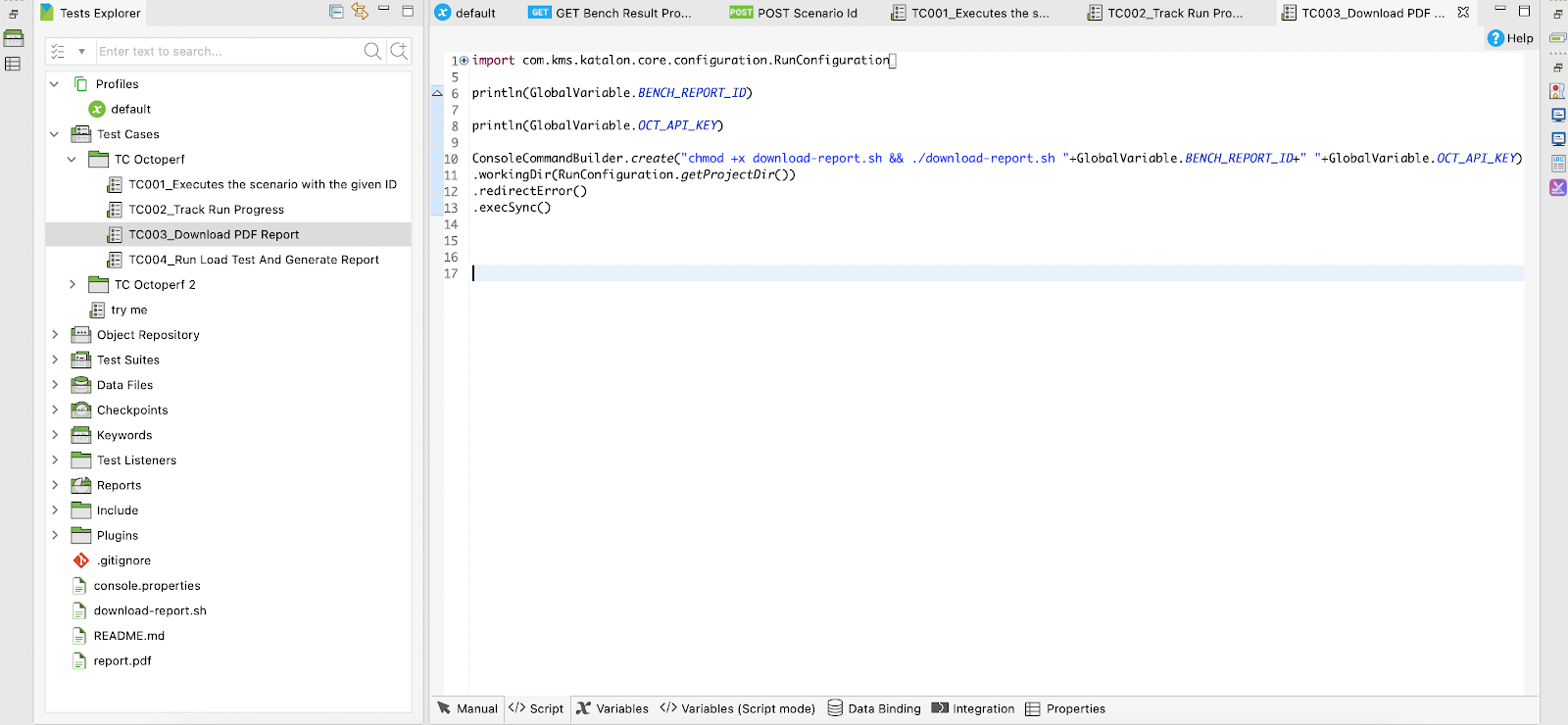
- Test Case No. 3: TC003_Download PDF Report.
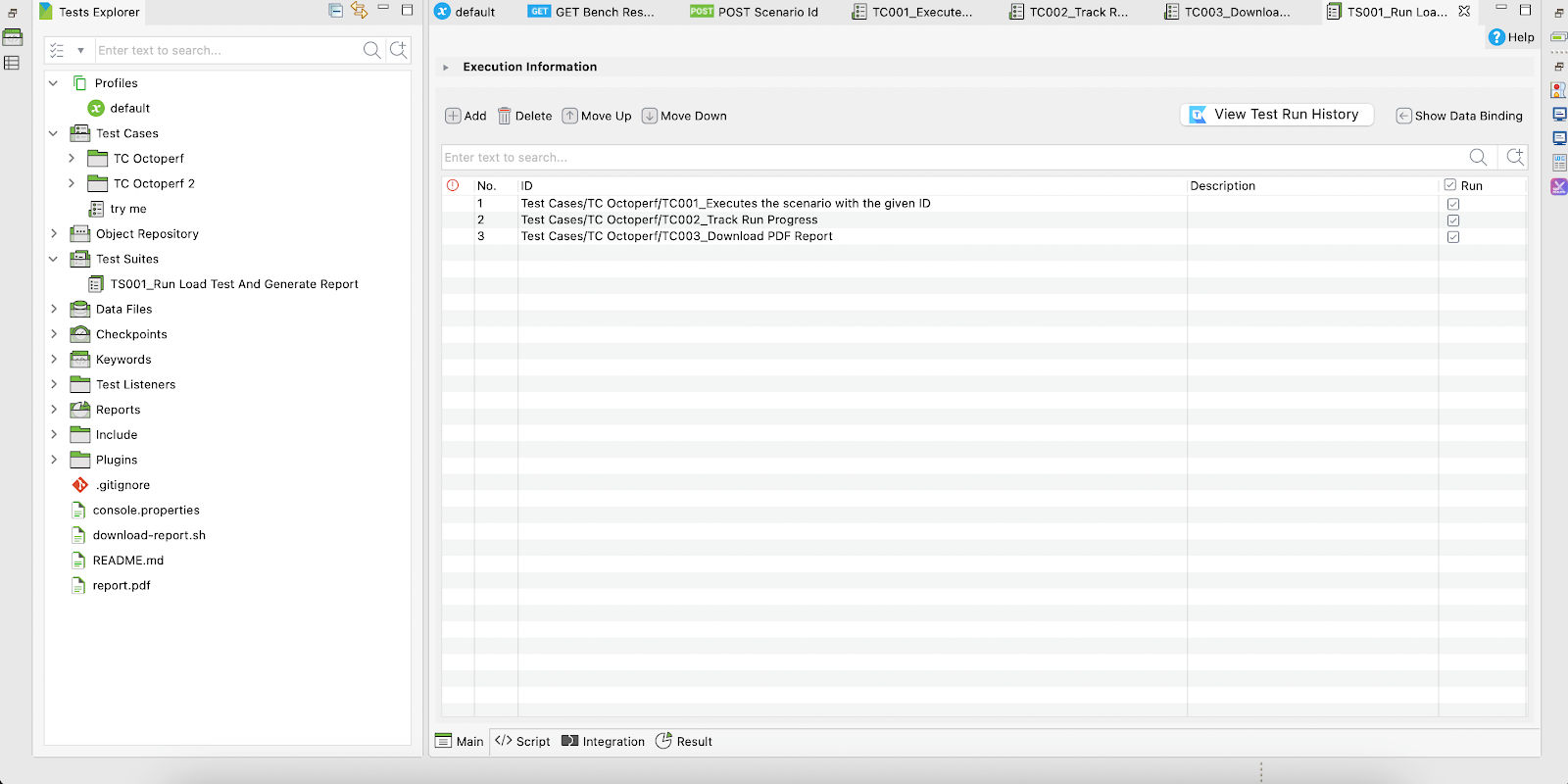
- Create a Test Suite and add all the above test cases.
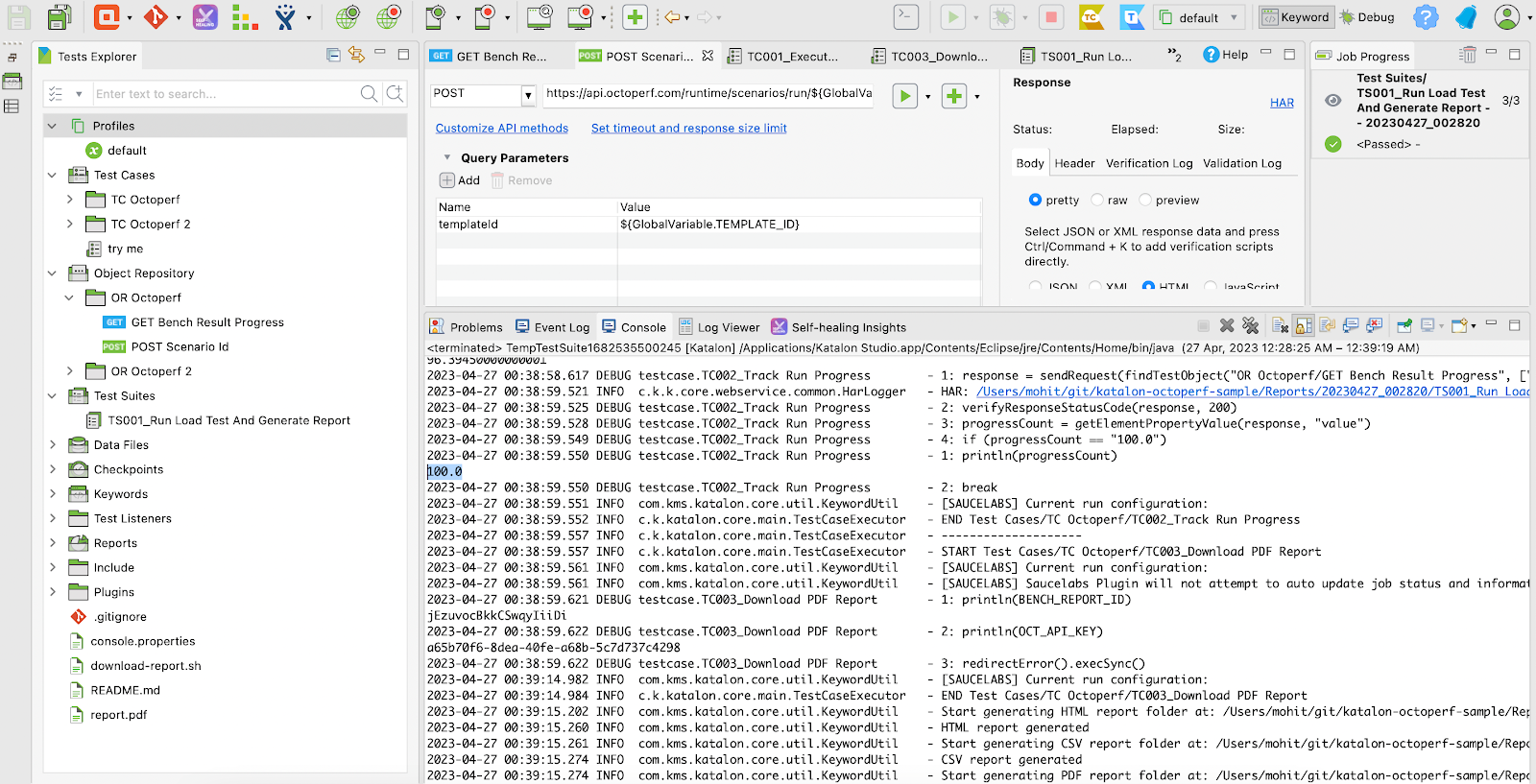
- Run Katalon test suite and verify the report downloaded on the project root directory.
Conclusion
Performance testing is an essential part of software testing, ensuring that an application is stable, reliable, and scalable. Katalon and OctoPerf work together to bring performance testing into the same automated suites you already run, so teams can trigger load tests, track their progress, and collect reports without manual steps, making it easier to identify and eliminate performance bottlenecks.
With OctoPerf's ability to simulate thousands of concurrent users and Katalon's comprehensive toolset for automation testing, the combined solution provides a capable performance testing setup for teams of any size. By following the steps outlined in this article, teams can set up an OctoPerf workspace and integrate it with Katalon to generate performance test reports and identify performance issues efficiently.
Start Testing With Katalon Now
Read more:
Frequently asked questions
Performance testing is a software testing process used to evaluate speed, response time, stability, reliability, scalability, and resource usage under a particular workload, with the goal of identifying and eliminating performance bottlenecks.
The article highlights three key parameters: Speed (how quickly the application responds) Scalability (maximum user load the application can handle) Stability (whether the application remains stable under varying loads)
Three types are listed: Load testing: performance under anticipated user loads to find bottlenecks before go-live Stress testing: performance under extreme workloads to find the breaking point Volume testing: performance while large amounts of data are populated in the database to observe behavior under varying data volumes
OctoPerf is a commercial SaaS and on-premise full-stack cloud load testing platform that can simulate thousands of concurrent users on HTTP-based websites or mobile applications. Key features mentioned include recording/designing virtual users, monitoring servers, running scenarios from multiple locations, and analyzing bench reports to find bottlenecks.
Katalon is described as a modern quality management platform, and Katalon Studio is a comprehensive toolset for web, API, mobile, and desktop automation testing. The guide uses Katalon Studio to call OctoPerf APIs and generate performance test reports, and visualizes results using Katalon TestOps™.
The prerequisites listed are: Katalon Studio An OctoPerf account
The guide’s workflow includes: Setting up OctoPerf: create workspace/project, create a Virtual User (using Browser Record (HAR) in this tutorial), validate the Virtual User, execute load, create a scenario (and set time occurrence + concurrent users), extract a template, and copy required IDs from URLs (Workspace/Project/Scenario/Template). Configuring Katalon: store OctoPerf values in a Katalon profile (Template Id, Scenario Id, Workspace Id, Project Id, API Key), add download-report.sh to the project root, define API requests in Object Repository (run scenario endpoint + progress endpoint) with Authorization Bearer token, and create test cases to execute scenario, track progress, and download the PDF report. Running end-to-end: create a test suite with the test cases, run it, and verify the report downloads to the project root directory.





Test everything. Ship with confidence.
From generating test cases to spotting failures, Katalon's AI works across your entire pipeline, automatically.
