


Desktop apps still need thorough testing. Learn what desktop application testing covers, how it differs from web testing, and how Katalon Studio's locators, Windows Spy, and Native Windows Recorder speed up Windows app testing.
Katalon Studio 7.5 introduced the Native Windows Recorder feature. It gives users a comprehensive Recorder utility that helps them generate desktop test cases quickly and accurately, with minimal effort.
This article looks at the nature of desktop application testing, why it still matters today, and how to make the most of Katalon Studio for desktop app testing.
Read more about desktop application testing with Katalon.
What is Desktop Application Testing?
Desktop applications are the software built to work independently on a desktop operating system, either Windows, macOS, or Linux. As desktop applications run on personal computers, they work autonomously from all other applications.
For the applications to work smoothly on the desktop interface, it requires sufficient hardware resources and a thorough testing process. Testing desktop applications normally focuses on a specific environment with a checklist that the testers must go through in their development process.
A suggested checklist for desktop application testing:
- GUI testing
- Functional testing: Check broken links, warning messages, resolution changes, printing, theme changes, installation (upgrade/downgrade), multiple user accounts, sleep mode, and cache
- Compatibility testing: Test the application on different operating systems
- Performance testing: Check behavior when users run the application for long periods, such as memory consumption over time
- Security testing
Desktop Application Testing in Today’s Testing Landscape

Web and mobile applications get more attention from businesses and end users, but that doesn’t make desktop applications less important. Desktop applications help deliver a smooth user experience for many products, which keeps users engaged.
Users today are scattered to many different platforms, and with diverse usages. That means new products have to be developed for the cross-platform and cross-functional goals to successfully reach more users or customers.
When compared to web application testing, desktop application testing has its differences. Firstly, the desktop applications need to be installed/uninstalled on the user’s machine; thus, these steps should be checked carefully to ensure these basic functionalities. As desktop applications are mostly environment-specific, setting up the environment first when testing is also a highly important step that should be done carefully.
Lastly, both web and desktop applications interact directly with end users, so functional testing of the GUI (graphical user interface) plays an essential role in ensuring a smooth user experience.
An Overview of Desktop Application Testing with Katalon Studio
Katalon Studio provides cross-platform automation testing for applications on the web, mobile, API, and desktop. It also offers built-in capabilities for both codeless and scripted testing. Katalon Studio users are given the freedom to quickly and easily build up their test projects thanks to its productive IDE for testing.
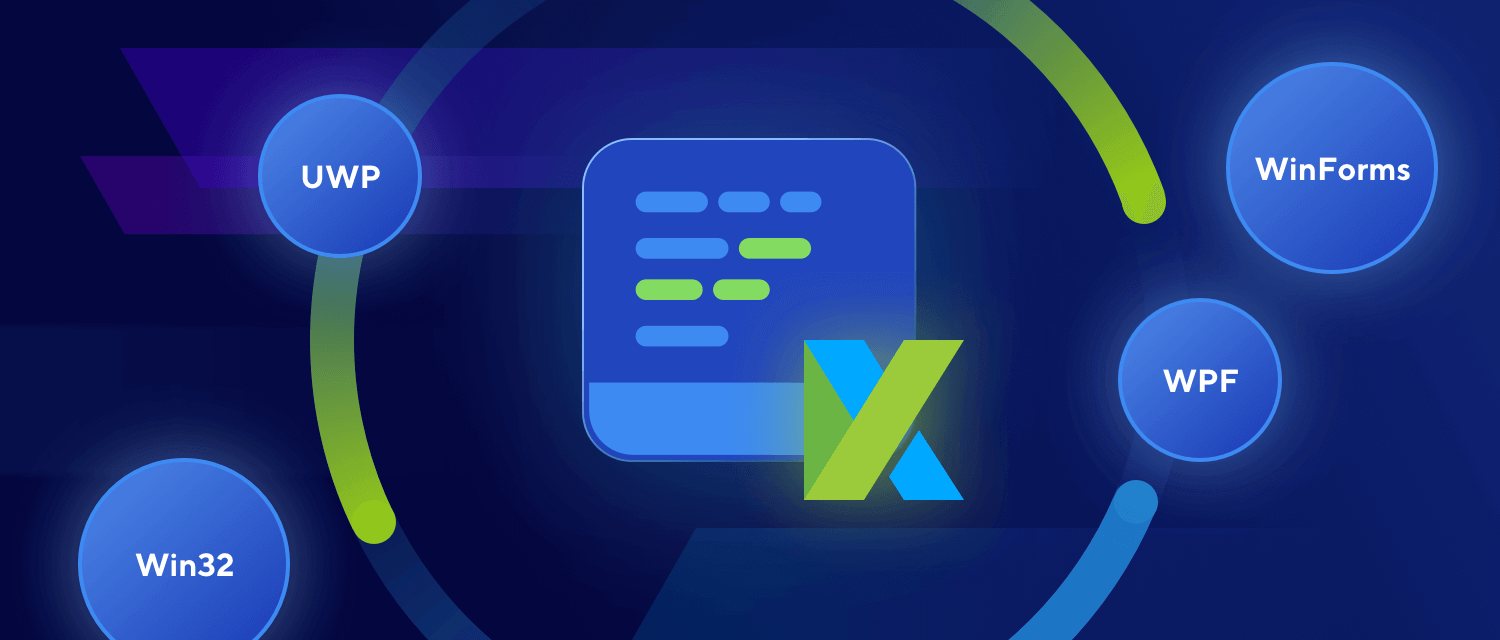
Starting from version 7.0 onward, Katalon Studio has started to support desktop application testing. The tool has wide support on Universal Windows Platform (UWP), Windows Forms (WinForms), Windows Presentation Foundation (WPF), and Classic Windows (Win32).
As testing with Katalon requires no extensive programming skill, you and your team are able to get started quickly with desktop testing using the built-in project templates, keywords, and smart execution features.
Fully Developed End-to-End Testing for Desktop Applications
Object Detection
Built upon Windows Application Driver, Katalon Studio supports you with 6 locator strategies for identifying UI elements of a Desktop application. You can choose different ways to locate a Windows test object:
- Accessibility ID: The AutomationId of an object
- Class Name: The ClassName property of an object
- ID: The unique runtime ID of an object
- Name: The name of an object
- Tag Name: The tag name (aka the element type) of an object
- XPath
Katalon Studio’s Windows Object Spy and Recorder also have a built-in Highlight feature to double-check whether Windows objects can be located.
Using this feature, Katalon Studio will display a message on how many elements are found or NOT found with the selected locator strategy and locator. If the object is found, it will be highlighted with the green border.
Users are also able to update test objects’ locators dynamically by using either local or global variables.
Windows Spying Utility
Katalon Studio offers a spying utility for web, mobile, and desktop application testing. For desktop testing, when the application starts, Katalon Studio captures all available Windows objects on the current screen of the testing machine and shows them in the ALL OBJECTS section.
The Screen View for desktop application testing includes all the key elements you need for a complete spying task. Configurations, Screen Objects, Captured Object, Object Properties, and Screen View are all available in the spying window for easy navigation.
Native Windows Recording
In addition to the Windows Recording feature, Katalon Studio added Native Windows Recording in later releases to improve test case creation and make recording more convenient and accurate.
Using the later Native Windows recording feature, when testers hover over an element of the AUT, Katalon Studio immediately highlights the identified object. Then, when you perform an action on the AUT, the action is recorded in the Recorded Actions section.
The list of available actions is the same as Katalon Studio’s built-in keywords. You can add any action, call another test case, and/or use Custom Keywords.
In the Captured Objects tab, users can view all elements captured during the recording session and customize their locators in the Locator tab of Object Properties. Note that the captured objects’ locators are absolute XPaths.
The Native Windows recorder significantly shortens test case creation, flattens the learning curve for new testers, and saves the team time and effort.
Conclusion
Katalon Studio has had a stable foundation for web, mobile, and API testing since its inception. Building on that infrastructure, it continues to enhance desktop application testing for a holistic testing experience across platforms.
For enterprise testing needs, Katalon Studio offers all-inclusive testing functionality backed by years of product development. To see a live demo of testing with Katalon, request a demo and our team will reach out to you.
Frequently asked questions
It’s testing software that runs independently on desktop operating systems (Windows, macOS, or Linux) to ensure it works smoothly and has sufficient hardware resources and thorough verification.
The checklist includes GUI testing, functional testing (e.g., broken links, warning messages, install/upgrade/downgrade, multi-user accounts, sleep mode, cache), compatibility testing across OSs, performance testing (long use / memory), and security testing.
The content states that from version 7.0 onward, Katalon Studio started to support desktop application testing (and mentions 7.5 introducing Native Windows Recorder).
It lists support for UWP, WinForms, WPF, and Classic Windows (Win32).
It lists 6 strategies: Accessibility ID, Class Name, ID, Name, Tag Name, and XPath.



Test everything. Ship with confidence.
From generating test cases to spotting failures, Katalon's AI works across your entire pipeline, automatically.
