


Mobile cloud testing lets QA teams test apps on remote simulators, emulators, and real devices instead of an in-house lab. Learn how it works, its benefits, how it compares with on-premise testing, and how to implement it.
Most people now rely on smartphones every day, and app stores are crowded with competing apps. To stand out in such a crowded space, quality is a must.
Mobile testing has existed since the first days of mobile app development. As quality expectations rise, more businesses are moving their mobile testing to the cloud. Mobile cloud testing offers scalability, broad device coverage, and productivity gains, as long as QA teams know how to use it well.
In this article, we’ll explore the concept of mobile cloud testing, its advantages and challenges, as well as the practical steps needed to fully implement it.
What is Mobile Cloud Testing?
Mobile cloud testing is the practice of using testing environments (including the mobile OS, devices, network configurations) hosted on a cloud platform to test mobile applications.
Instead of buying and maintaining an in-house device lab, teams using mobile cloud testing access simulators, emulators, and real devices remotely. This saves resources and makes it easier to automate and scale testing.
Read More: A Guide to Mobile Testing with Katalon
How Mobile Cloud Testing Works
Put simply, mobile cloud testing is mobile testing done in the cloud. Providers either use virtualization to run simulators and emulators that mimic real devices, or host racks of real physical devices that testers access remotely. Each environment can have its own OS version, network settings, and configuration for different test scenarios.
There are several approaches to mobile cloud testing for QA teams:
- Use public cloud services to build a testing environment.
- Set up a cloud-based testing environment in a private cloud, which adds security but requires extensive ongoing maintenance.
- Use a cloud-based testing platform from a third-party vendor. These platforms offer virtual devices (simulators and emulators), a real device farm connected to the cloud, or both. Virtual devices are more scalable and flexible, while real devices give more realistic results.
The final choice depends on the specific needs of the organization. A hybrid approach is always possible where the team combines multiple approaches to get the best of both worlds.
Read More: Simulators vs Emulators vs Real Devices | Mobile Testing Differences
Benefits of Mobile Cloud Testing
- Accessibility: cloud-based testing enables immediate access to environments that would otherwise not be readily available for the team. Testers can work remotely, and all they need is Internet access to start testing without the need to have a physical device available locally.
- Cost-effectiveness: as there is no need to purchase and maintain real devices for testing purposes, companies can cut down on a lot of costs. Imagine having to constantly add new mobile devices to your testing inventory to achieve high test coverage.
- Scalability: cloud environments can be easily scaled up or down based on real-time testing needs, which allows QA teams to optimize their resource allocation more easily.
- Real-time testing: cloud-based environments are readily available, so QA teams can incorporate it into their regression testing plan to continuously identify bugs as code changes occur.
- Automated testing support: cloud-based environments are ideal for automated testing thanks to their high consistency, scalability, and accessibility.
On-Premise vs. Cloud-Based Real Device Testing
Criteria | On-Premise Real Device Testing | Cloud-Based Real Device Testing |
|---|---|---|
Device and OS coverage | Limited to the devices and OS versions the company owns. | Access to a wide range of devices and OS versions. |
Cost | High upfront investment in devices and maintenance. | Lower upfront cost, pay-per-use pricing, and no device maintenance. |
Scalability | Limited by the number of devices on-site. | Scales easily to meet changing demand. |
Flexibility | Physical constraints limit test scenarios and setup. | More flexibility in test scenarios and environment setup. |
Remote access | Limited; requires physical access to devices. | Test from anywhere. |
Collaboration | Harder for distributed teams. | Easier for distributed teams with shared access. |
CI/CD integration | Possible but needs extra setup and resources. | Easily integrated into CI/CD pipelines. |
Availability | Constrained by availability of specific devices. | Available around the clock across a wide device range. |
Monitoring and reporting | Depends on internal tools and processes. | Often includes built-in monitoring and reporting. |
Security | High control, but requires in-house expertise. | Depends on the provider's security measures and policies. |
Compliance | The company is responsible for compliance. | Providers often certify against common standards. |
Maintenance | Ongoing hardware and software maintenance. | Handled by the provider. |
Access to tools | Limited to tools the company owns and manages. | Access to a wide range of tools and integrations. |
Setup time | Can take a long time to set up and configure. | Quick to set up and start testing. |
How to Implement Mobile Cloud Testing
Bringing cloud mobile testing into your project isn't difficult. Your implementation plan should cover the following:
- Which apps to test in the cloud: Good candidates include apps with large audiences that need extensive performance testing, apps with complex UI or imaging features, and native mobile apps.
- Requirements for your cloud testing platform: List the testing frameworks, mobile environments, and automation tools the platform must support.
- Candidate platforms: Options include public cloud services such as AWS Device Farm, specialized device cloud providers, and automation tools that integrate with cloud execution. For an all-in-one option, Katalon works for testers of every experience level and scales to teams and projects of any size.
- Proof of concept: Even though cloud-based mobile testing is more agile and scalable, plan your rollout with clear optimization goals. For instance, use parallel testing to take advantage of the cloud's ability to run many tests at once.
Learn how to apply a codeless approach to mobile testing with Katalon Academy.
Let's see how you can run mobile cloud testing with Katalon Test Cloud.
Katalon Test Cloud gives you instant access to a wide range of on-demand cloud environments for mobile testing.
To start, you can download and install Katalon.
Once you have installed Katalon, you can launch and create a test case.
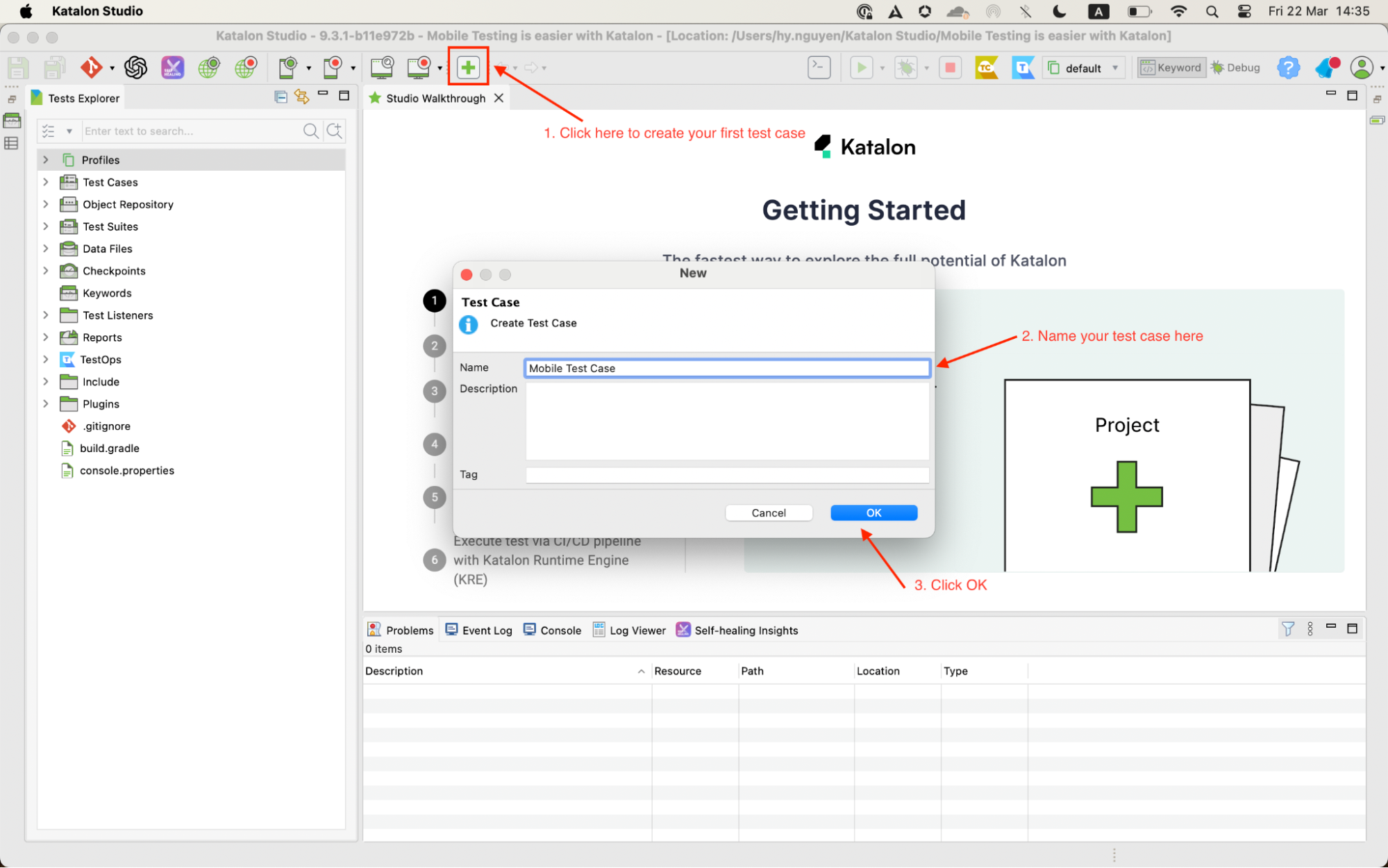
Katalon provides you with up to 3 different modes of test creation:
- No-code: Katalon's Record and Playback feature records your manual on-screen actions and turns them into automated test scripts you can run repeatedly in any environment.
- Low-code: Katalon offers a rich library of built-in keywords, which are pre-scripted code snippets with customizable parameters for specific actions. For instance, the "Click" keyword handles the logic to locate and click an element such as a button. You simply specify the target element.
- Full-code: You can switch to Scripting mode to write test scripts yourself, and you can move between no-code, low-code, and full-code modes whenever you want.
After crafting your test case, you can choose your environment to test on:
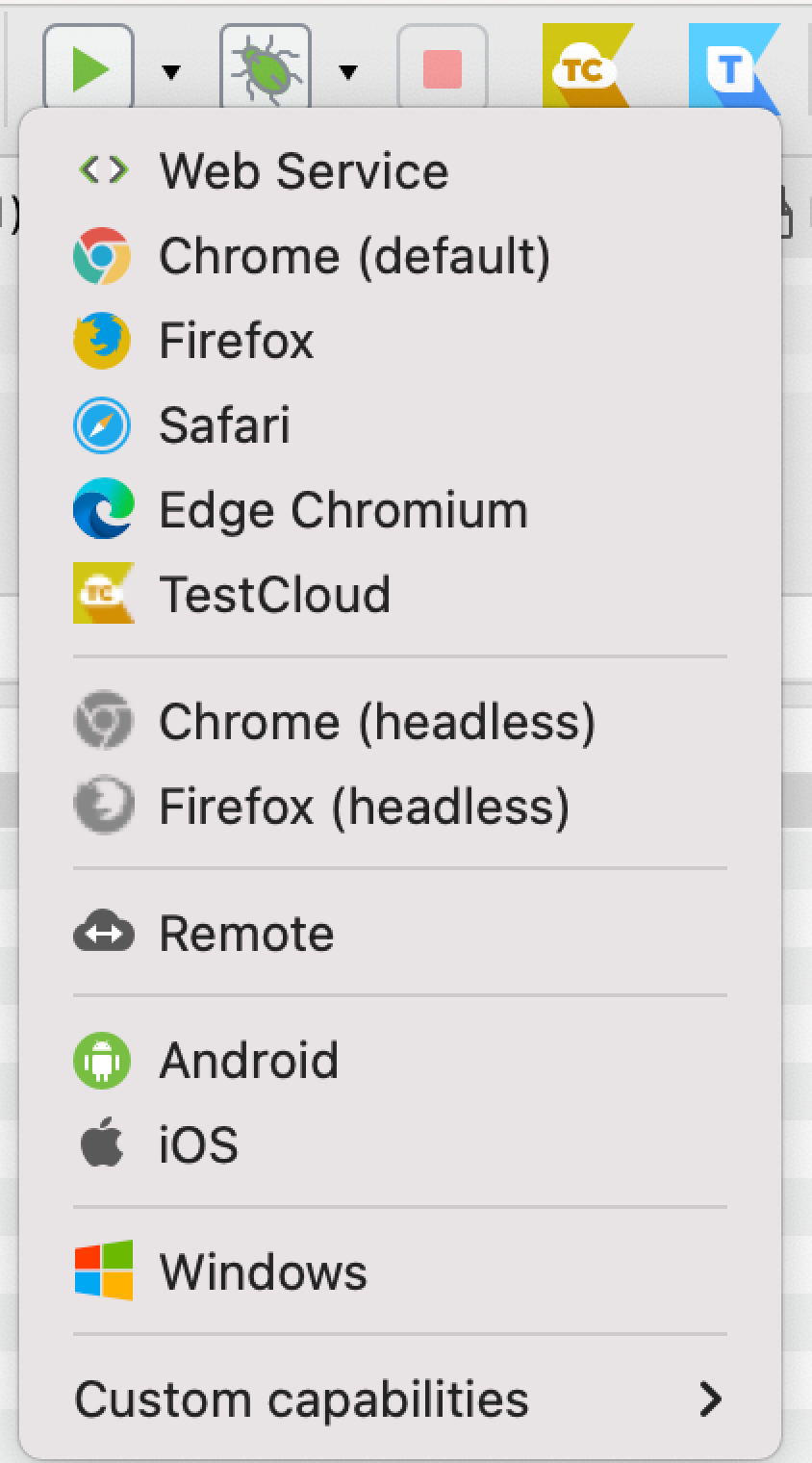
Curious? See Katalon in action here:
Conclusion
Applied well, cloud technology gives teams flexibility and visibility in any industry. With test environments available online, testers can reach a wide range of devices from anywhere with an internet connection. Teams that bring mobile cloud testing into their development pipeline can increase coverage, release faster, and stay competitive.
Frequently asked questions
Mobile cloud testing is the practice of utilizing testing environments, including mobile operating systems, devices, and network configurations, that are hosted on a cloud platform to test mobile applications. It allows testing to be performed on the cloud, which helps save resources and enables automation.
Mobile cloud testing functions by using virtualization technology in a cloud environment to simulate real mobile conditions. Teams can implement it by using public cloud services, setting up a private cloud infrastructure, or leveraging third-party cloud-based testing platforms that provide either virtual environments (simulators/emulators) or real device farms.
Mobile cloud testing offers several benefits, including improved accessibility to diverse testing environments, significant cost-effectiveness by reducing hardware investment, enhanced scalability to adjust to testing demands, support for real-time testing, and strong compatibility with automated testing practices.
Cloud-based real device testing provides broader device and OS coverage, lower initial costs, easier scalability, greater flexibility, built-in remote access, and better integration with CI/CD pipelines. In contrast, on-premise testing offers more direct control over security but is limited by physical device availability and requires ongoing internal maintenance.
The implementation process involves defining specific parameters of your Application Under Test (AUT) suitable for cloud testing, identifying prerequisites for your chosen cloud platform (such as supported frameworks and automation tools), selecting appropriate cloud platforms (e.g., public clouds, specialized solutions, or automation tools like Katalon), and conducting a Proof of Concept (POC) to fine-tune your strategy, often by leveraging parallel testing capabilities.





Test everything. Ship with confidence.
From generating test cases to spotting failures, Katalon's AI works across your entire pipeline, automatically.
