


How to bring automated tests into your QA workflow by integrating Katalon Studio with qTest, so manual and automated results live in one place.
This article demonstrates how to consolidate the automation test project into QA workflow seamlessly. We will provide a series of two articles to demonstrate different approaches to integrate Katalon Studio with qTest using their built-in integration features.
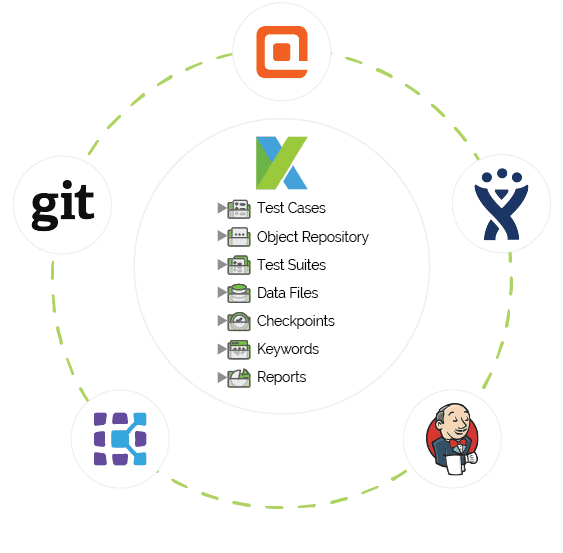
As we know, there is a gap between manual testing and automation, because many teams lack a test management solution that covers both.
Manual teams adopting automation, and automation teams that need a management solution, face the same challenge: normalizing different artifacts and finding one central place to plan activities across both areas and analyze test results.
Read more: Why should you apply Test Automation?
We’ve gotten so many inquiries regarding the issue above and decided to build the integration with qTest to help close this gap.
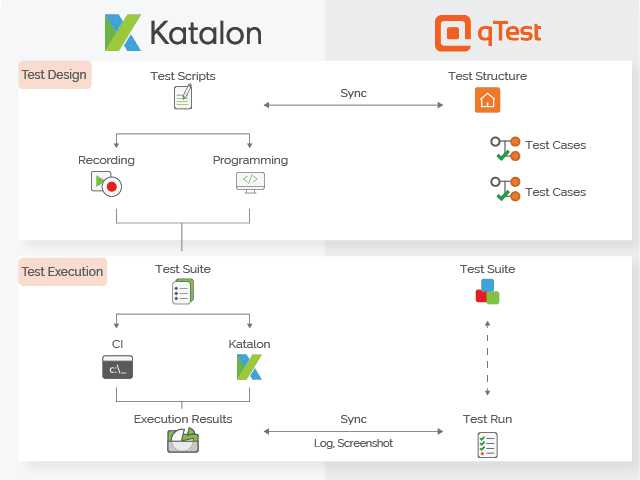
Test managers can assign tasks on qTest and test engineers can work directly in Katalon Studio. Automation test results are synced to qTest automatically. This leads to better test coverage management and collaboration.
Users can also use qTest reports to analyze Katalon Studio's test execution results. The integration lets test managers and engineers plan and consolidate the results of manual and automated testing in one place.
For the sake of this document, it is assumed you have familiarized yourself with qTest and we will focus on the integration process between qTest and Katalon Studio.
Set up qTest connection in Katalon Studio
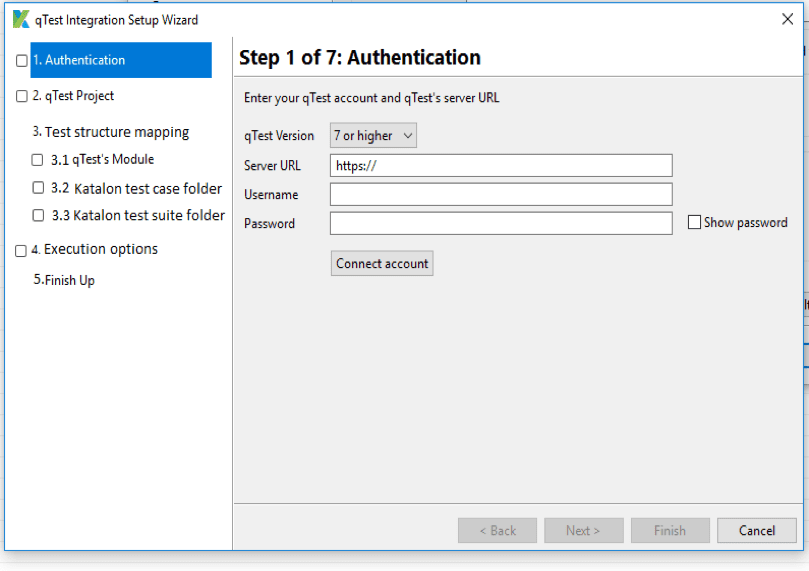
Katalon Studio’s qTest Integration Setup Wizard helps users connect with qTest quickly. It is ready out of the box integration and is built by ex-qTest engineers.
Users must register the qTest project's components that map to Katalon test case folders. This lets Katalon Studio and qTest map objects correctly, so test cases sync properly.
We recommend qTest version 7 or higher for the integration. Execution Options let users choose which test artifacts, such as screenshots and report formats, are submitted to qTest automatically.
Test Design Synchronization
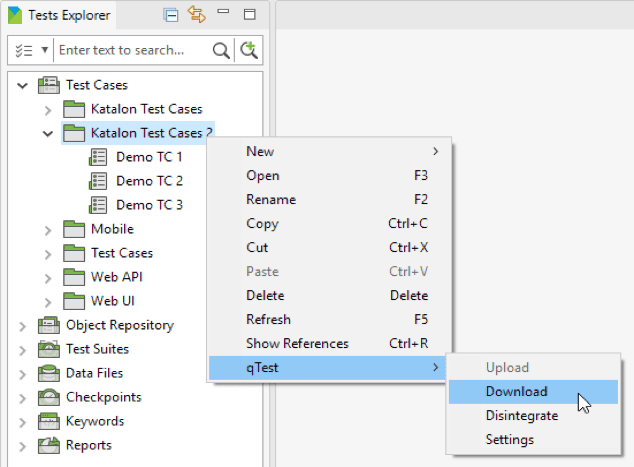
Katalon Studio allows users to sync test cases back and forth with qTest. This enables collaboration between the manual and automation teams.
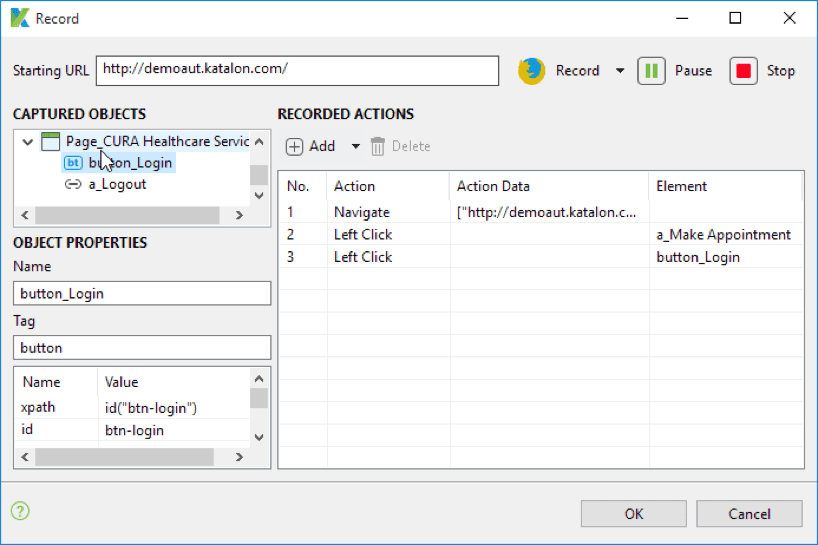
After being synced, test cases can be assigned to testers with less programming skills to create test scripts by using the Recording feature. Testers who have more programming background can use the Script feature in Katalon Studio.
Test case descriptions or steps from qTest can be downloaded and used as the guideline to generate automated scripts. Automation engineers can work with manual test cases and upload them back to qTest once finished.
Test Execution Synchronization
qTest helps test managers to set up test design across the manual and automation teams and keep track of test coverage. A recommended test strategy is that new features should be tested manually and regression features should be validated by automation. By doing this, the manager can allocate resource and time more efficiently and also promotes collaboration among manual and automation teams.
Post execution, users can manually upload a single test result to qTest or choose the automatic upload option. qTest becomes a central test management that users can analyze the quality status without going to another system. On top of that, Katalon Studio provides sufficient outputs for qTest users to submit bugs directly. (I.e. submit bug to JIRA).
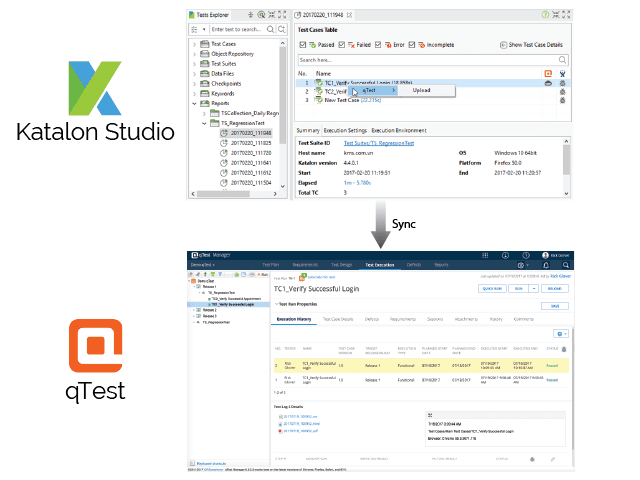
Katalon Studio covers multiple environments execution out of the box and hassle-free integration setup to help Test managers achieve:
- Shorter test cycle per release with higher reliability
- A much better test coverage especially for cross platform UAT
- Efficient test execution strategy by combining manual and automation testing
In the next article, we will demonstrate the capability to integrate Katalon Studio with qTest via CI plugins so that project teams following continuous delivery can leverage the 2 systems to achieve better test outputs.
×
Frequently asked questions
To close the gap between manual and automation testing by normalizing artifacts and centralizing planning, coordination, and test result analysis.
It helps users connect with qTest quickly using an out-of-the-box integration, and supports mapping by registering qTest components to associate with Katalon test case folders.
Version 7 or higher is recommended.
Yes. Test cases can be synced back and forth to support collaboration between manual and automation teams, and qTest steps/descriptions can be used as guidelines for automation scripts.
Test results can be uploaded manually (single result) or automatically, and qTest becomes a central place to analyze quality status and test coverage; execution options can also auto-submit artifacts like screenshots and report formats.





Test everything. Ship with confidence.
From generating test cases to spotting failures, Katalon's AI works across your entire pipeline, automatically.
