


Katalon Studio 8 adds native integration with Azure Test Plans, import and export of Desired Capabilities across projects, up to 60% faster project loading, guided walkthroughs for new users, and Edge Chromium as the embedded browser.
May 14, 2021
Hello Katalians! It feels like just a few weeks ago that we shared the release of Katalon Studio 7. Today, we're excited to announce the release of Katalon Studio 8 (KS8). This release includes a broad set of new features plus dozens of improvements and fixes. Read on for the details.
What is New?
Katalon Studio 8 comes packed with features that aim to increase the efficiency and effectiveness of your automation cycle, provide better scalability options, and bring the best user experience to teams of any size. These features include:
Native Integration with Azure DevOps
Formerly known as “Visual Studio Team Services,” Azure DevOps (ADO) is a tool that allows developer teams to plan, develop, and test apps while still being able to optimize their release cycles.
In a nutshell, Azure DevOps provides multiple services such as Azure Boards, Azure Repos, Azure Pipelines, Azure Artifacts, and most importantly, Azure Test Plans. A typical workflow in ADO looks as follows:
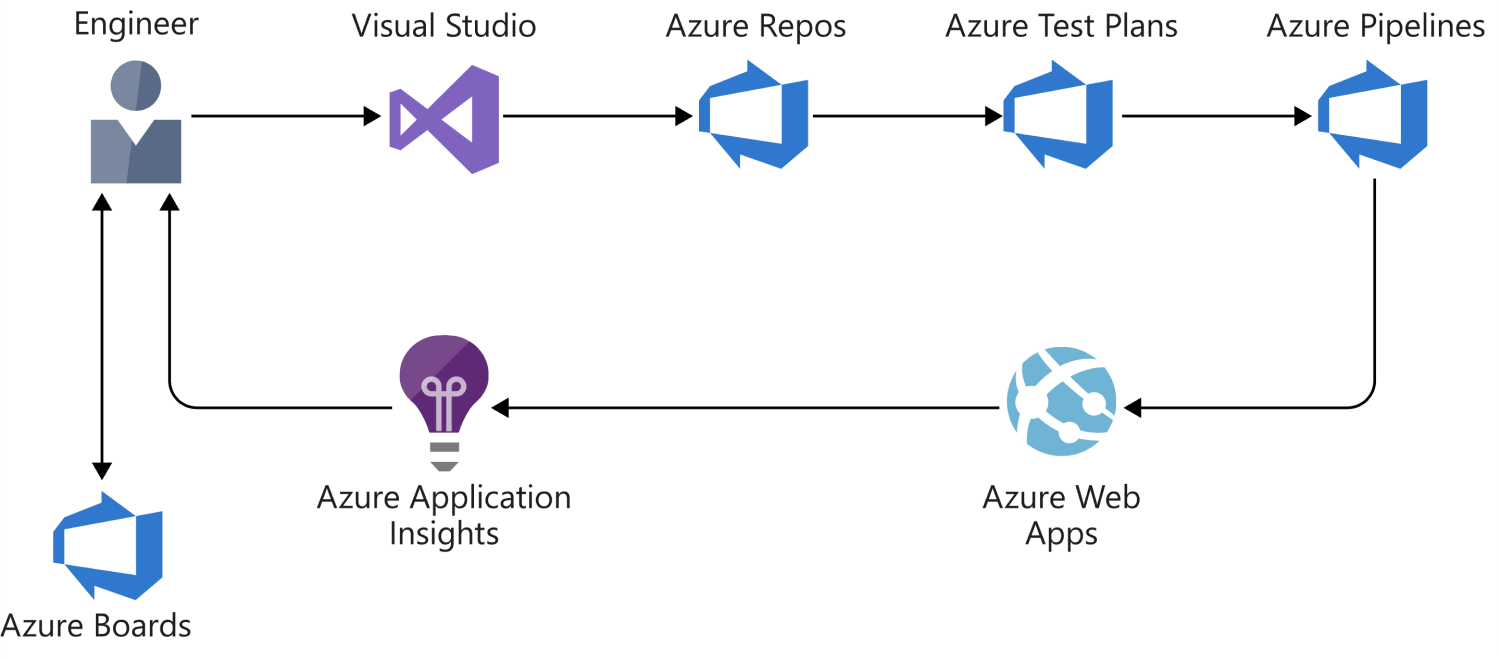
Source: Microsoft Documentation – Design a CI/CD pipeline using Azure DevOps
You may already be familiar with Katalon Studio’s integration with Git and its cloud-hosted services, including:
- GitHub
- GitLab
- Bitbucket
- Azure Pipelines
Building on the successful integration with Microsoft Azure, starting with this release, Katalon Studio includes native integration with Azure Test Plans. This integration will enable users to easily map Test Cases in Azure DevOps to automated Test Cases in Katalon Studio. Additionally, this new integration will allow users to automatically send Test Execution logs and reports from Katalon Studio to Test Run in ADO, which will enable them to get a clearer picture of the testing process.
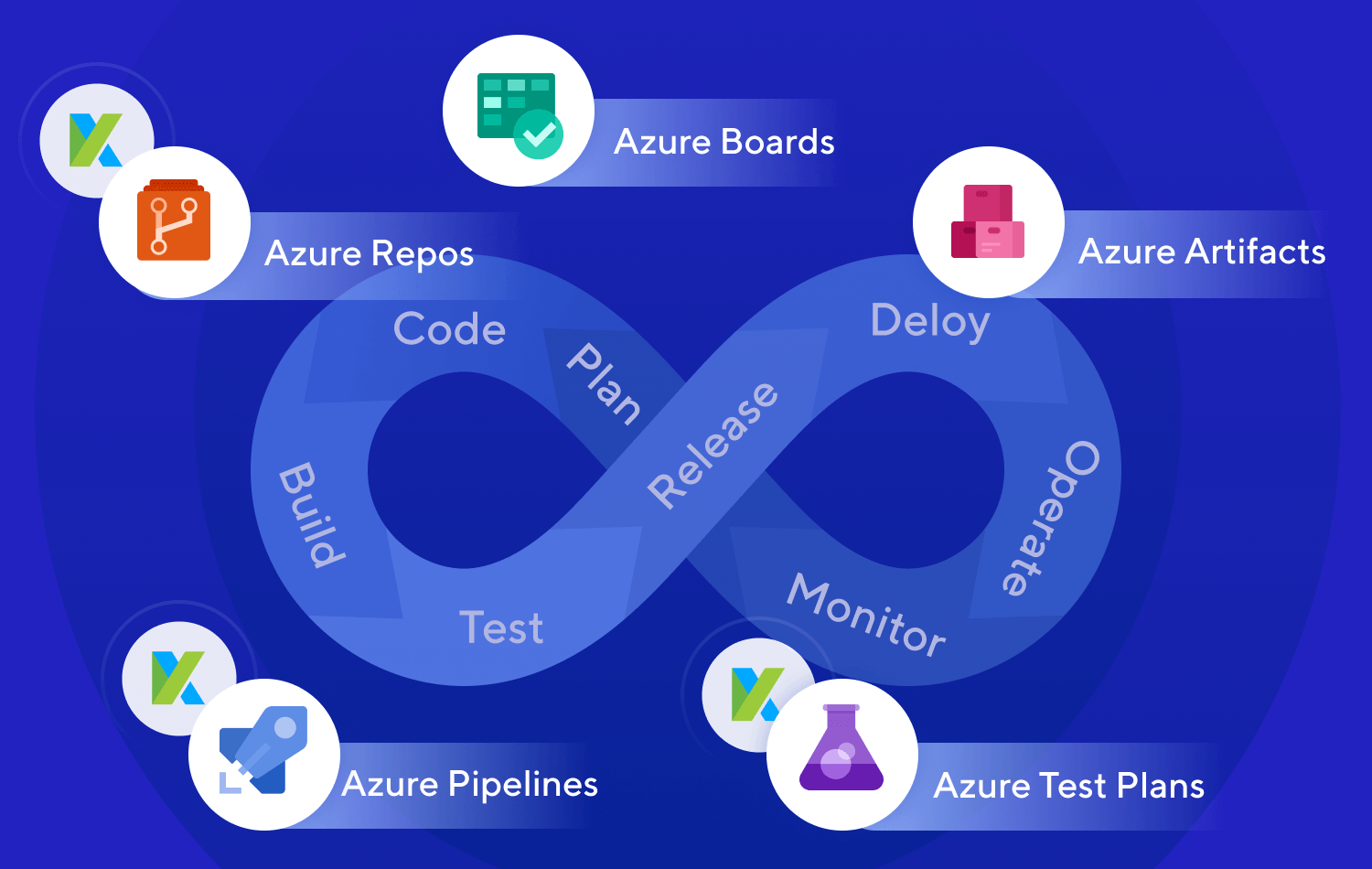
Read our documentation to learn more and check out the Microsoft Azure Marketplace for details on how to deploy Katalon Studio on your Azure environment.
Reusing Desired Capabilities
Katalon Studio currently allows users to define Desired Capabilities for each project they are working on, independently. Maintaining its promise to make testing a swift experience, Katalon Studio 8 will enable users to increase their testing performance by adding the ability to export and import Desired Capabilities across multiple projects.
This new feature enables users to define Desired Capabilities for one project. In just a few clicks, they can import those capabilities into a different project without re-creating the work they have already completed.
Check out our documentation to learn more details about how to start using this new feature.
Faster IDE Performance
The ability to adapt to the increased growth of demand and the complexity of software testing is fundamental for the success of any DevOps team. To continue delivering the best possible user experience, the Katalon team has been busy making all the necessary improvements to enhance the performance of your testing cycles.
Katalon Studio 8 loads projects up to 60% faster than previous versions, giving a smoother workflow for larger projects.
Enhanced User Experience
Furthering our efforts to enhance user experience, Katalon Studio 8 includes new frictionless walkthroughs that help new users get familiar with Katalon Studio and onboard faster. This feature will also help current users stay up-to-date with the latest features.
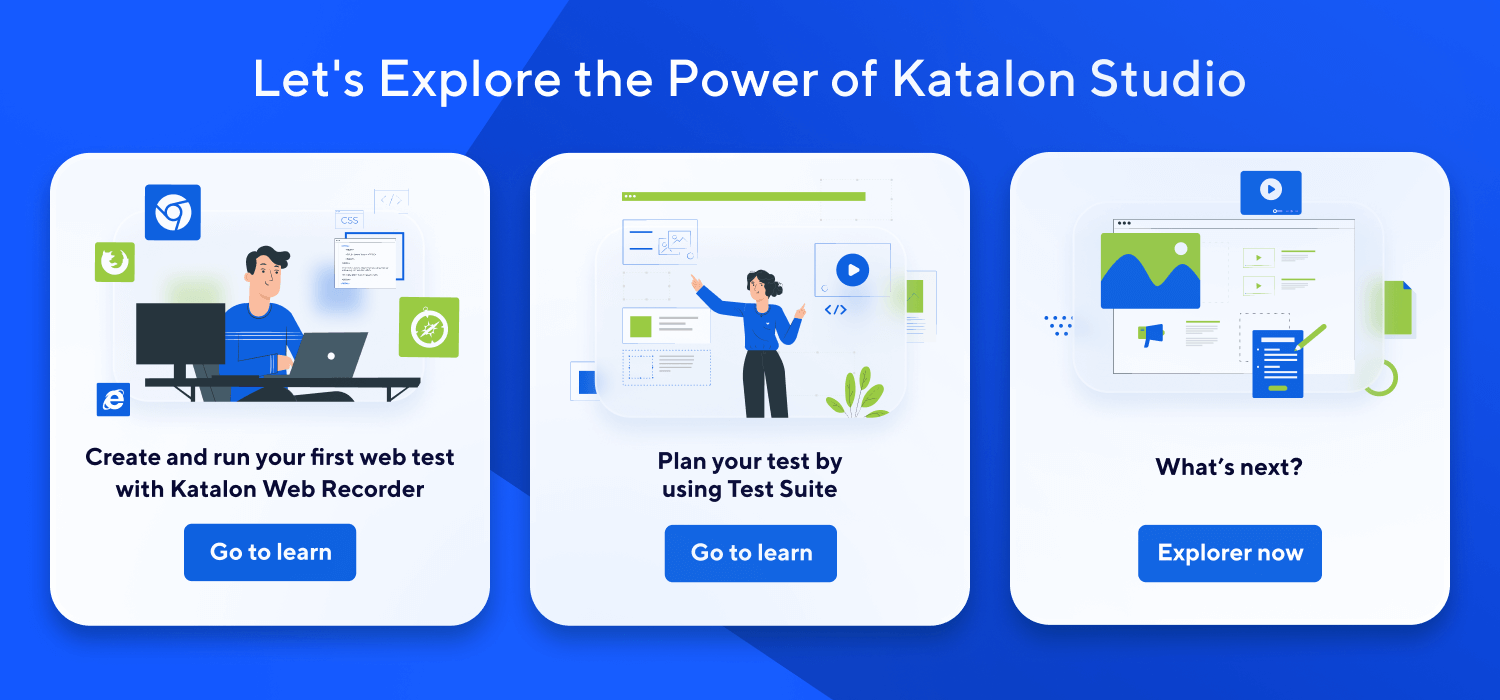
This is a great feature that will allow Katalon Studio users to get up and running with their testing projects in no time. This feature is enabled by default on the Katalon Studio UI.
Other Highlights
- Edge Chromium is now the default embedded browser in the Katalon Studio IDE: Previous versions used Internet Explorer as the embedded browser, which caused issues such as variable editors for test cases and request objects failing to render, or bugs failing to submit to an integrated Jira project. The Eclipse platform upgrade in v7.9 let us replace Internet Explorer with Edge Chromium to resolve those issues.
- Newly supported browser versions: Chrome 90, Microsoft Edge (Chromium) 90, and Firefox with GeckoDriver 0.29.
- Better Katalon Runtime Engine license usage: A new command option lets you force the release of the license used by the previous session.
Wrapping Up
We're excited about Katalon Studio 8 and hope you are too. Download Katalon Studio 8 and start taking advantage of its new features and improvements.
As always, please post any questions, ideas, or concerns on our community site. We are eager to hear from you.
Frequently asked questions
Key additions include native Azure Test Plans integration, import and export of Desired Capabilities, faster project loading, in-app walkthroughs, Edge Chromium as the embedded browser, and support for newer browser versions.
Katalon Studio can map test cases in Azure Test Plans to automated Katalon test cases and send execution logs and reports to Test Runs in Azure DevOps. It also works with Azure Repos and Azure Pipelines.
No. This post covers an older release. Check the Katalon Studio release notes for the latest version and features.





Test everything. Ship with confidence.
From generating test cases to spotting failures, Katalon's AI works across your entire pipeline, automatically.
