


Automation testing begins with a test script. Its job is to command the machine to perform each test step on your behalf. A well-written test script executes those steps exactly like how a human would, with the extra consistency, standardization, and precision of a machine.
However, writing test scripts means coding, and coding can sometimes be a challenge, especially for testers who are only getting started.
Let us show you how to write a good and simple test script.
What are test scripts?
Test scripts, composed of instructions and code, automate the process of testing software applications. Their core purpose is to execute test cases, validate functionality, and confirm that the application meets its expected requirements. Think of them as a precise recipe that outlines everything from preconditions and input data to the exact outcomes a tester should verify.
A strong, well-written test script clearly defines each action, includes the necessary test data, and specifies the expected results. This level of detail ensures consistent execution and thorough coverage of the functionality under test.
In practice, test scripts play a central role in the testing process. They validate system behavior step by step, eliminate guesswork, and ensure no part of the workflow is overlooked. Without them, testing becomes inconsistent and prone to missing critical defects.
Because test scripts are easy to reuse and update as software evolves, they serve as a lasting reference for current and future QA efforts. Whether you're working manually or in an automated environment, understanding how to build and apply test scripts is essential for reliable, efficient, and comprehensive software testing.
Test scripts are the building blocks of a test automation strategy.
Example of a test script
Let's say you want to test the Login page. Here I added the sample Login page from Practice Test Automation of Dmitry Shyshkin. If you're a manual tester, to test this Login page, you must:
- Click on the Username field
- Type in the Username (student)
- Click on the Password field
- Type in the Password (Password123)
- Click Submit
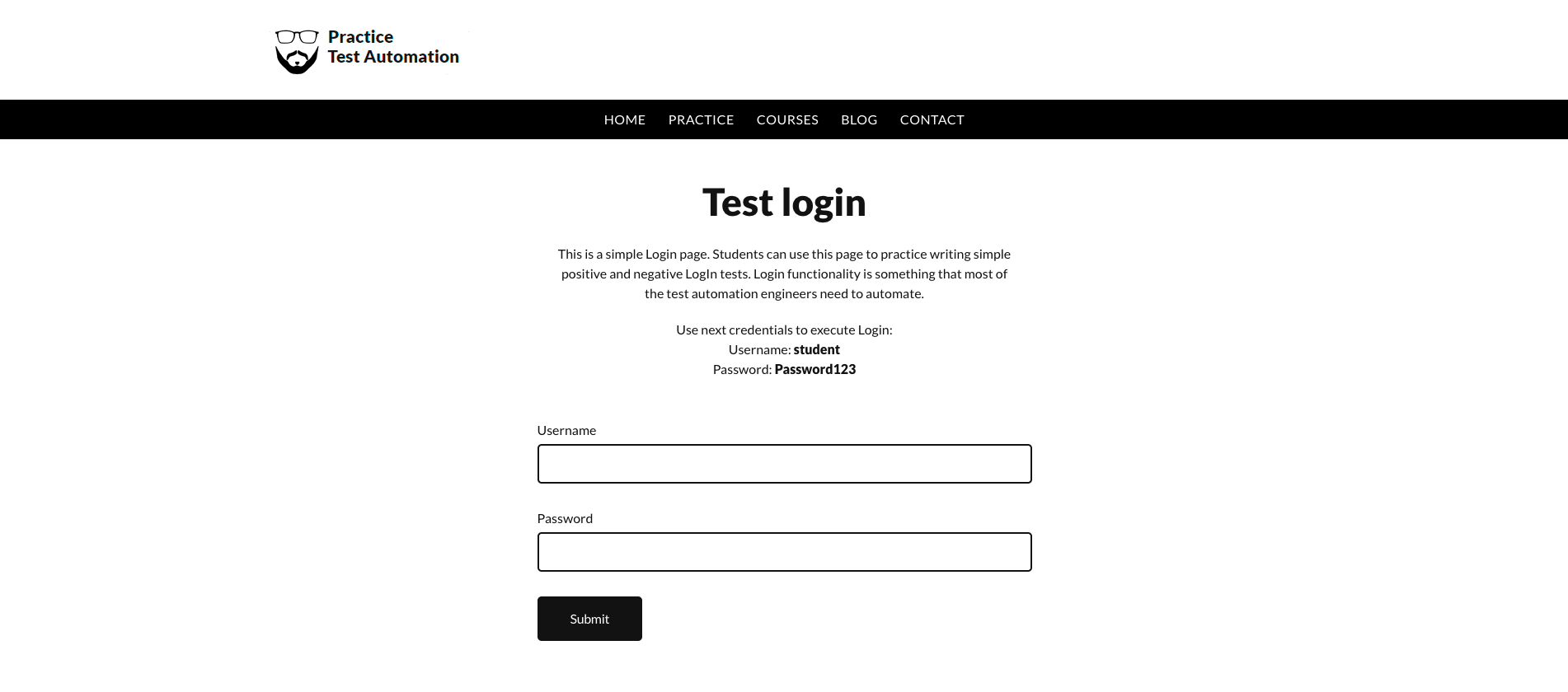
To speed up the process, you can write a test script to perform all of those steps for you.
Technically speaking, to "identify" the steps you require it to do, the script must use locators (like element IDs, CSS selectors, or XPath) to find the Username and Password input fields, and the Submit button.
To identify the ID, I right-clicked on the Username field and chose Inspect. The HTML code for the field is <input type="text" name="username" id="username">.
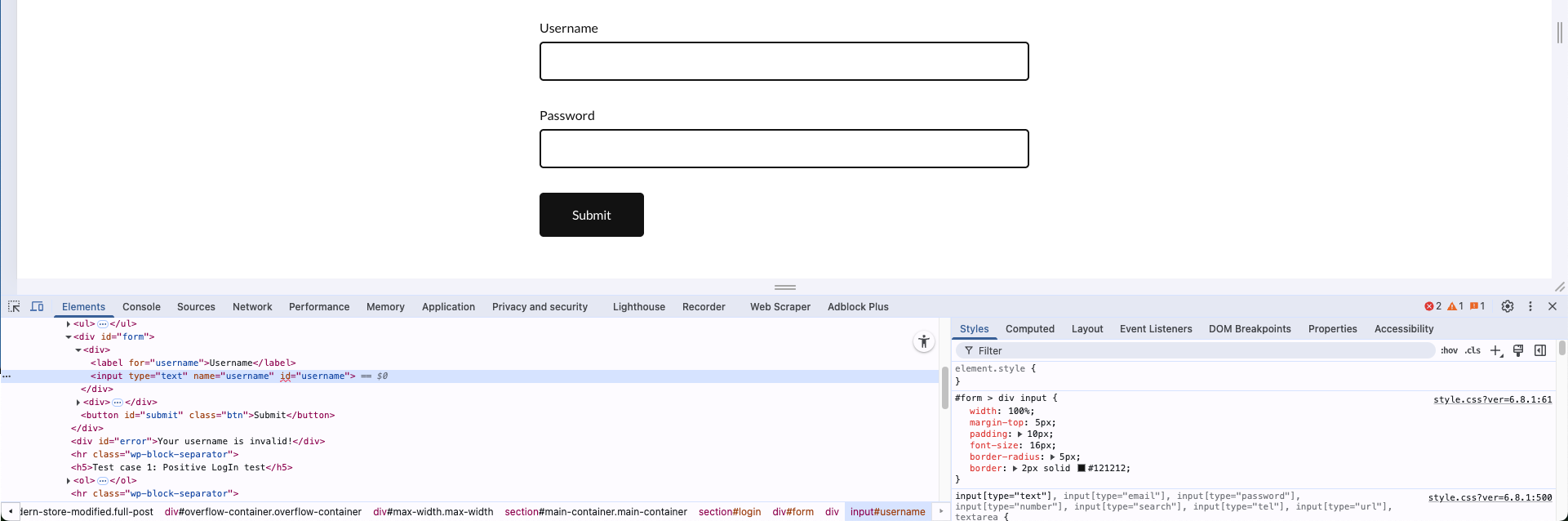
That means the ID for the Username field is "username". I can then call it in any automation test script. For example, with Selenium:
username_input = driver.find_element(By.ID, "username")After locating it, I can send typing input:
username_input.send_keys("student")📚 Read more: 100+ test cases for the Login page you should know
Top 5 approaches to writing test scripts
1. Scripted (Step-by-Step) Test Scripts
Scripted test scripts are the most traditional style of testing and rely heavily on detailed documentation. In this approach, you write out every step of the test in a very explicit, structured format.
You usually begin by defining what needs to be set up or visible before the test can begin. Then you specify the test data, describe each action the tester must perform, and outline the expected results for every step.
Because nothing is left to interpretation, this method is incredibly easy for testers to follow and is especially valuable in industries where strict documentation is required. It also helps with onboarding new testers, since the scripts essentially act as training guides.
The downside is that this level of detail takes time to prepare and maintain. As your application grows and changes, these scripts can quickly become outdated, making this method less practical for large or fast-moving projects.
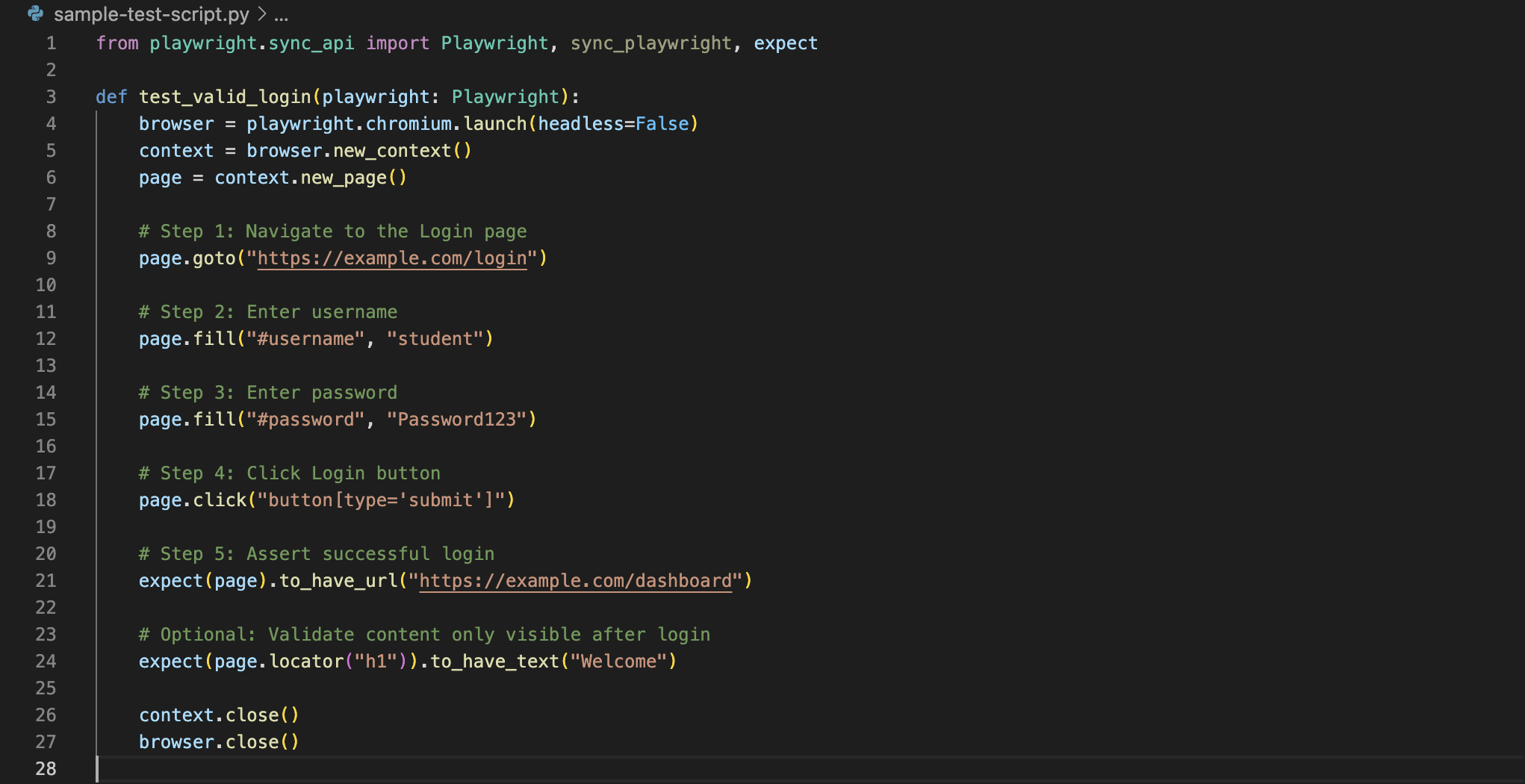
2. Automated test scripts using frameworks
Automated test scripts written with frameworks like Selenium, Cypress, Playwright, JUnit, TestNG, or Pytest give you much more flexibility and control.
Instead of documenting the steps manually, you write code that interacts directly with the application. You identify elements using locators, write commands that perform actions, and validate the outcomes programmatically. This approach is ideal for technically skilled teams or environments where cross-browser testing, deep integration with CI/CD, or complex test scenarios are required.
Because the tests live in code, they’re highly scalable and can be integrated into larger automation pipelines. However, this method does require coding skills and can take longer to set up initially. Once in place, though, it becomes one of the most powerful ways to automate testing at scale.
Here's a comparison of the best test automation frameworks on the market currently:
Framework | Language | Strengths | Best Use |
|---|---|---|---|
Selenium | Java, Python, C#, Ruby, JS | Highly flexible, supports all major browsers, large ecosystem | Cross-browser UI automation; enterprise-scale testing |
Cypress | JavaScript / TypeScript | Fast, developer-friendly, real-time reloads, great debugging | Modern web apps; frontend-heavy teams |
Playwright | Python, JS/TS, Java, C# | Auto-waits, multi-browser support, fast, reliable tests | Complex, dynamic UIs; cross-browser tests at scale |
Robot Framework | Python (keyword-driven) | Readable syntax, great for non-coders, strong keyword libraries | Teams with mixed skills; acceptance testing |
JUnit / TestNG | Java | Stable, mature, excellent for structuring test suites and reporting | Unit + integration tests; Java-heavy automation stacks |
Pytest | Python | Simple syntax, powerful fixtures, plugin ecosystem | API testing, functional tests, scalable Python automation |
3. Keyword-driven test scripts
Keyword-driven testing is a middle-ground approach that blends structure with low-code accessibility. Instead of writing raw code, you build test steps using predefined keywords such as “Click,” “Type,” “Select,” or “Verify Element.”
Tools like Katalon Studio, UFT, and Robot Framework support this style, allowing you to assemble automation logic almost like constructing sentences out of reusable building blocks. For example, here are some keywords in Katalon Studio that allows you to perform mobile testing activities (each keyword is one code snippet):
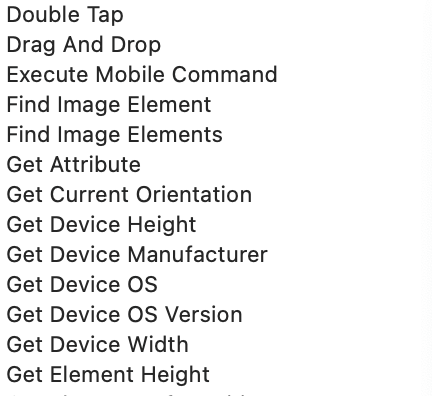
This makes the approach accessible to testers who may not be comfortable writing code, while still enabling developers to extend or customize the keyword library as needed. It works well for teams with mixed experience levels and is especially helpful when you want to standardize actions across many test cases.
The trade-off is that you’re somewhat limited by the keywords available in the tool, and adding new behaviors may require developer support. Katalon Studio mitigates this problem by allowing you to add new custom keywords.
4. Data-Driven Test Scripts
A data-driven approach is designed for situations where you need to run the same test multiple times with different sets of data.
Instead of creating separate scripts for each scenario, you write one script that reads test data from an external source, such as a CSV file, Excel sheet, JSON, or a database. The script then loops through each dataset and executes the same steps with different values.
The code below shows a working example where I basically list a bunch of credential combinations in a list of tuples for the script to loop through:
from selenium import webdriver
from selenium.webdriver.common.by import By
import time

# Test data: list of (username, password) tuples
credentials = [
    ("student", "Password123"),
    ("student", "wrongpass"),
    ("wronguser", "Password123"),
    ("", "Password123"),
    ("student", "")
]

driver = webdriver.Chrome()
driver.maximize_window()
driver.get("https://practicetestautomation.com/practice-test-login/")

for username, password in credentials:
    print(f"Testing with: {username} / {password}")

    # Enter username
    driver.find_element(By.ID, "username").clear()
    driver.find_element(By.ID, "username").send_keys(username)

    # Enter password
    driver.find_element(By.ID, "password").clear()
    driver.find_element(By.ID, "password").send_keys(password)

    # Click Login
    driver.find_element(By.ID, "submit").click()

    time.sleep(1)  # For demo visibility only

    # Validate results
    if driver.current_url.endswith("/logged-in-successfully/"):
        print("Login success!\n")
        driver.back()
    else:
        error = driver.find_element(By.ID, "error").text
        print(f"Login failed: {error}\n")

driver.quit()
This method is extremely efficient for testing forms, login flows, input validation, and any process that depends heavily on variable data. It reduces duplication, scales well in regression testing, and fits perfectly into CI pipelines. However, it does require thoughtful data management. If your datasets become disorganized or inconsistent, debugging can become more complex.
5. Scriptless (Record-and-Playback) test scripts
Scriptless or record-and-playback test scripts allow you to build automation without writing code at all. Tools like Katalon Studio, TestComplete, Ranorex, and Selenium IDE let you perform actions manually while the tool records your clicks, typing, and navigation. The output is an automated script that can be played back as often as needed.
This is one of the fastest ways to create test scripts and is especially appealing to beginners or teams that need a quick proof of concept or smoke test. The limitation is that recorded scripts can be fragile and usually require cleanup afterward to make them maintainable. They work best when used selectively rather than as the foundation of a full automation strategy.
How to write a test script in a test automation framework?
If you decided to go with a test automation framework, here's a guide to write a test script with it.
Step 1. Understand the test scenario
Before writing any code, clearly define what you want to test.
- What is the goal of the test? (e.g., “Verify login with valid credentials”)
- What are the steps involved? (e.g., Open the app → enter username/password → click login → check for success message)
- What is the expected result? (e.g., “User is redirected to the dashboard”)
Insight: Write it down in plain language. This helps you break the flow into automated steps later.
Step 2. Choose the test automation framework
Pick a framework based on your tech stack and testing needs:
Language | Popular Frameworks |
|---|---|
Java | Selenium, TestNG, JUnit |
Python | Pytest, Robot Framework, Behave |
JS/TS | Cypress, Playwright, Jest |
C# | NUnit, MSTest, SpecFlow |
If unsure, go with something beginner-friendly like Cypress (for JS) or Robot Framework (for Python).
Step 3. Read the documentation
Don’t skip this — each framework has its own setup and syntax. Learn the details and intricacies. Since we have GenAI tools today, feel free to use ChatGPT or other LLMs to assist, but avoid relying too heavily on AI-generated code.
Here are some docs you should read:
- Java
- Python
- JavaScript / TypeScript
- C#
Step 4. Write the test script
Once you’ve learned the basics, it's time to write the test, automating the steps one by one.
Here's a sample Selenium test script for the Login page scenario we showed above, written in Python:
from selenium import webdriver
from selenium.webdriver.common.by import By
from selenium.webdriver.support.ui import WebDriverWait
from selenium.webdriver.support import expected_conditions as EC

driver = webdriver.Chrome()
driver.get("https://practicetestautomation.com/practice-test-login/")

driver.find_element(By.ID, "username").send_keys("student")
driver.find_element(By.ID, "password").send_keys("Password123")
driver.find_element(By.ID, "submit").click()

heading = WebDriverWait(driver, 10).until(
    EC.visibility_of_element_located((By.TAG_NAME, "h1"))
)
assert heading.text == "Logged In Successfully"
driver.quit()
This is the same test scenario, but written in Cypress (JavaScript):
describe('Login Test', () => {
  it('should login with valid credentials', () => {
    cy.visit('https://practicetestautomation.com/practice-test-login/');
    cy.get('#username').type('student');
    cy.get('#password').type('Password123');
    cy.get('#submit').click();
    cy.contains('h1', 'Logged In Successfully').should('be.visible');
  });
});
How to write a test script in a test automation tool?
With a test automation tool, you can skip the complex part of learning a test automation framework and start writing test scripts right away, without the need to code.
For example, let's see how you can write a test script in Katalon Studio, a versatile all-in-one test automation tool for web, API, and mobile testing.
First, you can download Katalon Studio here.
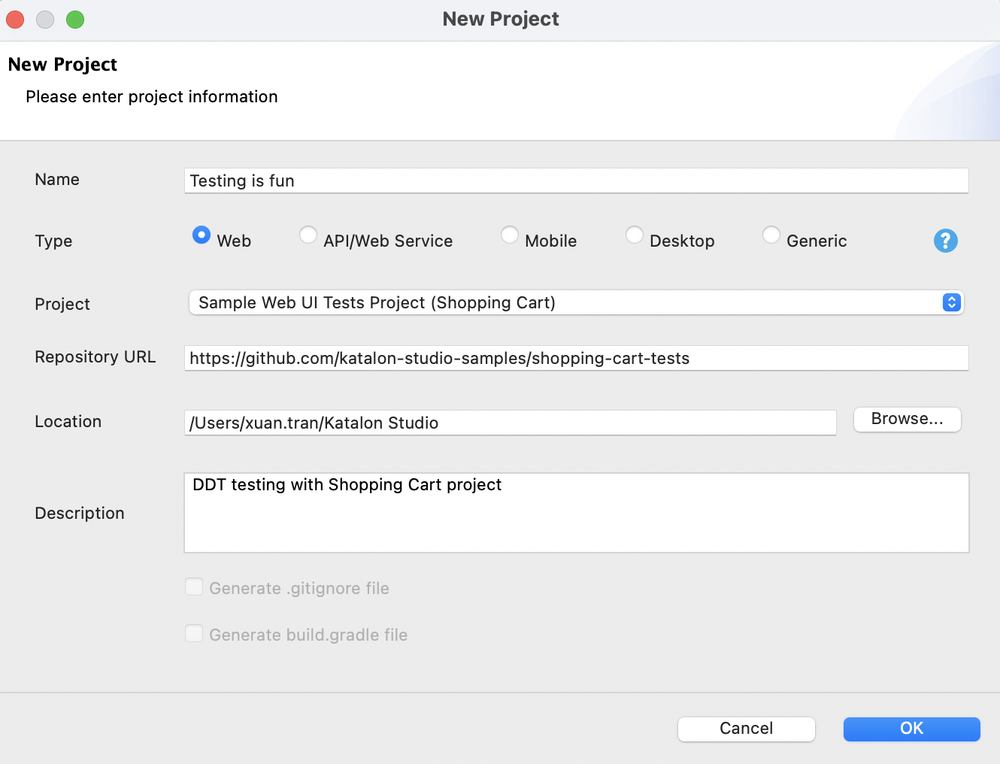
Once installed and launched, go to File > New > Project to create your first test project.
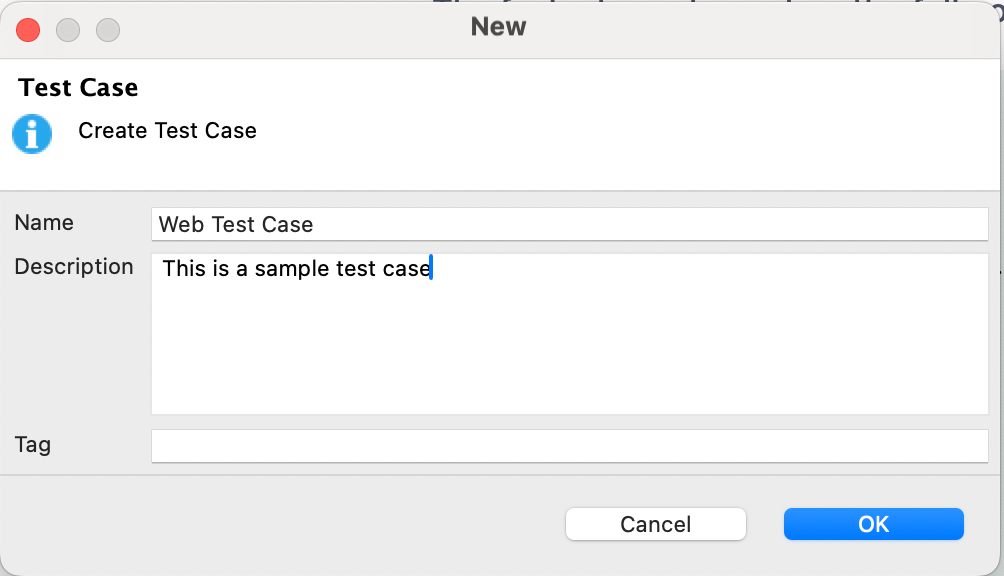
Now create your first test case — let’s call it a “Web Test Case”.
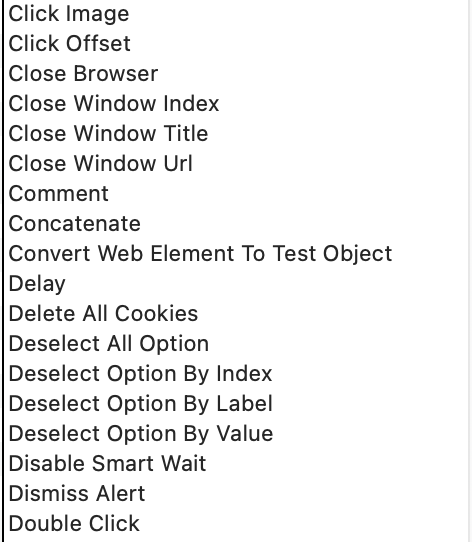
In Katalon, you have a pre-built Keyword Library with hundreds of keywords to choose from. These are essentially prewritten code snippets for the actions you want to automate. Simply piece them together to build an automation script instantly, ready to run across environments.
Here are some sample keywords:
Katalon also has a Record-and-Playback feature where you perform manual actions on screen, and Katalon automatically converts them into a script for you.
Best practices when writing a test automation script
- Define clear test intent: know exactly what you're testing and keep the scope tight.
- Keep tests atomic – One test should verify one thing only.
- Use the Arrange–Act–Assert structure – Separate setup, execution, and validation for clarity.
- Name tests descriptively – Use meaningful, readable names.
- Avoid hardcoded data – Externalize or dynamically generate test data.
- Use explicit waits, not sleep – Wait for real conditions, not fixed delays.
- Isolate tests completely – Ensure each test runs independently.
- Centralize your selectors – Store locators in one place; use stable attributes like
data-testid. - Write strong assertions – Validate real behavior, not just element presence.
Conclusion
Writing a test script is the first real step toward successful automation. Whether you use a framework or a tool, your script is what tells the machine exactly what to do: every click, input, and expectation.
It may feel challenging at first, but with the right approach and best practices, you’ll be able to write clean, reliable scripts that save time and improve quality. Start small, stay curious, and refine continuously — great automation begins with a thoughtful script.
Frequently asked questions
A test script is an automation script written to automate the steps of a test case, commanding a machine to perform the actions instead of executing the steps manually. Test scripts are described as the building blocks of a test automation strategy.
Automation testing begins with a test script because the script defines each test step a machine should execute, reproducing what a human would do with greater consistency, standardization, and precision.
Two approaches are described: Writing test scripts in a test automation framework (flexible and customizable, requires coding and setup) Writing test scripts in a test automation tool (ready-to-use, low-code/no-code, faster to start)
Locators (such as element IDs, CSS selectors, or XPath) are used to find web elements like input fields and buttons so a test script can identify targets for actions such as typing or clicking.
The guide outlines: Understand the test scenario (goal, steps, expected result) Choose a framework based on tech stack and testing needs Read documentation to learn setup and syntax Write the script by automating steps one-by-one and verifying outcomes
A test automation tool allows writing scripts with minimal setup and without needing to code, using built-in capabilities such as pre-built keyword libraries and record-and-playback that converts manual actions into a script.
Key best practices listed include: define clear intent, keep tests atomic, use Arrange–Act–Assert, name tests descriptively, avoid hardcoded data, prefer explicit waits over sleep, isolate tests and clean up data, centralize selectors and use stable attributes, and write strong assertions that validate correct behavior.





Test everything. Ship with confidence.
From generating test cases to spotting failures, Katalon's AI works across your entire pipeline, automatically.
