


Building a test automation tech stack raises big questions about tools, ownership, CI/CD, and maintenance. This guide walks through defining goals, choosing to build or buy, picking CI/CD tools, and planning test management.
Embarking on the test automation journey can be exciting and daunting at the same time.
It's exciting, because we all know how test automation translates into faster releases, fewer bugs, and most importantly, more bandwidth for QA teams to perform higher-value exploratory tests.
It's daunting, because building a test automation tech stack is full of unknowns:
- What tools should we use?
- Who writes and maintains the tests?
- How to build a CI/CD pipeline?
- How to maintain the automation tests?
We wrote this article to answer those questions for you and simplify the process of embracing test automation.
1. Define Your Goals
Before choosing tools, clarify:
- What types of testing do you need? (UI, API, performance, security, etc.)
- What languages does your dev team use?
- What's your CI/CD pipeline?
- Do you test web, mobile, or desktop apps?
- What's your team’s skill level?
Ultimately, it is not about choosing the best. It is about choosing a tool that fits.
2. Choose Your Framework or Tools
Once you have worked out the test automation goals, decide whether you should build a test automation framework or buy a test automation tool.
Generally speaking:
- Build: if it is something that distinguishes your company in the market or advances the intellectual property of the company
- Buy: if it is a line-of-business application that is readily available in the market
In the context of QA, both options are possible, depending on the context of your business.
If you go with the Build route, you have a wide range of test automation frameworks to choose from, including Selenium, Cypress, or Playwright.
- Pros: You have more control over the framework architecture.
- Cons: It needs a team of architects and devs to build and continuously maintain the framework. There is longer ramp-up time before actual test automation.
If you go with the Buy route, you can browse through the automation testing tools available on the market to find one that fits your team's specific needs.
- Pros: You have access to out-of-the-box test features, so anyone can start testing immediately. Product maintenance is shouldered by the vendor. Minimal setup time leads to faster time-to-value.
- Cons: Fewer options for customization compared to a home-made framework, and the company may have to rely on the vendor for support.
The final decision to choose between buy or build rests upon the QA team’s available resources, expertise, as well as the complexity of infrastructure. They may choose a hybrid option: building a testing solution for sensitive, critical components while buying a solution for other testing needs.
Read More: Katalon vs Selenium: A Comparison Between Buy vs Build
3. Choose Your CI/CD Tools
Automation testing opens up the capabilities for CI/CD pipeline integration, so this is an aspect that you must consider.
Regardless of whether you chose the Build or Buy route, make sure that the final solution fits smoothly into your existing CI/CD tools.
Your test solution should:
- Plug directly into tools like Jenkins, GitHub Actions, GitLab CI, CircleCI, or Azure DevOps
- Support automated triggers, parallel execution, and reporting pipelines
- Fit into your release process without requiring extensive custom workarounds
4. Consider Test Management Capabilities
Test management is the glue that holds the entire testing flow together. Within test management, you have three major activities:
- Test case management
- Test data management
- Test reporting
For test case management, many QA teams use a spreadsheet with a test case template. More mature teams go with Xray or Katalon TestOps, which are dedicated solutions. Test creation and execution are synced with a test management dashboard to make the entire process more streamlined.
Similarly, for test data management and test reporting, many QA teams also use Google Sheets to manage their data files, or choose a tool with these capabilities built in.
Katalon as Your Full-Stack Test Automation Solution

Katalon accompanies your QA team throughout the entire software testing life cycle.
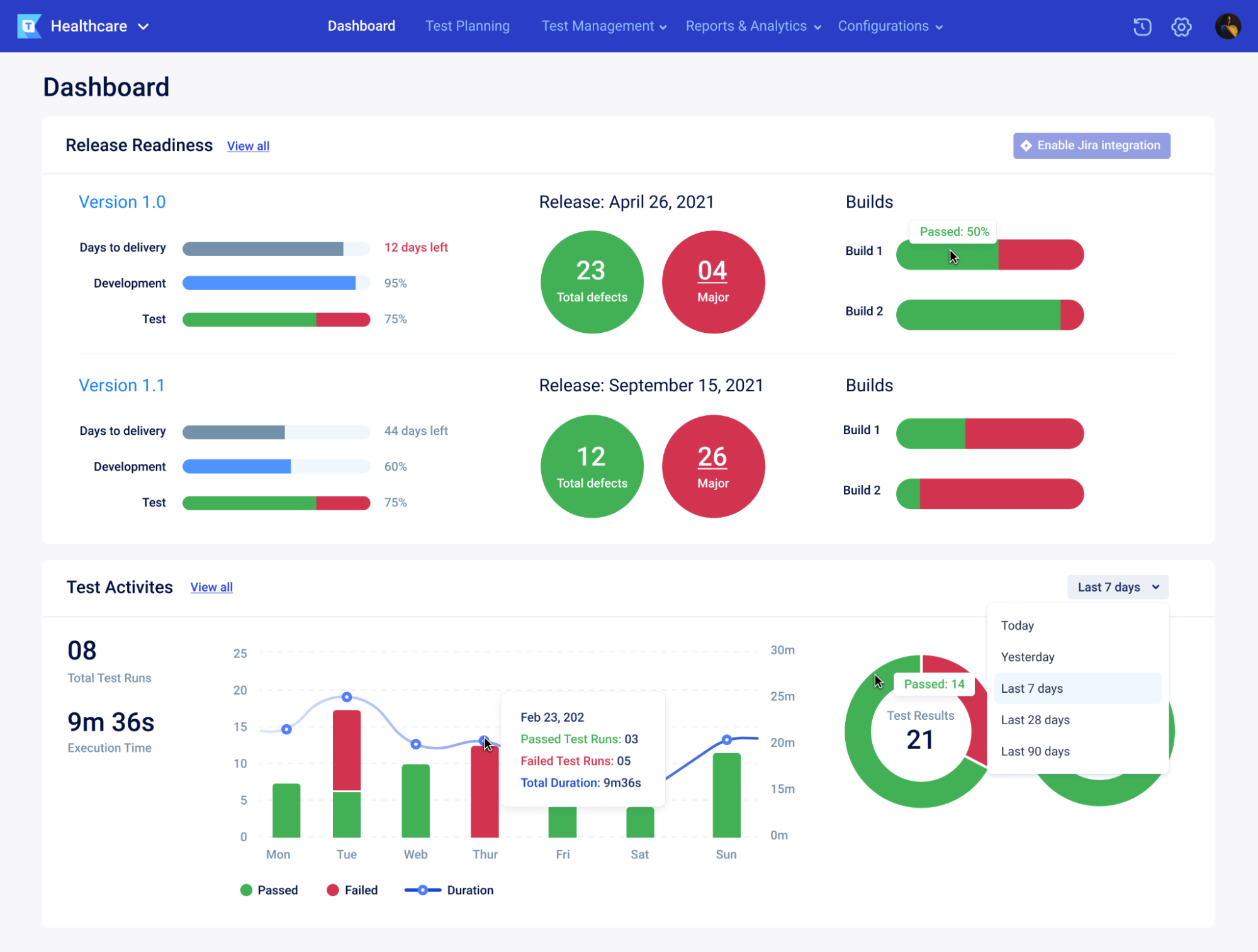
With Katalon, you can write tests in 3 modes (no-code, low-code, full-code), manage tests in a centralized dashboard, schedule test runs, execute tests across environments, and generate detailed reports.
And all of that can be done for web testing, API testing, and mobile application testing. In other words, Katalon is a centralized platform for all of your testing activities.
Feature highlights:
- Suitable for any testing needs, from individual testers, QA teams, to large enterprises
- No-code, low-code, and full-code scripting in Groovy
- Automatic test maintenance
- Supports web, mobile, and API testing. Packaged app testing also available.
- Run tests across local machine, cloud, on-premise environments, with easy CI/CD integrations
- AI-powered regression testing with TrueTest
- Data-driven testing and BDD testing supported
- Diverse integration ecosystem with ALM and CI/CD tools
- Detailed reports with analytics, screenshots, videos, HTML Snapshot, and Test Suite report email
Website: Katalon
Price: Free and flexible paid plans
Start now: Begin your setup now
Frequently asked questions
Teams should clarify what types of testing they need (UI, API, performance, security), which programming languages their devs use, how their CI/CD pipeline is set up, which platforms they test (web, mobile, desktop), and the skill level of the QA team so they can choose tools that fit their context rather than chasing a “best” tool.
Building a framework makes sense when it supports something that differentiates the company in the market or advances its intellectual property, giving more control over the architecture—assuming the team has architects and developers to build and continuously maintain it.
Buying a tool gives access to powerful out-of-the-box features, minimal setup time, and vendor-managed maintenance so teams can start testing quickly, but it usually offers fewer customization options and creates some reliance on the vendor for support.
The chosen test solution should plug directly into CI/CD tools like Jenkins, GitHub Actions, GitLab CI, CircleCI, or Azure DevOps, support automated triggers, parallel execution, and reporting pipelines, and fit the existing release process without requiring heavy custom workarounds.
Test management connects test case management, test data management, and test reporting—whether done with spreadsheets or tools like Xray and Katalon TestOps—by syncing test creation and execution with dashboards so the whole testing flow becomes centralized and easier to manage.





Test everything. Ship with confidence.
From generating test cases to spotting failures, Katalon's AI works across your entire pipeline, automatically.
