


Selenium wait commands often cause timing issues on pages built with JavaScript and Ajax. Learn why implicit and explicit waits fall short, and how Katalon Smart Wait handles page loading automatically without extra code.

For those who are familiar with Selenium WebDriver, one of the most common features is the Wait command. These commands are handy in test scripts execution, or observing and troubleshooting issues that arise due to time lag.
Wait commands are useful, but they come with a big problem: timing issues caused by front-end processing. Starting with version 7.0.0, Katalon Studio includes Smart Wait, which helps you handle Selenium wait issues without writing extra test scripts.
Selenium's #1 Villain: Timing Issues
Most web applications today are developed using front-end technologies such as JavaScript and Ajax. With these techniques, after the web page is loaded by the browser, elements on that page might be ready for interacting at unpredictable time intervals.
This isn't a problem in manual testing, but it's a big one in automated testing, where no one tells the machine when to act. As a result, you may run into exceptions such as NoSuchElementException, StaleElementReferenceException, or ElementNotInteractableException (ElementNotVisibleException in older Selenium versions).
There are several ways to handle Selenium wait problems, but most mitigate the problem rather than solve it. Implicit and explicit waits are the most popular.
However, these solutions come with risks and uncertainties.
- Implicit wait: Tells WebDriver to keep polling for an element for up to a set amount of time before throwing a
NoSuchElementException. This is risky because the right wait time depends on many external factors, and there's no magic number. Wait too long and you waste time; too short and tests fail. - Explicit wait: Tells WebDriver to wait until a specific condition is met, such as an element becoming visible or clickable, or until a maximum time passes, at which point it throws a
TimeoutException.
Explicit waits handle dynamically loaded elements well, but they only apply to the specific elements you write them for, and a condition like visibility won't help when an element is visible but not yet interactable.
Even when these two approaches work, they require expertise and manually inserted wait statements. Misunderstanding them, or mixing implicit and explicit waits, can cause even more problems.
So the fix itself becomes a new source of timing problems. It creates pain points throughout an automation project, not just during execution but also in test design and results analysis: test creation takes longer, code quality suffers, execution results become unstable, and debugging and maintenance get harder.
This will eventually lead to poor team performance, costly maintenance expenses and efforts, and low-quality application under test (AUT).
Katalon Smart Wait Saves the Day
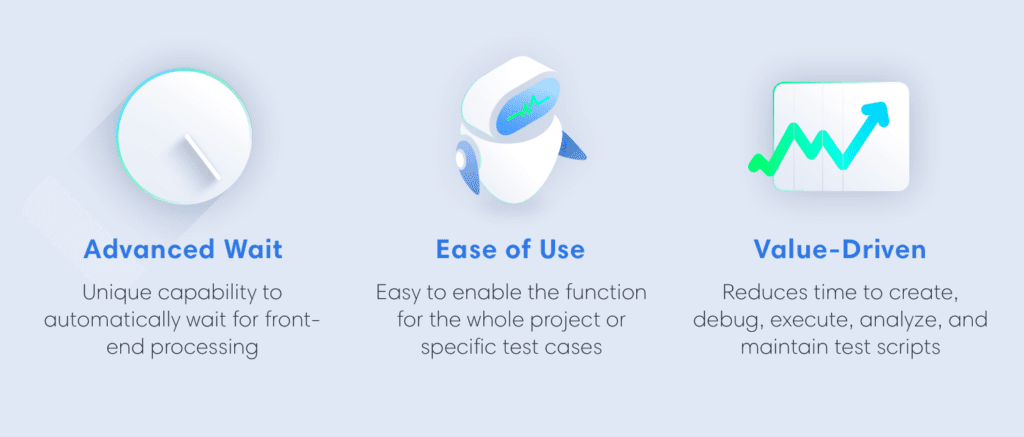
Smart Wait in Katalon Studio addresses the pain points above.
Automatically wait for front-end processes
Katalon Smart Wait automatically waits for the page's front-end processes to finish before taking the next step, which greatly reduces unstable, timing-related failures.
This makes execution results far more consistent and saves automation engineers a lot of time investigating false alarms. When a real failure does happen, it's easier and faster to find the root cause.
Faster execution
Smart Wait can also speed up test execution by keeping results stable, especially in overnight batch runs where an unexpected failure can halt the whole process with no one around to re-run it.
Better analytics and insights
It also keeps execution history clean, so analytics can surface real insights and patterns. That helps teams perform better and make better data-driven decisions.
As a result
Because timing control codes are no longer needed, the test creation speed would be significantly improved. Teams will have more bandwidth to focus on testing scenarios and improving test scripts quality.
Moreover, Smart Wait will help reduce the maintenance cost and effort while dealing with the timing codes. Developing and deploying test scripts now becomes less troublesome, even in a highly scalable environment.
How to Use Katalon Smart Wait
First, make sure you've installed Katalon Studio version 7 or later. Download here
There are two ways to apply Smart Wait: to all elements of a project, or to a specific element of a test script.
Apply Smart Wait to all elements of a project
In Katalon Studio, go to:
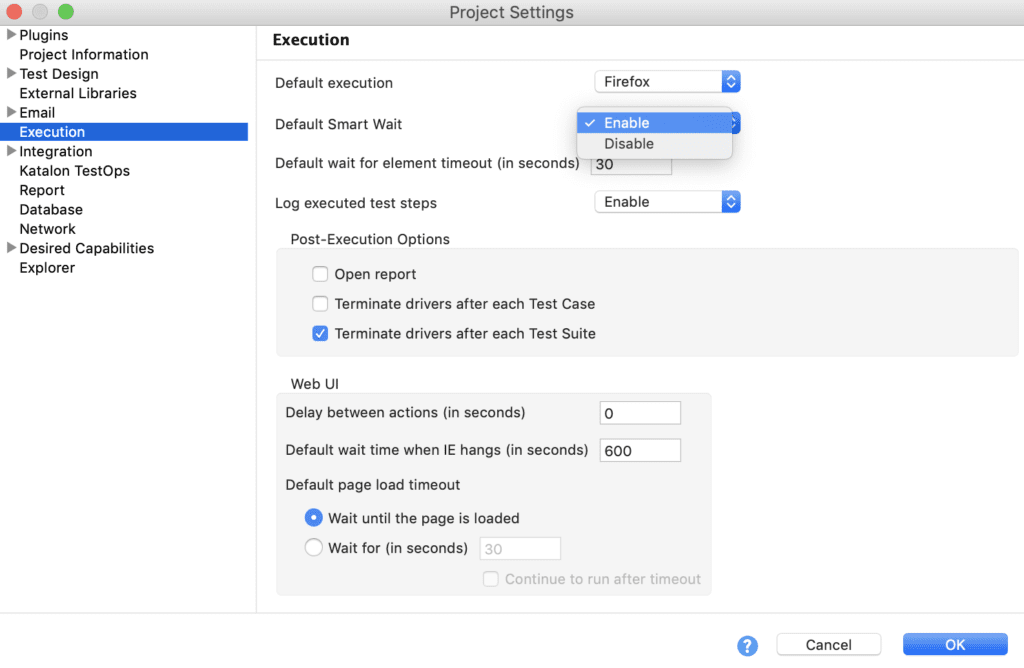
- Project > Settings
- In the left sidebar, select Execution
In the right pane, under Default Smart Wait, select Enable.
Apply Smart Wait to a specific element of a script
To use Smart Wait only for certain test elements, first disable Default Smart Wait in Project Settings:
- Go to Project > Settings.
- In the left sidebar, select Execution.
- In the right pane, under Default Smart Wait, select Disable.
Then use the enableSmartWait and disableSmartWait keywords to turn the function on and off where you need it.
For more details, refer to Katalon document.
To see how Smart Wait works, see Sample Smart Wait project.
Conclusion
Smart Wait is one of the standout features of the Katalon Studio 7 upgrade. It addresses a common source of Selenium wait issues, saves time writing wait logic, and reduces test failures caused by elements that haven't finished loading, all with no coding required.
Frequently asked questions
An implicit wait sets a global timeout for finding elements. An explicit wait pauses until a specific condition is met for a specific element, such as becoming clickable, or throws a TimeoutException when time runs out.
Smart Wait automatically waits for a web page's front-end processes, such as JavaScript and Ajax calls, to settle before Katalon Studio performs the next action, so you don't need to write wait statements.
Go to Project > Settings > Execution and enable Default Smart Wait. To control it per script instead, disable the default and use the enableSmartWait and disableSmartWait keywords.




Test everything. Ship with confidence.
From generating test cases to spotting failures, Katalon's AI works across your entire pipeline, automatically.
