


The GUI is the first thing users see in your website or app. Learn what GUI testing covers, how it differs from UI testing, the main comparison techniques, best practices, and tools to automate it.
The GUI is the very first thing users see when they interact with your website or application. GUI testing helps you make the best first impression on your users.
You can do GUI testing either manually or automatically. Automated GUI testing makes repeated checks faster and more consistent.
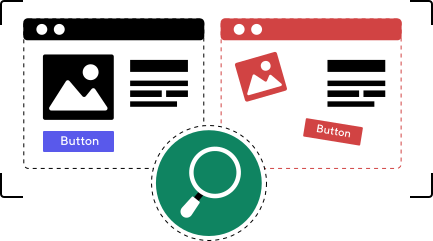
In this article, we’ll explore the concept of GUI testing, why it’s important, and GUI testing best practices.
What Is GUI Testing?
GUI testing focuses on checking the graphical components of an application, and a GUI testing checklist helps you cover each one.
What it tests include:
- Visual elements like buttons, icons, menus, text boxes, windows, etc.
- Layout consistency (alignment, colors, fonts, etc.).
- Functionality of GUI elements (e.g., clicking a button performs the intended action).
- Responsiveness of the graphical interface across different screen sizes.
These are the aspects to be tested of a visual element. For example, we can test if a “Submit” button:
- Is visible on the screen.
- Is the correct size, color, and label.
- Performs the expected action when clicked.
- Changes appearance when hovered over.
GUI Testing vs UI Testing
Put simply, GUI testing is a subset of UI testing.
Here is a quick comparison table between the two testing types for you:
Aspect | GUI Testing | UI Testing |
|---|---|---|
Scope | Focuses on graphical elements | Covers all user interactions (GUI and non-GUI) |
Goal | Ensures the GUI is visually correct | Ensures the user experience is smooth |
Examples | Button alignment, icon visibility | Navigation, input validation, error handling |
Tools | Selenium, TestComplete | Appium, Eggplant, Katalon Studio |
Devices | Focuses more on desktop/web interfaces | Includes mobile and voice interfaces |
GUI Testing Techniques
At its core, GUI testing, visual testing, or UI testing, all follow a comparison-based approach. More specifically, we compare the current state of the GUI with the expected state. This state is known as the baseline.
There are 2 major GUI testing techniques:
1. Pixel-by-Pixel Comparison
With this technique, testers compare every pixel of the current GUI state against the baseline image.
Advantages:
- Highly accurate. It can detect even the smallest visual changes.
- Ideal for static content like logos, icons, and images.
Disadvantages:
- Too sensitive. Minor differences (like anti-aliasing or font rendering) can trigger false positives.
- Not suitable for dynamic content (e.g., animations, ads)
2. Layout Comparison
This technique focuses on comparing the position, size, and alignment of UI elements rather than individual pixels. Testers usually use a tool to analyze the DOM structure and compare the layout of elements on the screen.
Advantages:
- Less sensitive than pixel-by-pixel comparison.
- Reduces false positives caused by minor rendering differences.
- More suitable for responsive design testing.
Disadvantages:
- May miss color or style changes if the layout remains intact.
Manual GUI Testing vs Automated GUI Testing
With manual testing, testers manually interact with the GUI just like how a user would to identify bugs.
Pros:
- Human-centric
- Flexible and adaptable to unexpected changes.
- No setup needed. Anyone can start manual testing immediately.
Cons:
- Time-consuming and repetitive.
- Error-prone due to human fatigue.
- Hard to scale for frequent updates.
Now imagine manually checking hundreds of web pages for small visual differences after every release. That is where automated GUI testing comes to the rescue.
With automated testing, testers use visual testing tools or write automation scripts to help them execute predefined tests on the GUI.
Pros:
- Fast and consistent execution.
- Scalable for large test suites.
- Reusable scripts across versions.
Cons:
- High initial setup cost.
- Lacks human insight for UX.
- Dependent on tools with learning curves.
A hybrid approach (manual for UX, automated for regression) is often best.
Read More: Automated Regression Testing: A Complete Guide
Challenges of GUI Testing
GUI testing can be complex due to the dynamic nature of modern interfaces and the variety of devices and browsers.
Common Challenges:
- Frequent UI Changes: GUIs evolve rapidly, making tests prone to break.
- Cross-Platform Compatibility: Ensuring consistent behavior across devices, OSs, and browsers is difficult.
- Dynamic Content: Animations, ads, and real-time updates can cause false positives.
- Tool Limitations: Some testing tools struggle with complex or custom UI components.
- Human Error: Manual testing may miss subtle visual issues or usability problems.
GUI Testing Best Practices
Following best practices can help improve the accuracy and efficiency of GUI testing.
- Define a Clear Baseline: Establish a reliable baseline image or layout to compare against.
- Use a Combination of Techniques: Combine pixel-by-pixel and layout comparisons for comprehensive testing.
- Automate Repetitive Tests: Focus manual testing on UX and exploratory tasks, and automate regression testing.
- Test Across Devices and Browsers: Ensure the GUI works consistently across different platforms.
- Handle Dynamic Content Smartly: Use tools that can differentiate between meaningful changes and expected variations.
- Keep Tests Updated: Regularly update test scripts and baselines to match UI changes.
GUI Testing Tools
1. Katalon

Katalon is an all-in-one quality management software that combines functional and visual testing in one place. Built on Appium and Selenium, Katalon offers AI-powered features to reduce false positives and increase testing accuracy.
How It Works:
Katalon captures your application's critical UI elements and creates a baseline image for comparison. It can detect and ignore dynamic regions (like banners or pop-ups) to avoid false bugs. Katalon also supports cross-device and cross-browser testing, saving time and resources.
Highlighted Features:
- Centralized platform for both functional and visual testing
- AI-powered comparison tools (Layout Comparison, Text-to-text Comparison)
- On-cloud testing across multiple devices
- Self-healing features to maintain automated tests
- CI/CD integrations (Jenkins, GitLab, Bamboo)
Website: Katalon
2. Kobiton
Kobiton is a mobile-first visual testing tool with a user-friendly interface and no setup required. Kobiton captures screenshots during testing, compares them to baseline images, and highlights any layout or color discrepancies. It also offers remediation suggestions to improve your app’s design and user experience.
Highlighted Features:
- Captures screenshots during functional tests for visual comparison
- AI-driven issue detection and recommendations
- No extra charges for visual comparisons
- Scriptless test execution with added parameters and datasets
- Compare your app’s design to competitors in the market
Website: Kobiton
3. Applitools

Applitools is a leading visual testing tool known for its AI-powered computer vision technology.
Applitools can recognize and ignore dynamic content like ads or personalized dashboards, preventing unnecessary alerts. It integrates with popular test frameworks like Cypress and Selenium, and runs directly within your CI/CD pipeline.
Highlighted Features:
- Applitools Eyes: AI-based visual comparison tool
- Recognizes dynamic content and ignores unnecessary changes
- Integrates with popular test frameworks and CI/CD tools (Jenkins, GitHub, GitLab)
- Bug reporting integrations with Jira and other tools
Website: Applitools
Frequently asked questions
GUI testing checks an application’s graphical components (buttons, icons, menus, text boxes, windows) for visual correctness, layout consistency, functionality, and responsiveness across screen sizes.
GUI testing focuses on graphical elements, while UI testing covers all user interactions (GUI and non-GUI), with the goal of ensuring the overall user experience is smooth.
Pixel-by-pixel comparison (highly accurate but sensitive) and layout comparison (less sensitive, better for responsive layouts but may miss style/color changes).
Manual testing is flexible and useful for UX insight but is time-consuming and hard to scale; automated GUI testing is fast, consistent, scalable, and reusable but has higher setup cost and less human UX insight—often a hybrid approach works best.
Challenges include frequent UI changes, cross-platform differences, dynamic content causing false positives, tool limitations, and human error; best practices include defining a baseline, combining techniques, automating repetitive regression, testing across devices/browsers, handling dynamic content smartly, and keeping scripts/baselines updated.





Test everything. Ship with confidence.
From generating test cases to spotting failures, Katalon's AI works across your entire pipeline, automatically.
