


Flutter apps need a different approach to test automation. Learn the benefits and challenges, how to preprocess a Flutter app for testing, and how to set up Appium Flutter Driver and FlutterFinder in Katalon Studio.
Flutter, Google's open-source UI toolkit, has gained immense popularity for building natively compiled applications for mobile, web, desktop, and embedded devices from a single codebase, so it often comes up when teams choose a mobile app tech stack. With its versatility, developers have embraced Flutter for creating dynamic and responsive user interfaces. However, when it comes to test automation, Flutter apps require a unique approach due to their underlying architecture. In this article, we will explore how to effectively automate testing for Flutter apps and how to use Appium and Katalon Studio to do it.
Benefits and Challenges of Flutter Test Automation
Test automation for Flutter apps shares similarities with automating any other mobile app development toolkit. It offers a set of advantages as well as potential challenges:
Benefits
- Cross-Platform Testing: Flutter's cross-platform nature enables consistent testing across various platforms, reducing the need for separate testing for Android and iOS (especially using Katalon Studio’s recommended best practices).
- Single Codebase: Since Flutter allows a single codebase for multiple platforms, test scripts can be reused, minimizing redundancy.
- Quick Development: Flutter's "hot reload" feature accelerates development and debugging, so developers can quickly add or update widget keys that tests use as platform-independent locators.
Challenges
- Preprocessing Requirement: To enable automated testing of Flutter apps, a preprocessing step is necessary. Without preprocessing, the automation will be limited, depending on the UI objects used in the app.
- Differences in UI Objects: Flutter apps may not behave identically to traditional apps developed in Swift or Kotlin. The effectiveness of test automation depends on the app's UI structure.
Preprocessing a Flutter App for Testing
Preprocessing is an essential step in preparing a Flutter app for testing. It makes the app's Flutter widgets accessible to automation tools like Appium. In practice, this means building the app in debug or profile mode with the Flutter Driver extension enabled (by calling enableFlutterDriverExtension() before runApp()). For step-by-step details, see the preprocessing section of the instructions from our partners at BrowserStack.
Setting Up Test Automation with Katalon Studio
To effectively use Katalon Studio for test automation of Flutter apps, follow these steps:
- Install Katalon Studio: Make sure you have Katalon Studio installed on your machine. You can download the latest version from the Katalon website.
- Install Required Mobile Automation Libraries & Drivers: Download and install the required libraries such as Appium (2.X) for mobile automation, and the necessary drivers for iOS (XCUITest) and Android (UIAutomator2). You'll need Xcode for iOS testing and Android Studio for Android testing. Make sure these tools are properly installed and configured.
- Appium Flutter Driver Setup: Refer to Katalon's documentation for instructions on setting up Appium Flutter Driver, desired capabilities, and custom keywords.
- Library Management: Download the appium_flutterfinder_java library from the Maven repository. Add the downloaded .jar file to Katalon Studio by navigating to Project > Settings > Library Management.
- Optional: Custom Keywords Package: Create a new keyword package and copy and paste the definition of FlutterFinder. This package will enhance user-friendly interactions for creating test scripts that require any flutter-specific locator to be used by Appium Flutter Driver if implemented within the application under test (by your developers).
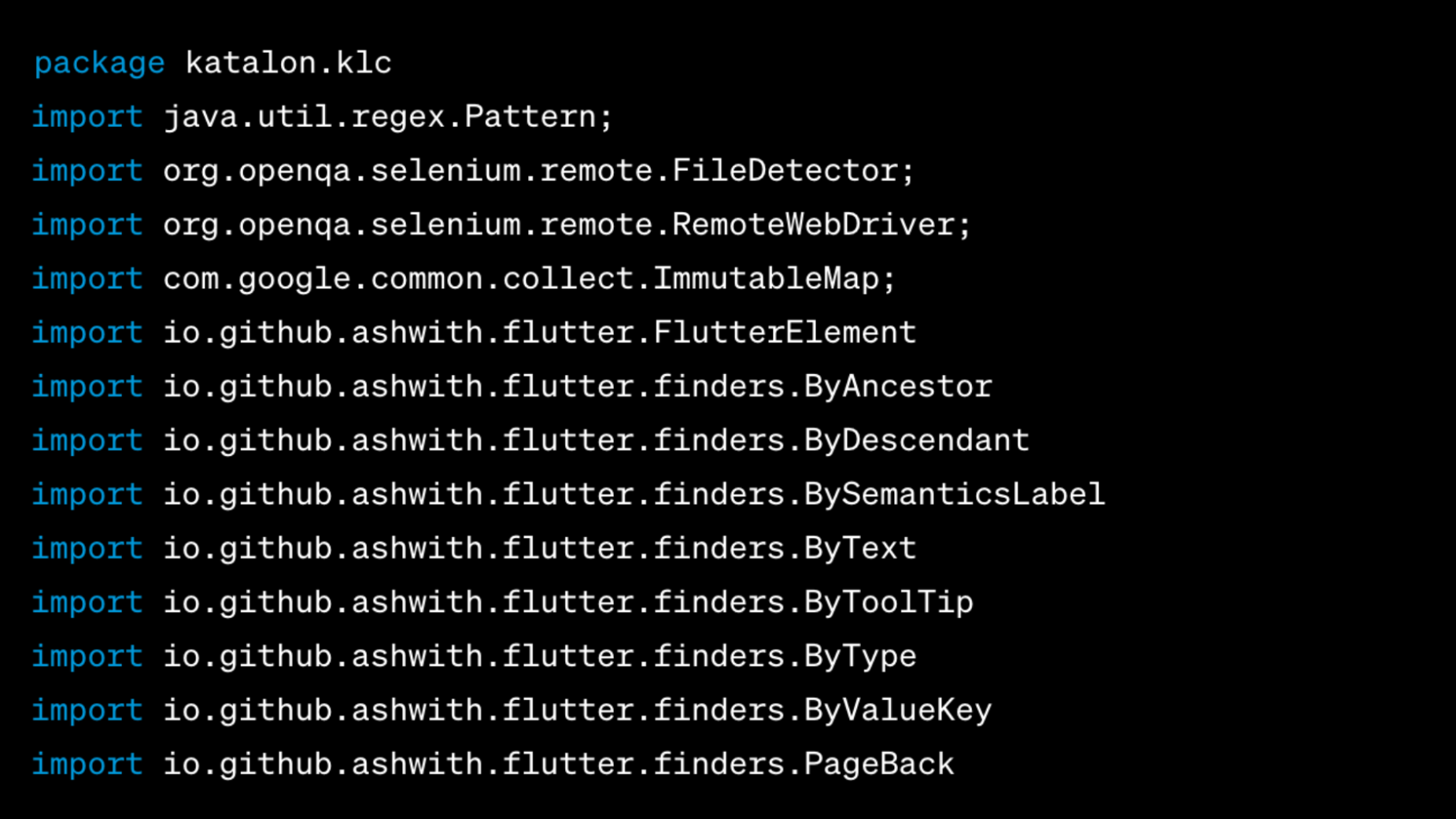
Alternatively, you can also import this sub-folder (katalon.klc) into your Keywords folder: katalon.klc.zip
Overcoming Limitations
Katalon Studio doesn't add Flutter-specific limitations of its own. Most constraints come from Appium and the Appium Flutter Driver, such as needing a debug or profile build and having limited access to some native components. These are actively worked on by the open-source contributors, so check the Appium Flutter Driver project for current known issues before you start.
Conclusion
Automating tests for Flutter apps offers real benefits when it's done right. Katalon Studio and Appium together make the process more efficient, and the preprocessing step makes sure your Flutter app is ready for thorough testing. Flutter gives you a versatile platform for building applications, and Katalon complements it to help you deliver high-quality, reliable software.
Frequently asked questions
Flutter is an open-source UI toolkit for building natively compiled apps across mobile, web, desktop, and embedded from a single codebase; Flutter apps require a unique automation approach due to underlying architecture and differences in UI objects versus traditional Swift/Kotlin apps.
Key benefits include cross-platform testing consistency (reduced need for separate Android/iOS testing), reusable test scripts thanks to a single codebase, and faster iteration because hot reload enables efficient changes to platform-independent locators.
Key challenges include a required preprocessing step to enable automation (otherwise automation becomes limited depending on UI objects), and UI object differences that can affect automation effectiveness based on the app’s UI structure.
Preprocessing is a crucial preparation step that enables the Flutter app to interact seamlessly with automation tools such as Appium; without preprocessing, test automation is limited depending on the UI objects used.
The guide recommends leveraging Appium (2.x) with Katalon Studio for Flutter mobile test automation, using Appium drivers for iOS (XCUITest) and Android (UIAutomator2), plus Appium Flutter Driver.
Core steps include installing Katalon Studio, installing Appium (2.x) and required mobile drivers (XCUITest/UIAutomator2), setting up Appium Flutter Driver (including desired capabilities and custom keywords), and adding the appium_flutterfinder_java library via Project > Settings > Library Management.
Flutter-specific locator strategies can be supported by creating an optional custom Keywords package (using the FlutterFinder definition) to enable user-friendly interactions when test scripts require Flutter-specific locators via Appium Flutter Driver; alternatively, importing the provided katalon.klc sub-folder into the Keywords folder is supported.





Test everything. Ship with confidence.
From generating test cases to spotting failures, Katalon's AI works across your entire pipeline, automatically.
